• Our Office
  • 72 Oceanview Drive Los Angeles,
    CA 90045 USA

11 Best AI Image Generators in 2026 (Free & Paid)

AI Spartan testing the 11 best AI image generators in 2026 — futuristic workspace with comparison grid on ultrawide monitor

INTRODUCTION

AI image generation isn’t a gimmick anymore.

In 2026, these tools generate photorealistic portraits, stunning concept art, and scroll-stopping marketing visuals in under 10 seconds.


The global AI image generation market just crossed $2.4 billion, and over 80 million people now use these tools monthly.

But here’s the problem.

There are now 50+ AI image generators fighting for your attention. Some are incredible. Most are mediocre. A few are outright scams charging premium prices for recycled models.


We spent 6 weeks testing 30+ AI image generators so you don’t have to waste your time or money. We fed every single tool the same 15 test prompts — ranging from photorealistic portraits to fantasy landscapes to product mockups — and compared the results side by side.


The result? 

These 11 tools stood above everything else.


Our Top 3 Quick Picks:

  • 🏆 Best Overall: Midjourney V7
  • 🆓 Best Free Option: Stable Diffusion 4
  • 🚀 Best for Beginners: DALL·E 4 (via ChatGPT)
  •  

Let’s dive into every tool, with real examples, honest pricing breakdowns, and exactly which generator fits your specific needs.

Table of Contents

Quick Comparison Table — All 11 AI Image Generators at a Glance

How We Tested & Ranked These AI Image Generators

We didn’t just read feature pages and slap together a listicle. We actually used every single tool.

Our Testing Methodology

We created 15 standardized test prompts across 5 categories:


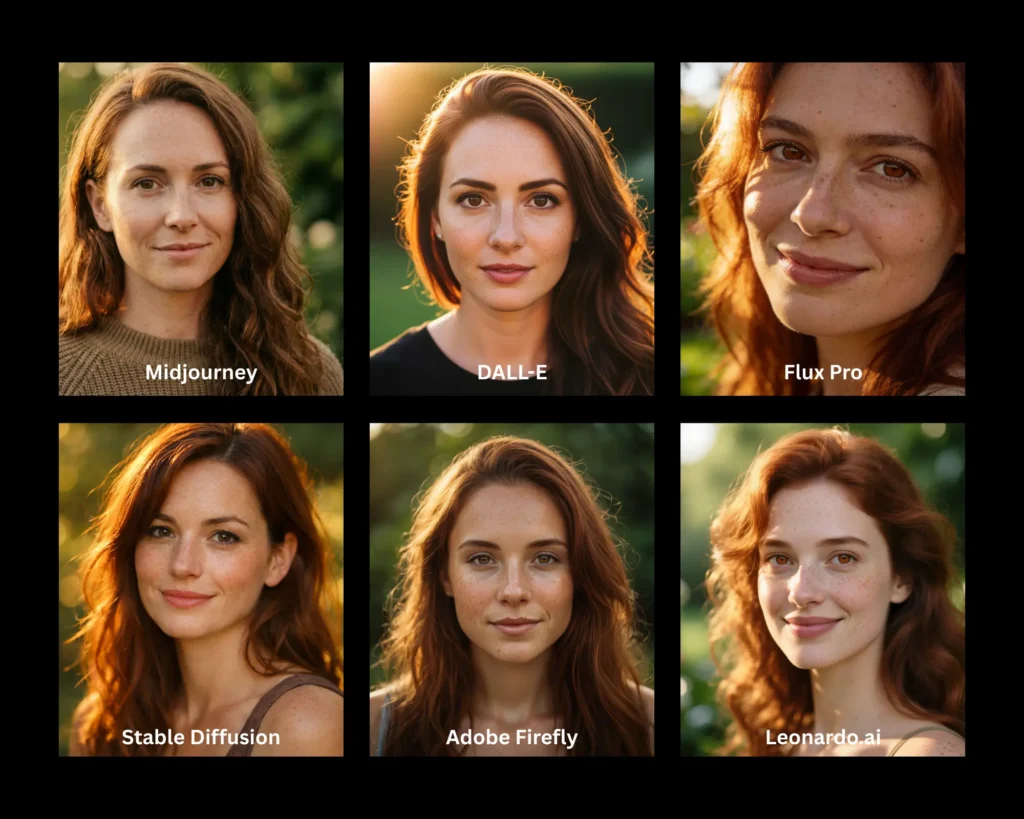
  1. Photorealistic portraits — “A 30-year-old woman with freckles, golden hour lighting, shallow depth of field”
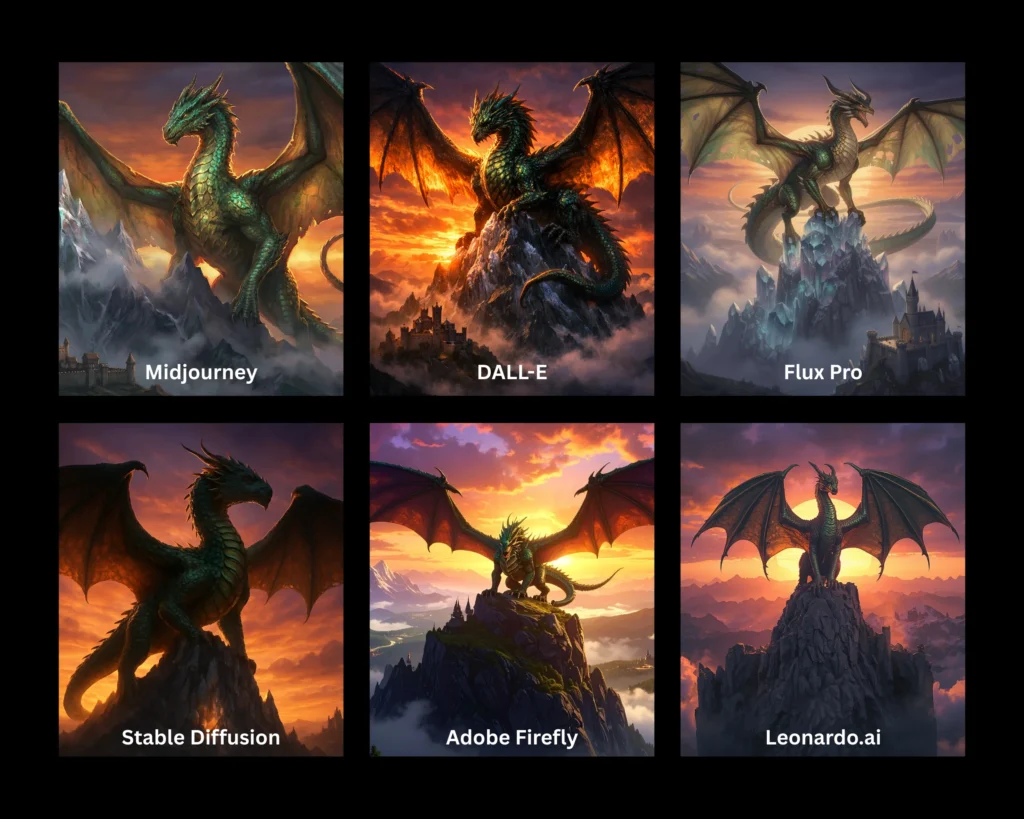
  2. Fantasy/concept art — “An ancient dragon perched on a crystalline mountain, epic cinematic lighting”
  3. Product mockups — “A minimalist white coffee mug on a marble countertop, studio lighting”
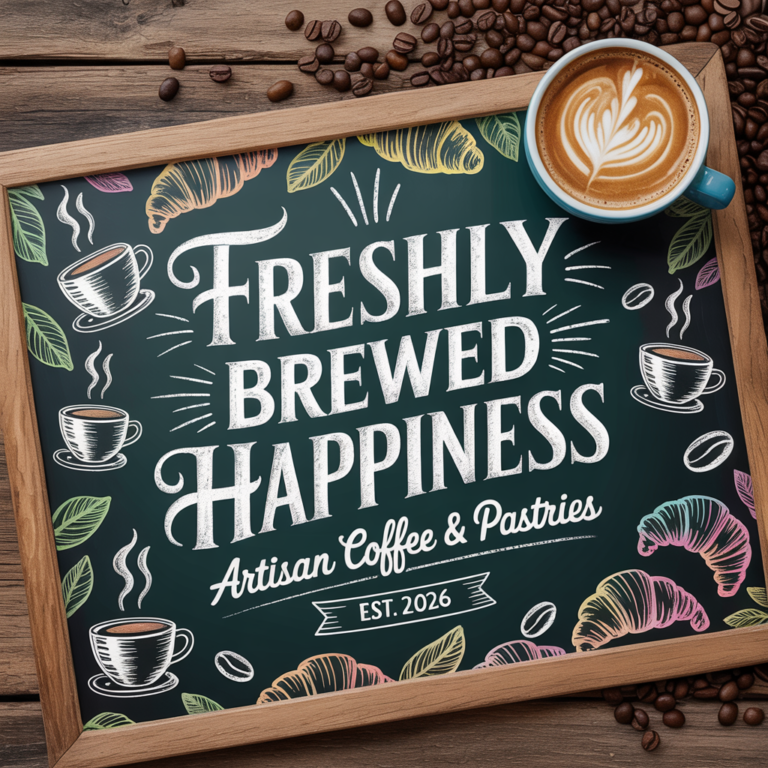
  4. Text-heavy designs — “A vintage poster that reads ‘SUMMER JAZZ FESTIVAL 2026’ with art deco styling”
  5. Abstract/artistic — “Fluid abstract art in deep ocean blues and golds, 8K resolution”
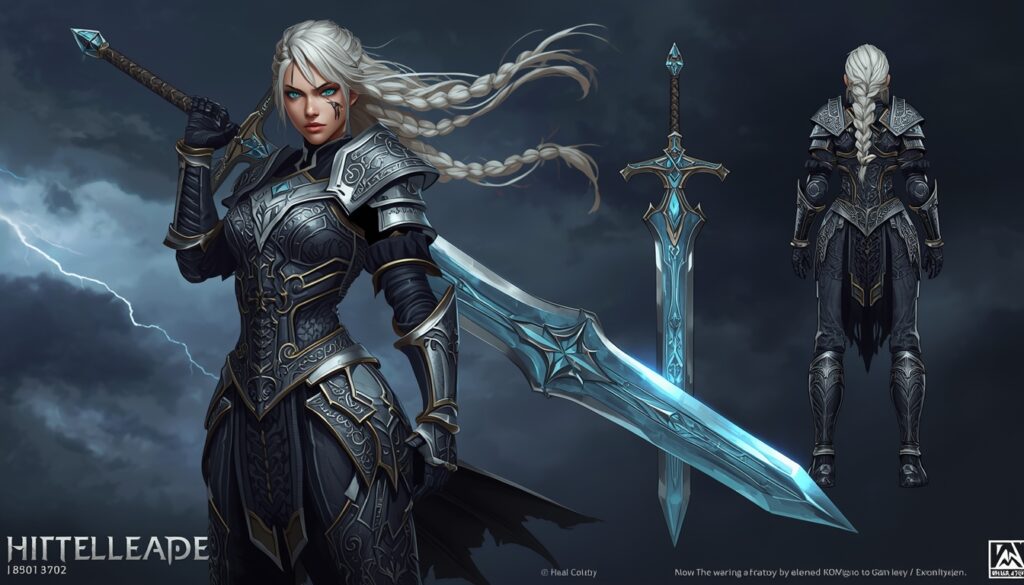
Same portrait prompt tested across 5 different AI image generators showing quality differences between Midjourney, DALL-E, Flux Pro, Stable Diffusion, and Adobe Firefly
ToolBest ForStarting PriceFree PlanImage Quality (1-10)SpeedOur Rating
Midjourney V7Overall quality$10/mo❌ (Trial only)9.8Fast⭐⭐⭐⭐⭐
DALL·E 4Beginners$20/mo (ChatGPT Plus)✅ Limited9.2Fast⭐⭐⭐⭐⭐
Adobe Firefly 3Commercial use$4.99/mo✅ 25 credits/mo9.0Medium⭐⭐⭐⭐½
Stable Diffusion 4Free/Open sourceFree✅ Unlimited9.0Varies⭐⭐⭐⭐½
Leonardo.aiGame & concept art$12/mo✅ 150 img/day9.1Fast⭐⭐⭐⭐½
Ideogram 3.0Text in images$8/mo✅ 10 img/day8.8Fast⭐⭐⭐⭐
Flux Pro 2.0Photorealism$10/mo (via API)✅ Limited9.5Medium⭐⭐⭐⭐½
Canva AINon-designers$13/mo (Pro)✅ Limited8.2Fast⭐⭐⭐⭐
Google Imagen 4Google ecosystem$20/mo (Gemini)✅ Limited9.3Fast⭐⭐⭐⭐½
NightCafeArt styles$5.99/mo✅ 5 credits/day8.5Medium⭐⭐⭐⭐
Playground AIFree daily useFree✅ 500 img/day8.3Fast⭐⭐⭐⭐

Scoring Criteria (Each Weighted Equally)

CriteriaWhat We Measured
Image QualityResolution, detail, coherence, artifact-free output
Prompt AccuracyHow well the image matched our exact text prompt
SpeedTime from prompt submission to final image
Ease of UseInterface design, learning curve, accessibility
Pricing ValueCost per image, plan flexibility, free tier generosity
FeaturesEditing tools, upscaling, style control, API access
Commercial RightsLicensing clarity for business/commercial use

Every tool was scored out of 10 on each criterion, then averaged for the final rating.

The 11 Best AI Image Generators in 2026

1. Midjourney V7 — 🏆 Best Overall AI Image Generator

Rating: 9.8/10 | Price: From $10/month

Midjourney has dominated the AI art space since 2022, and with V7, they’ve pulled even further ahead. The latest model produces images with a level of aesthetic intelligence that no other generator consistently matches.


What separates Midjourney from competitors isn’t just technical quality — it’s taste.


Even vague prompts produce visually stunning results. The model seems to inherently understand composition, lighting, and color theory in ways that feel almost artistic rather than algorithmic.

Key Features:

  • 🎨 Industry-leading aesthetic quality and coherence
  • 🌐 New standalone web app (no more Discord-only limitation)
  • ⚡ V7 model with dramatically improved hands, faces, and text rendering
  • 🔄 Advanced variation, zoom, and pan controls
  • 📐 Custom aspect ratios and resolution up to 4K
  • 🎭 Style references and character consistency features
  • 🖼️ Built-in image editor for inpainting and outpainting

Pros:

  • ✅ Consistently the most visually stunning output
  • ✅ Web interface is clean and intuitive
  • ✅ Massive community for prompt inspiration
  • ✅ Excellent for both artistic and commercial work
  • ✅ V7 finally handles text in images well
  • ✅ Character consistency across multiple generations

Cons:

  • ❌ No true free plan (only limited trial)
  • ❌ $10/month base plan has limited generations (~200/month)
  • ❌ No open-source model access
  • ❌ Steeper learning curve for advanced features
  • ❌ Generated images may have similar “Midjourney aesthetic”

Pricing Breakdown:

PlanPriceGenerationsGPU Time
Basic$10/mo~200 images3.3 hr/mo fast
Standard$30/mo~900 images15 hr/mo fast
Pro$60/mo~1,800 images30 hr/mo fast
Mega$120/mo~3,600 images60 hr/mo fast

Best For: Professional creatives, marketing teams, social media managers, and anyone who wants the best-looking AI images without becoming a prompt engineering expert.

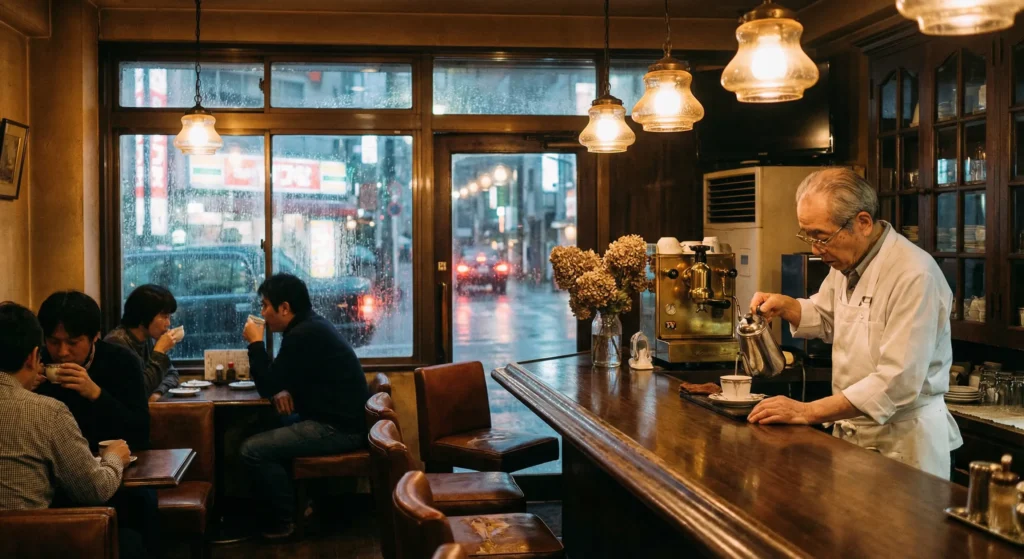
💡 Sample Prompt & Result:

Prompt: “A cozy Japanese cafe in autumn, warm interior lighting, rain on windows, Studio Ghibli inspired, detailed and atmospheric”
Result: Breathtaking atmospheric scene with perfect warm-cool contrast, visible rain droplets, detailed interior elements, and that signature Ghibli warmth. 9.5/10 prompt accuracy.

2. DALL·E 4 (via ChatGPT) — Best for Beginners

Rating: 9.2/10 | Price: Free (limited) or $20/month with ChatGPT Plus


OpenAI’s DALL·E 4 integrated directly into ChatGPT is probably the most accessible AI image generator on the planet. You literally type what you want in conversational English, and ChatGPT generates it. No prompt engineering skills required.


The V4 model is a massive leap from DALL·E 3. It produces sharper, more detailed images with significantly better photorealism and near-perfect text rendering. The ChatGPT integration means you can have a conversation about your image — asking for edits, changes, and variations in natural language.

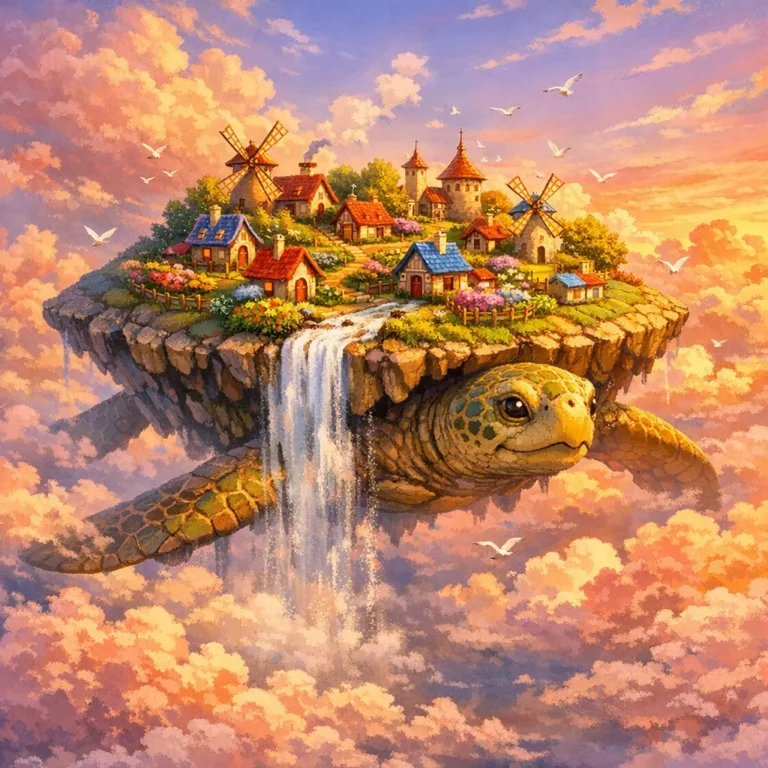
DALL-E 4 generated whimsical floating island village on a giant sky turtle in sunset clouds

Key Features:

  • 💬 Conversational image creation through ChatGPT
  • ✍️ Best-in-class text rendering within images
  • 🔄 Edit images through natural language instructions
  • 📱 Available on web, iOS, Android, and desktop apps
  • 🎯 Exceptional prompt understanding and interpretation
  • 🖼️ Built-in editing tools (select areas and modify with text)
  • 🔒 Full commercial usage rights on all generated images

Pros:

  • ✅ Easiest AI image generator to use — period
  • ✅ Conversational editing (“make the sky more purple”)
  • ✅ Excellent text rendering in images
  • ✅ Free tier available (limited generations)
  • ✅ Seamless integration with ChatGPT for creative brainstorming
  • ✅ Clear commercial licensing

Cons:

  • ❌ Free tier is very limited (a few images/day)
  • ❌ Requires $20/month ChatGPT Plus for consistent access
  • ❌ Less artistic “soul” compared to Midjourney
  • ❌ Heavy content policy restrictions (won’t generate some creative requests)
  • ❌ Can sometimes be too “safe” with outputs

Pricing:

PlanPriceImage Access
Free ChatGPT$0~2-5 images/day
ChatGPT Plus$20/mo~50 images/day
ChatGPT Pro$200/moUnlimited

Best For: Complete beginners, content creators who want quick visuals, anyone already using ChatGPT, and business users who need reliable, commercially-safe images.


💡 Quick How-to Guide:

    1. Go to chat.openai.com
    2. Type: “Create an image of [your description]”
    3. Wait 10-15 seconds for generation
    4. Say “Make it more [your edit]” to refine
    5. Click the image to download in full resolution

3. Adobe Firefly 3 — Best for Commercial Use

Rating: 9.0/10 | Price: Free (25 credits/mo) or $4.99/month

If you need AI images for business, advertising, or client work, Adobe Firefly is your safest bet. It’s the only major AI image generator trained exclusively on licensed content — Adobe Stock images, openly licensed content, and public domain works.


This means zero copyright risk. Adobe even offers IP indemnification for paid users, meaning they’ll cover legal costs if you ever face a copyright claim from a Firefly-generated image. No other AI art tool offers this.

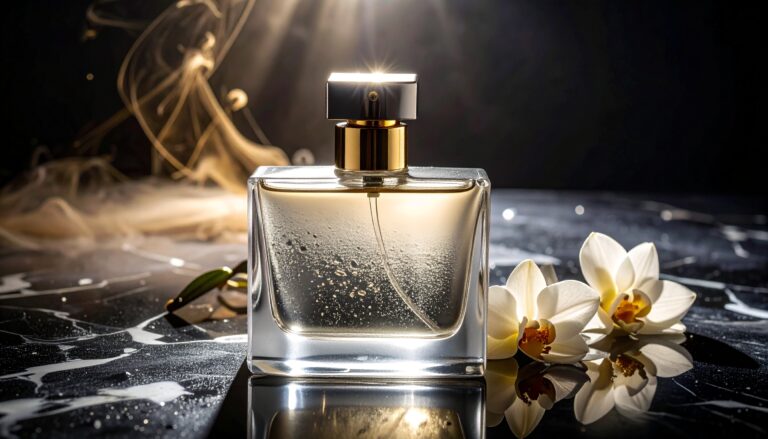
Adobe Firefly generated commercial perfume advertisement showing luxury product photography safe for commercial use

Key Features:

  • 🛡️ Trained on licensed content only — IP safe
  • 💼 Commercial indemnification for paid users
  • 🎨 Deeply integrated into Photoshop, Illustrator, and Express
  • 📝 Generative Fill and Expand in Photoshop
  • 🎭 Style Match feature to match brand aesthetics
  • 🖼️ Structure and style references for consistent output
  • 📊 Content Credentials (built-in AI watermarking/attribution)

Pros:

  • ✅ Safest option for commercial/business use
  • ✅ IP indemnification protects against legal claims
  • ✅ Seamless integration with Adobe Creative Suite
  • ✅ Excellent Generative Fill in Photoshop
  • ✅ Very affordable standalone pricing
  • ✅ Content Credentials for transparency

Cons:

  • ❌ Image quality slightly below Midjourney
  • ❌ Less creative/artistic flair in outputs
  • ❌ Credit system can feel limiting
  • ❌ Best features require Adobe Creative Cloud subscription
  • ❌ Slower generation than some competitors

Pricing:

PlanPriceCredits/Month
Free$025 generative credits
Premium$4.99/mo100 generative credits
Creative Cloud (All Apps)$59.99/mo1,000 generative credits

Best For:  Businesses, marketing agencies, e-commerce brands, and any professional who needs legally safe AI images for commercial projects.

4. Stable Diffusion 4 (SDXL) — Best Free & Open Source

Rating: 9.0/10 | Price: Completely Free (open source)

Stable Diffusion remains the king of open-source AI image generation. With SD4, Stability AI released a model that rivals Midjourney in quality — and it’s completely free to run on your own hardware. 


The catch? You need a decent GPU (8GB+ VRAM minimum) and some technical knowledge to set it up locally. But if you’re willing to invest 30 minutes in setup, you get unlimited, uncensored, fully customizable image generation with no monthly fees — ever.

Key Features:

  • 🆓 100% free and open source
  • 💻 Run locally on your own hardware — total privacy
  • 🔧 Thousands of custom models, LoRAs, and fine-tunes
  • 🎛️ Complete control over every generation parameter
  • 🚫 No content restrictions or censorship
  • 🔄 ControlNet for precise pose/composition control
  • 🖼️ ComfyUI and Automatic1111 web interfaces

Pros:

  • ✅ Completely free — no subscriptions or credits
  • ✅ Total privacy — images never leave your computer
  • ✅ Unlimited generations
  • ✅ Massive community with thousands of custom models
  • ✅ Full creative control with no content restrictions
  • ✅ Can be fine-tuned on your own images/style

Cons:

  • ❌ Requires technical setup (Python, GPU drivers, etc.)
  • ❌ Needs a decent GPU (RTX 3060 or better recommended)
  • ❌ No official customer support
  • ❌ Default UI is less polished than commercial tools
  • ❌ Quality varies greatly depending on model/settings
  • ❌ Steepest learning curve of any tool on this list

Hardware Requirements:

ComponentMinimumRecommended
GPU VRAM8 GB12+ GB
RAM16 GB32 GB
Storage20 GB100+ GB (for models)
GPURTX 3060RTX 4070+

Best For: Tech-savvy users, artists who want total creative freedom, developers building AI image products, and anyone who wants unlimited free AI images with complete privacy.

💡 Getting Started:

  • Install ComfyUI or Automatic1111
  • Download the SD4 base model from HuggingFace
  • Place model in the /models/ folder
  • Launch the web UI
  • Enter your prompt and hit Generate
  • Experiment with samplers, steps, and CFG scale

5. Leonardo.ai — Best for Game Art & Concept Design

Rating: 9.1/10 | Price: Free (150 images/day) or $12/month

Leonardo.ai has carved out a powerful niche as the go-to AI image generator for game developers, concept artists, and creative professionals. Its fine-tuned models for fantasy, sci-fi, and character design are genuinely impressive.


What sets Leonardo apart is its specialized model library. Instead of one general model, you choose from dozens of community-trained models optimized for specific styles — anime, RPG characters, architectural visualization, photorealism, and more.

Key Features:

  • 🎮 Purpose-built models for game art and concept design
  • 🧠 AI Canvas for inpainting, outpainting, and image editing
  • 🎭 Character consistency through Phoenix model
  • 📚 Large library of fine-tuned community models
  • ⚙️ Real-time generation preview
  • 🎨 Motion generation (image to short video)
  • 📐 Pose-to-image with ControlNet integration

Pros:

  • ✅ Generous free tier (150 images/day)
  • ✅ Specialized models produce exceptional niche results
  • ✅ Excellent for game assets, characters, and environments
  • ✅ Built-in canvas editor is very capable
  • ✅ Real-time generation preview saves time
  • ✅ Active community sharing custom models

Cons:

  • ❌ Quality varies significantly between models
  • ❌ Can be overwhelming for beginners (too many options)
  • ❌ Photorealism not as strong as Midjourney/Flux
  • ❌ Some advanced features locked behind higher tiers
  • ❌ Token system can be confusing

Pricing:

PlanPriceTokens/Day
Free$0150 tokens
Apprentice$12/mo8,500 tokens/mo
Artisan$30/mo25,000 tokens/mo
Maestro$60/mo60,000 tokens/mo

Best For: Game developers, concept artists, fantasy illustrators, and creative professionals who need style-specific AI generations.

6. Ideogram 3.0 — Best for Text in Images

Rating: 8.8/10 | Price: Free (10 images/day) or $8/month

If you’ve ever tried to get an AI image generator to spell words correctly in an image, you know the pain. Most tools butcher text, producing garbled, misspelled nonsense. Ideogram 3.0 solved this problem.


Ideogram was literally built to handle text rendering in AI images, and it does it better than anyone — including DALL·E 4. Logos, posters, t-shirt designs, signs, book covers — if your image needs readable, accurate text, Ideogram is your tool.

Key Features:

  • ✍️ Industry-leading text rendering accuracy (99%+)
  • 🎨 Strong overall image quality across styles
  • 📝 Perfect for logos, posters, and typography-heavy designs
  • 🎯 “Magic Prompt” enhances basic prompts automatically
  • 🖼️ Multiple aspect ratios and style presets
  • 📤 High-resolution downloads

Pros:

  • ✅ The best text-in-image accuracy of any AI generator
  • ✅ Generous free tier (10 images per day)
  • ✅ Clean, simple interface
  • ✅ Surprisingly good overall image quality
  • ✅ Magic Prompt makes basic prompts better automatically
  • ✅ Affordable paid plans

Cons:

  • ❌ Overall artistic quality below Midjourney
  • ❌ Fewer editing tools than competitors
  • ❌ Smaller community and fewer resources
  • ❌ Limited style control options
  • ❌ No API access on basic plans

Best For: Graphic designers, logo creators, social media marketers, print-on-demand sellers, and anyone who needs accurate text rendered within AI images.

7. Flux Pro 2.0 (by Black Forest Labs) — Best for Photorealism

Rating: 9.5/10 | Price: API-based ($0.05/image) or via platforms (~$10/mo)

Flux Pro 2.0 from Black Forest Labs (founded by the original Stable Diffusion creators) has quietly become the most photorealistic AI image generator available. When you need an AI image that looks like an actual photograph — not an illustration, not an artistic rendering — Flux Pro delivers.


The level of detail in skin textures, fabric, lighting, and environmental elements is genuinely hard to distinguish from real photography in many cases.

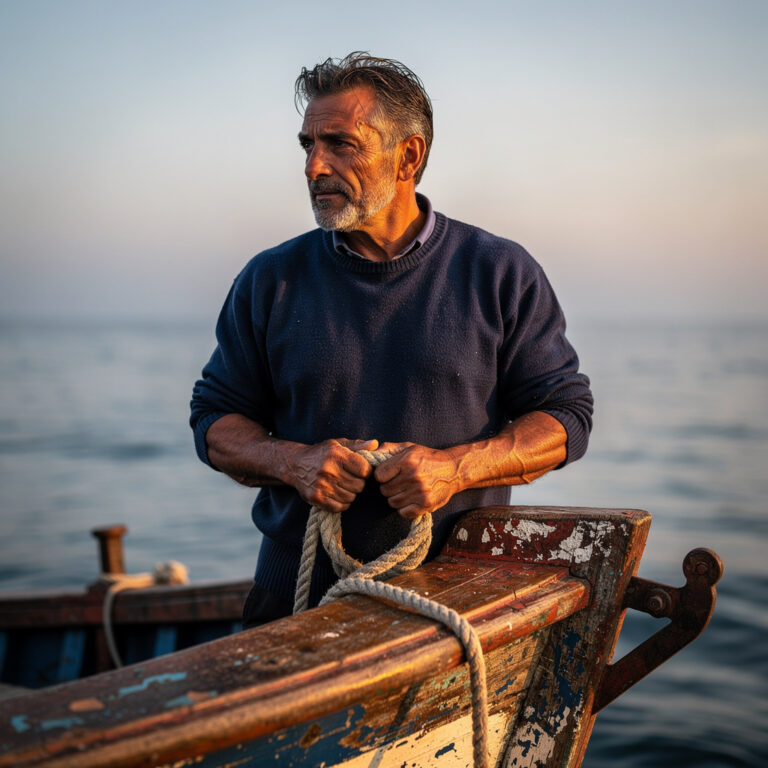
Flux Pro 2.0 ultra-photorealistic AI generated portrait of Italian fisherman indistinguishable from real photography

Key Features:

  • 📸 The most photorealistic output of any generator tested
  • ⚡ Multiple model variants (Schnell for speed, Dev for development)
  • 🔧 Open weights for the Dev/Schnell models
  • 🎛️ Fine-grained control through API parameters
  • 🖼️ Up to 2K resolution natively
  • 🔄 Image-to-image and inpainting capabilities

Pros:

  • ✅ Unmatched photorealism — often indistinguishable from real photos
  • ✅ Excellent at hands, faces, and human anatomy
  • ✅ Open-source variants available (Flux Schnell, Flux Dev)
  • ✅ Pay-per-image pricing is cost-effective for light users
  • ✅ Very fast generation times
  • ✅ Available through multiple platforms (Replicate, fal.ai, etc.)

Cons:

  • ❌ No official standalone web interface
  • ❌ API-based access requires some technical knowledge
  • ❌ Less artistic/stylized than Midjourney
  • ❌ Third-party platforms add markup to pricing
  • ❌ Fewer editing/refinement tools built in
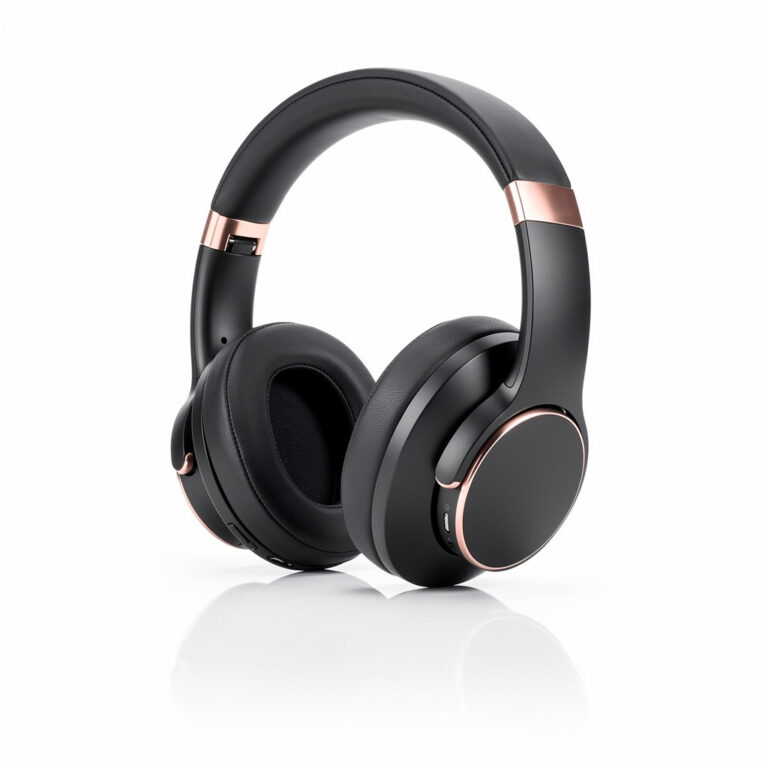
Flux Pro 2.0 AI generated professional product photography of headphones for e-commerce listing

Best For: Product photography, stock photo replacement, realistic marketing visuals, portrait generation, and any use case requiring images that pass as real photographs.

8. Canva AI (Magic Media) — Best for Non-Designers

Not everyone wants to learn a dedicated AI image tool. If you’re already using Canva for your designs (and 190+ million people are), Magic Media brings AI image generation right into your existing workflow.


The image quality won’t match Midjourney or Flux, but the convenience factor is unbeatable. Generate an AI image, drag it directly into your Canva design, apply brand colors, add text, and export — all in one place.

Key Features:

  • 🎨 AI image generation built into Canva’s design platform
  • 📱 Works on web, desktop, and mobile
  • 🔄 Generate and immediately use in designs
  • 🖼️ Multiple style options (Photo, Illustration, 3D, etc.)
  • ✏️ Built-in editing tools (remove background, filters, etc.)
  • 📐 Templates and brand kit integration

Pros:

  • ✅ Seamless integration with Canva design tools
  • ✅ Zero learning curve if you already use Canva
  • ✅ Generate and design in one workflow
  • ✅ Great for social media posts and presentations
  • ✅ Brand kit ensures visual consistency
  • ✅ Free tier includes some AI generations

Cons:

  • ❌ Image quality noticeably lower than dedicated AI generators
  • ❌ Limited customization and prompt control
  • ❌ Credit limits feel restrictive on Pro plan
  • ❌ Not suitable for high-end creative work
  • ❌ Less detailed/nuanced output

Best For: Social media managers, small business owners, content marketers, and anyone who values convenience and workflow integration over cutting-edge image quality.

9. Google Imagen 4 — Best for Google Ecosystem Users

Rating: 9.3/10 | Price: Free (via Gemini, limited) or $20/month (Google One AI Premium)

Google’s Imagen 4 arrived with surprisingly little fanfare but delivers seriously impressive results. Available through Gemini (Google’s AI assistant), Google AI Studio, and Vertex AI, Imagen 4 produces highly detailed, photorealistic images that compete with the best.


The latest model excels at understanding complex multi-element prompts, accurately depicting spatial relationships, and rendering fine details like text, jewelry, and fabric patterns.

Key Features:

  • 🧠 Exceptional understanding of complex, multi-element prompts
  • 📸 Excellent photorealism rivaling Flux Pro
  • ✍️ Strong text rendering in images
  • 🔗 Deep integration with Google Workspace and tools
  • ☁️ Enterprise-grade API through Vertex AI
  • 🛡️ SynthID watermarking for responsible AI identification

Pros:

  • ✅ Outstanding image quality — especially photorealism
  • ✅ Excellent at understanding complex, detailed prompts
  • ✅ Good text rendering accuracy
  • ✅ Integrated into Google ecosystem
  • ✅ Enterprise API available for developers
  • ✅ Free access through Gemini (limited)

Cons:

  • ❌ Strict content policies limit creative freedom
  • ❌ Full access requires $20/month Google One AI Premium
  • ❌ Less community and resources than Midjourney/SD
  • ❌ No standalone image editing tools
  • ❌ Not yet available in all regions
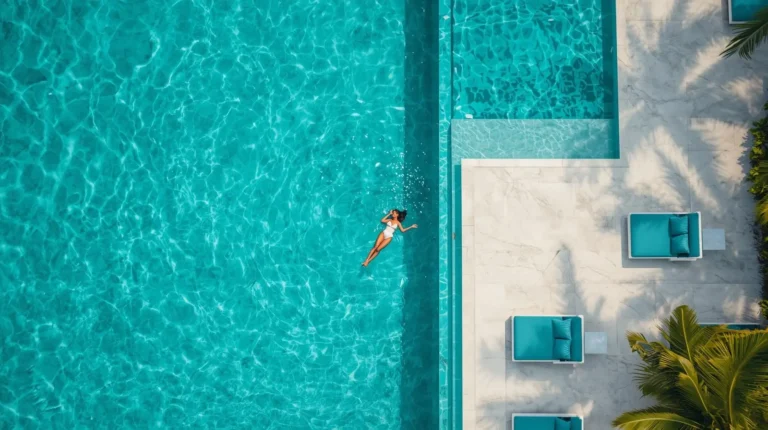
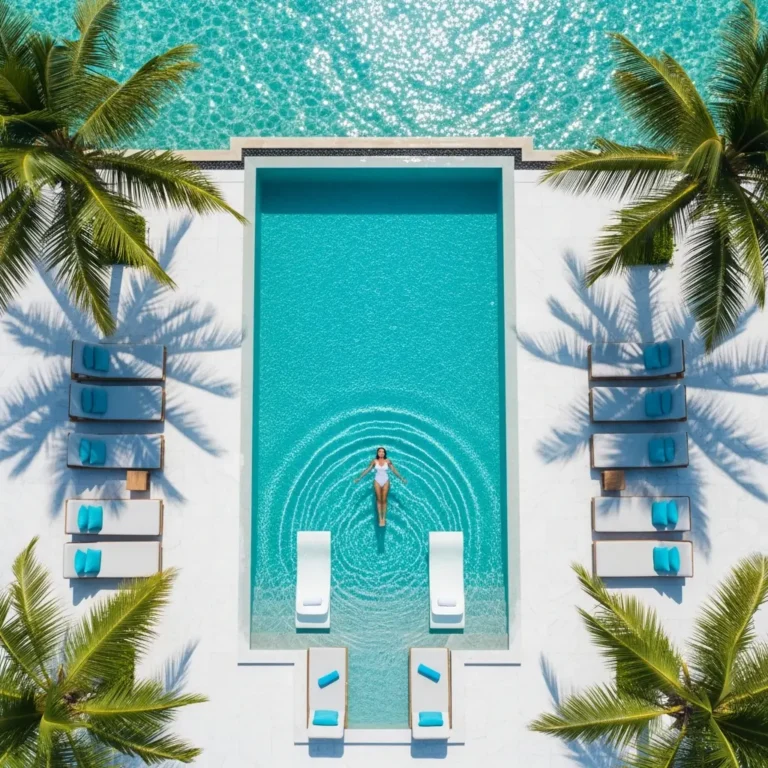
Google Imagen 4 AI generated luxury Maldives resort infinity pool aerial drone photography

Best For: Google Workspace users, enterprise teams, developers building AI applications, and anyone wanting top-tier image quality within the Google ecosystem.

10. NightCafe — Best for Art Styles & Community

Rating: 8.5/10 | Price: Free (5 credits/day) or $5.99/month

NightCafe is the Swiss Army knife of AI image generation. Rather than building its own model, NightCafe gives you access to multiple AI models — Stable Diffusion, DALL·E, its own NightCafe model, and more — all through one interface.


The real magic is the vibrant community. NightCafe has one of the most active AI art communities, with daily challenges, galleries, and a credit-earning system that rewards participation.

Key Features:

  • 🔄 Access multiple AI models from one platform
  • 🎨 Extensive style presets and artistic filters
  • 👥 Active community with daily art challenges
  • 🏆 Earn free credits through community participation
  • 📱 Works on web and mobile
  • 🖼️ Bulk creation tools for generating variations

Pros:

  • ✅ Multiple models available — test different engines
  • ✅ Strong community and social features
  • ✅ Daily challenges keep you inspired
  • ✅ Earn credits for free through participation
  • ✅ Good variety of artistic styles and presets
  • ✅ Very affordable paid plans

Cons:

  • ❌ Image quality depends heavily on which model you use
  • ❌ Credit system can be confusing
  • ❌ Free tier is quite limited (5 credits/day)
  • ❌ Interface feels dated compared to newer tools
  • ❌ Not ideal for professional/commercial work
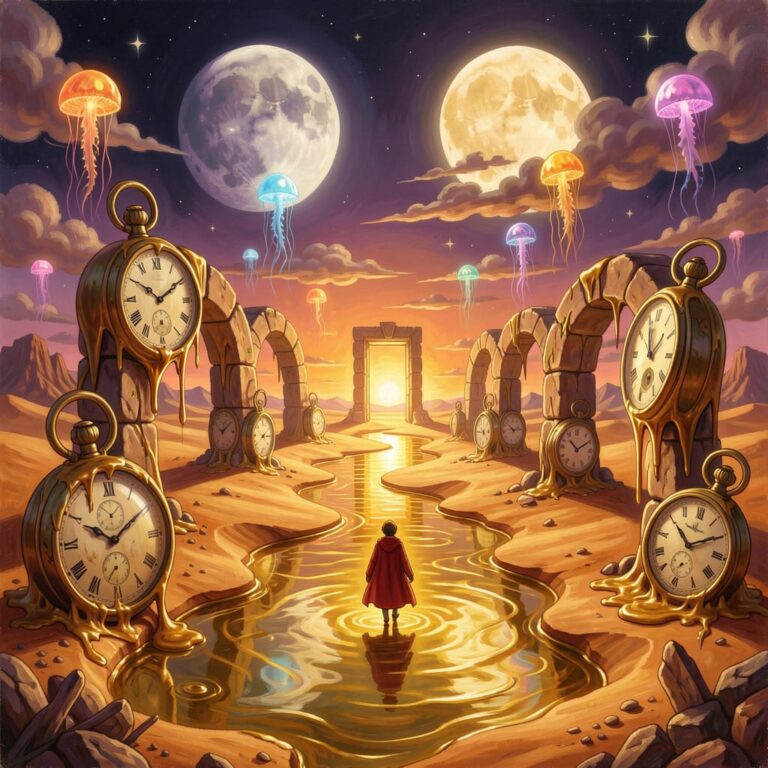
NightCafe AI generated surrealist dreamscape painting combining Dali-style melting watches with fantasy elements

Best For: AI art enthusiasts, hobbyists, community-minded creators, and anyone who wants to experiment with multiple AI models without separate subscriptions.

11. Playground AI — Best Free Daily Generations

Rating: 8.3/10 | Price: Free (500 images/day!) or $15/month

Playground AI offers something almost no other tool does: 500 free image generations per day. That’s not a typo. Five hundred. Per day. For free.


The quality won’t blow your mind compared to Midjourney, but for the price (literally zero), it’s remarkable. The web interface is clean and beginner-friendly, and the platform includes basic editing tools for refinement.

Key Features:

  • 🆓 500 free images per day — the most generous free tier anywhere
  • 🎨 Clean, modern web interface
  • 🖼️ Built-in canvas for image editing
  • 🎯 Multiple model options (including their own Playground V3)
  • ⚡ Fast generation times
  • 🔄 Image-to-image and filter options

Pros:

  • ✅ 500 free images daily — unmatched generosity
  • ✅ Clean, intuitive interface
  • ✅ No sign-up required for basic use
  • ✅ Good for experimentation and learning
  • ✅ Built-in editing tools included
  • ✅ Decent quality for a free tool

Cons:

  • ❌ Image quality below premium tools
  • ❌ Fewer advanced features and controls
  • ❌ Community and resources smaller than competitors
  • ❌ Pro plan is pricey relative to what you get
  • ❌ Less consistent results with complex prompts

Best For: Students, hobbyists, content creators on a budget, and anyone who needs high-volume AI image generation without spending a dime.

AI Image Generator Pricing Comparison (2026)

Here’s a comprehensive pricing breakdown to help you make a budget-informed decision:

ToolFree PlanCheapest PaidMid TierTop TierCost Per Image (est.)
MidjourneyTrial only$10/mo$30/mo$120/mo$0.03-$0.05
DALL·E 4~5 img/day$20/mo (Plus)$200/mo (Pro)$0.04-$0.40
Adobe Firefly25 credits/mo$4.99/mo$59.99/mo (CC)$89.99/mo$0.05-$0.20
Stable Diffusion✅ Unlimited$0 (free forever)$0.00 (electricity)
Leonardo.ai150 tokens/day$12/mo$30/mo$60/mo$0.01-$0.05
Ideogram10 img/day$8/mo$20/mo$60/mo$0.02-$0.08
Flux ProLimited (Dev)~$0.05/imgEnterprise$0.03-$0.06
Canva AILimited$13/mo (Pro)$30/mo (Teams)$0.10-$0.30
Google ImagenVia Gemini$20/moEnterpriseCustom$0.04-$0.08
NightCafe5 credits/day$5.99/mo$15.99/mo$49.99/mo$0.04-$0.15
Playground AI500 img/day$15/mo$0.00-$0.03

💡 Best Value Picks:

  • Tightest Budget: Stable Diffusion (free) or Playground AI (500 free/day)
  • Best Bang for Buck: Leonardo.ai ($12/mo with generous limits)
  • Best Premium Value: Midjourney Standard ($30/mo)

Free vs Paid AI Image Generators — What's the Real Difference?

This is one of the most common questions we receive, so let’s break it down honestly.

What You Get for Free

FeatureFree ToolsPaid Tools
Image QualityGood (7-8/10)Excellent (9-10/10)
Daily Limit5-500 images200-Unlimited
ResolutionStandard (1024×1024)Up to 4K
Commercial RightsOften unclearUsually included
SpeedSlower (queued)Priority/instant
Editing ToolsBasic or noneAdvanced suite
SupportCommunity onlyPriority support
WatermarksSometimes yesNo

When Free Is Enough

Free AI image generators work perfectly fine if you:

  • 🎨 Create images for personal projects or learning
  • 📱 Need occasional social media graphics
  • 🧪 Want to experiment and find your preferred tool
  • 📝 Blog images that don’t require photorealistic quality
  • 🎓 Students working on school or university projects

When You Should Pay

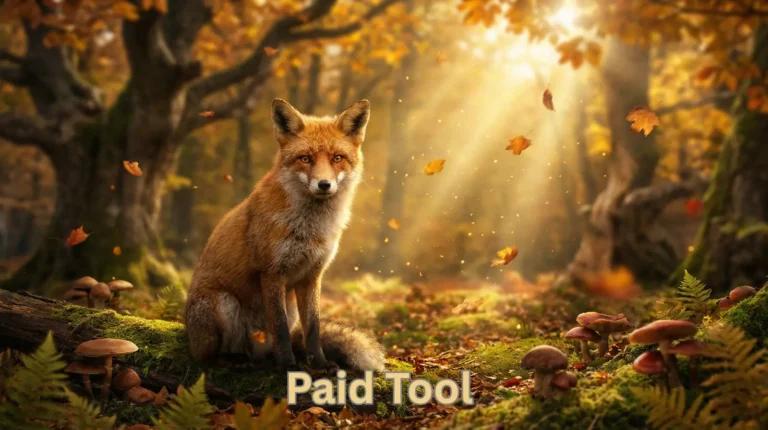
Free vs paid AI image generator comparison showing the same fox prompt generated on free and premium tools

Consider upgrading to a paid plan if you:

  • 💼 Use AI images for commercial projects or client work
  • 📊 Need consistent, high-volume image generation
  • 🎯 Require specific quality standards for professional work
  • ⚖️ Need clear commercial licensing and IP protection
  • 🎨 Want advanced editing, upscaling, and refinement tools
  • ⚡ Can’t afford slow queue times


Our recommendation: Start with free tiers to find your preferred tool, then upgrade only when free limitations genuinely block your workflow.

Best AI Image Generator for Your Specific Use Case

Not sure which tool is right for your situation? Here’s our recommendation for every common use case:

📱 Social Media Content

Winner: DALL·E 4 (via ChatGPT)

Why: Fastest workflow. Describe what you want in conversation, get an image, iterate with natural language. Perfect for quick social posts.


Runner-up: Canva AI — generate and design your post in one tool.

📈 Marketing & Advertising

Winner: Adobe Firefly 3

Why: IP indemnification means zero copyright risk on ads. Integration with Photoshop lets you refine images to exact brand specifications.


Runner-up: Midjourney V7 — when you need the most visually striking ad creative.

🎨 Artists & Designers

Winner: Midjourney V7

Why: The highest aesthetic quality. Style references and consistency features let you develop and maintain a unique visual voice.


Runner-up: Stable Diffusion 4 — for artists who want total creative control and custom model training.

🛒 E-commerce Product Photos

Winner: Flux Pro 2.0
Why: The most photorealistic output. Product images that look like professional studio photography.


Runner-up: Adobe Firefly 3 — safe for commercial use with Photoshop integration for product editing.

✍️ Blog & Website Images

Winner: Playground AI
Why: 500 free images per day means unlimited blog headers, in-article images, and featured images without spending a penny.


Runner-up: Leonardo.ai — generous free tier with better quality output.

🎮 Game Development

Winner: Leonardo.ai
Why: Purpose-built models for game assets, characters, environments, and concept art. The specialized model library is unmatched.


Runner-up: Stable Diffusion 4 — train custom LoRAs for your specific game style.

📰 Print-on-Demand / Merch

Winner: Ideogram 3.0
Why: When your T-shirt, mug, or poster needs text, Ideogram’s text rendering is essential. Clean designs perfect for merchandise.


Runner-up: Midjourney V7 — for illustration-heavy merchandise without text.

How to Use an AI Image Generator (Step-by-Step for Beginners)

Never used an AI image generator before? Here’s a complete beginner’s walkthrough using DALL·E 4 via ChatGPT (the easiest starting point):

Step 1: Choose Your Tool & Sign Up

Head to chat.openai.com and create a free account. You’ll get access to limited DALL·E 4 image generations immediately.

💡 Tip: If you want more generations, consider ChatGPT Plus ($20/month) or try Playground AI for 500 free images daily.

Step 2: Write Your First Prompt

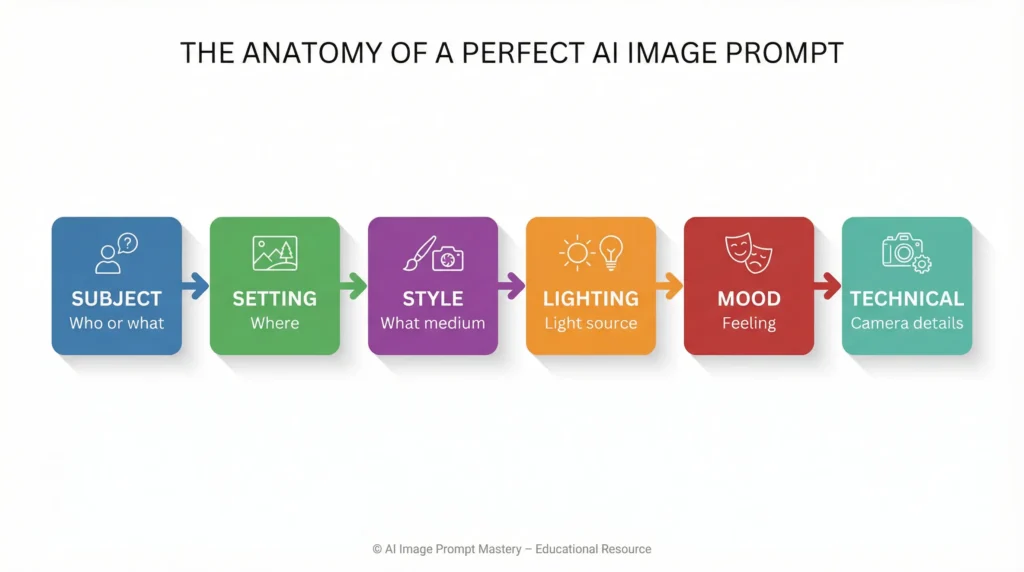
The key to great AI images is a clear, descriptive prompt. Use this formula:

[Subject] + [Setting/Background] + [Style] + [Lighting] + [Mood] + [Technical Details]

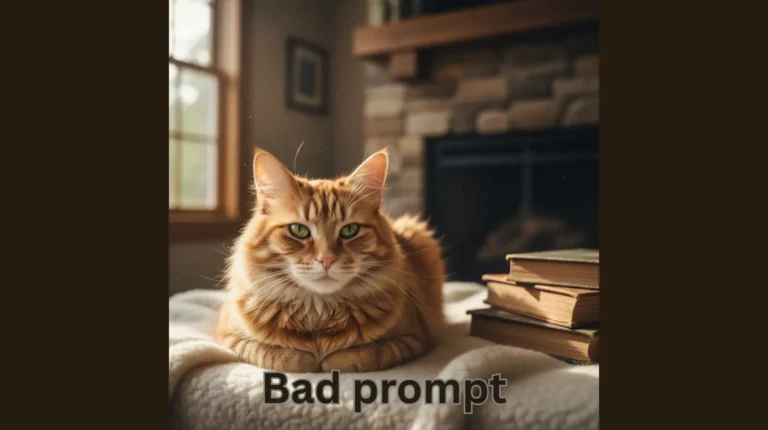
Bad prompt: “A cat”

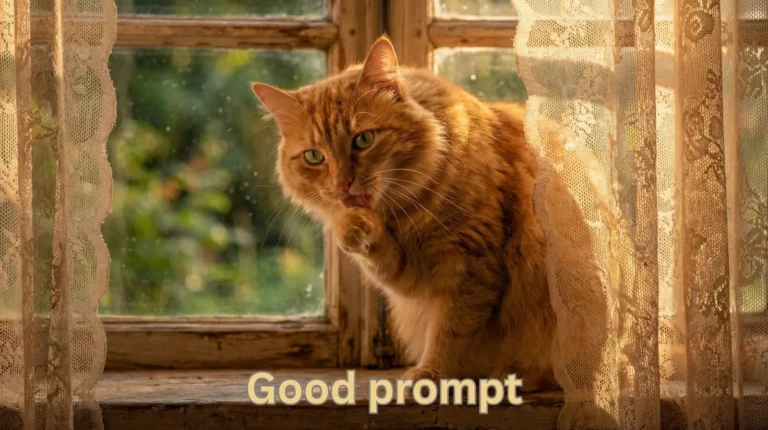
Good prompt: “A fluffy orange tabby cat sitting on a windowsill, warm afternoon sunlight streaming through lace curtains, cozy cottage interior, soft bokeh background, photorealistic style, warm color palette”

Bad vs good AI prompt comparison showing simple cat prompt versus detailed descriptive prompt results

Step 3: Generate Your Image

Click send and wait 10-15 seconds. The AI will create your image based on the prompt.

Step 4: Iterate and Refine

Don’t settle for the first result. Try these refinement strategies:

  • Be more specific: “Make the cat look directly at the camera with bright green eyes”
  • Change style: “Make it look like a watercolor painting instead”
  • Adjust composition: “Zoom out to show more of the room”
  • Fix issues: “Remove the extra paw and fix the eyes”

Step 5: Upscale and Edit

Most tools offer upscaling (increasing resolution) and basic editing:

  • Midjourney: Use the U1-U4 buttons to upscale
  • DALL·E 4: Ask ChatGPT to edit specific areas
  • External tools: Use Upscayl (free) for AI upscaling

Step 6: Download and Use

Download your image in the highest available resolution. Check the tool’s licensing terms before using commercially.

AI Image Generation Tips for Better Results

After generating thousands of test images, here are our proven tips for dramatically better output:

🎯 Prompt Engineering Basics

AI prompt formula infographic showing six key elements: subject, setting, style, lighting, mood, and technical details
  1. Be specific, not vague. “Beautiful landscape” → “Misty fjord at dawn, Norway, calm turquoise water reflecting snow-capped mountains, long exposure photography style”

  2. Mention the medium/style. Add phrases like: oil painting, digital art, photorealistic, watercolor, cinematic, anime, 3D render, pencil sketch

  3. Describe lighting. Lighting transforms everything: golden hour, dramatic side lighting, neon glow, soft diffused light, harsh midday sun, candlelit

  4. Include camera details (for photorealism): 85mm lens, f/1.4, shallow depth of field, shot on Canon R5, wide angle

  5. Specify what you DON’T want. Most tools support negative prompts: “no blur, no extra fingers, no watermark, no text”

🎨 Style References

  1. Many tools (Midjourney, Leonardo) let you upload a reference image to guide the style. This is incredibly powerful for:

    • Maintaining brand consistency
    • Matching an existing aesthetic
    • Replicating a specific art style

📐 Aspect Ratios Matter

  1. Choose your aspect ratio before generating:

    • 1:1 — Instagram posts, profile pictures
    • 16:9 — YouTube thumbnails, blog headers, presentations
    • 9:16 — Instagram Stories, TikTok, Pinterest pins
    • 4:3 — Traditional print, presentations
    • 21:9 — Ultrawide/cinematic compositions

Frequently Asked Questions About AI Image Generators

Are AI-generated images free to use commercially?

It depends on the tool. Most paid AI image generators (Midjourney, DALL·E 4, Adobe Firefly) grant full commercial rights to images you generate on paid plans. Free tier usage often has restrictions. Adobe Firefly is the safest for commercial use due to its IP indemnification. Always check each tool’s terms of service.

Which AI image generator is completely free with no limits?

Stable Diffusion 4 is completely free with no generation limits when run locally on your computer. Playground AI offers 500 free images per day through its web interface. These are the two most generous free options available.

Can AI image generators create realistic photos of real people?

Most reputable AI generators block generation of real, identifiable people (celebrities, public figures). They can create photorealistic images of fictional people that look extremely realistic. Flux Pro 2.0 produces the most photorealistic human images of any tool we tested.

Do AI image generators steal from artists?

This remains a heated debate. Tools like Stable Diffusion were trained on billions of internet images, which included copyrighted artwork — often without artists’ consent. Adobe Firefly addresses this by training only on licensed/public domain content. The ethical landscape is still evolving, and several lawsuits are ongoing in 2026.

What's the best AI image generator for absolute beginners?

DALL·E 4 via ChatGPT. No prompt engineering required — just describe what you want in plain English. ChatGPT even helps improve your prompts and lets you edit images through conversation. It’s the most natural, intuitive interface for newcomers.

Can I train an AI image generator on my own art style?

Yes. Stable Diffusion supports fine-tuning through LoRA training, allowing you to train the model on your own images to replicate your specific style. Leonardo.ai also offers model fine-tuning. Midjourney’s “Style Reference” feature achieves similar results without technical training.

Final Verdict — Which AI Image Generator Should You Pick?

After six weeks of intensive testing, here’s our definitive recommendation:

🏆 Best Overall: Midjourney V7

If you want the single best AI image generator in 2026, it’s Midjourney.


The aesthetic quality is unmatched, the new web interface is excellent, and V7’s improvements in text rendering, hands, and consistency make it the complete package. Start with the $10/month Basic plan.

🆓 Best Free Option: Stable Diffusion

If you have a decent GPU and don’t mind 30 minutes of setup, you’ll never pay for AI images again.


The open-source ecosystem gives you unlimited power and customization that no commercial tool can match.

🚀 Best for Beginners: DALL·E (ChatGPT)

If you’ve never generated an AI image before, start here. The conversational interface removes all friction. You’ll be creating impressive images within 60 seconds of signing up.

💼 Best for Business: Adobe Firefly

If AI images are going into ads, client projects, or products you sell — Firefly’s IP indemnification makes it the only responsible choice for risk-averse businesses.

💰 Best Budget Pick: Leonardo.ai

The $12/month Apprentice plan gives you excellent quality, specialized models, and enough tokens for hundreds of images monthly. Best value in the paid tier.

Start Creating AI Images Today

The gap between “amateur AI images” and “professional-quality AI art” isn’t about talent or expensive tools anymore. It’s about choosing the right generator for your needs and learning to write effective prompts.

Every tool on this list offers a free tier or trial. Pick one, generate your first image in the next 5 minutes, and see what’s possible.


Our recommendation for most people: Start with DALL·E (free via ChatGPT) to learn the basics. Once you’re comfortable with AI image generation, upgrade to Midjourney for the best quality or Stable Diffusion for unlimited free generations.


The future of visual content is here. Time to start creating.

Hi, I’m Nitish,

Some fun facts about me:

🤖 I’ve tested 200+ AI tools (and counting)
☕ I run on coffee and curiosity
📝 I’ve written 100+ articles about AI
🎯 My goal is to help 1 million people find the right AI tools
💡 I believe AI should be accessible to everyone, not just tech experts