16. Pika (Free Tier)
Best for: Text-to-video, image-to-video, creative video generation
Free Tier Rating: 🟡 Moderate
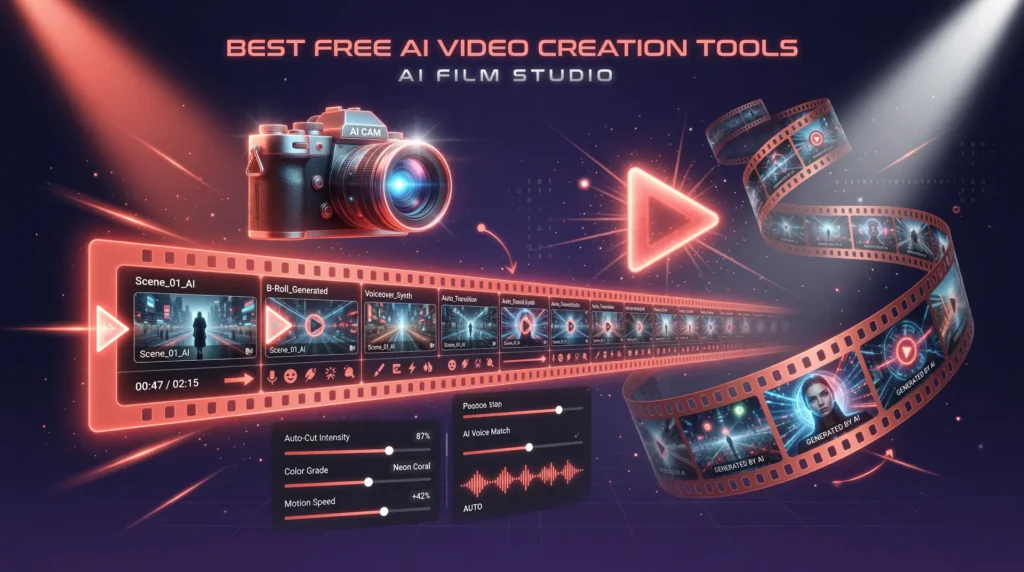
Pika represents the cutting edge of AI video generation, turning text prompts and images into short video clips.
What You Get for Free:
- 250 credits per month
- Text-to-video generation
- Image-to-video animation
- Video-to-video style transfer
- Basic editing tools
- 720p resolution
- 3-second clips
What Requires Payment:
- More credits and longer videos ($8/month Standard plan)
- 1080p resolution
- Watermark removal
- Commercial usage
- Priority generation
Our Verdict: Pika’s free tier is great for experimentation and social media content. The 3-second clip limit keeps it in the “creative tool” category rather than a full production solution, but the quality of the generated videos is impressive.
17. Clipchamp AI (Microsoft)
Best for: Business video editing, presentations, screen recordings
Free Tier Rating: 🟢 Generous
Clipchamp, now owned by Microsoft and built into Windows 11, offers robust free video editing with AI-powered features.
What You Get for Free:
- Full video editor
- AI-powered text-to-speech
- Auto-captions
- Screen recording
- Webcam recording
- Stock video library (limited)
- Export up to 1080p
- No watermark
- Green screen (chroma key)
What Requires Payment:
- Premium stock content ($11.99/month Essentials)
- Brand kit
- Premium filters and effects
- Cloud backup
Our Verdict: Clipchamp is the best free option for business and professional video editing. Being built into Windows gives it seamless integration, and the 1080p export without watermark makes it a legitimate production tool.
18. InVideo AI (Free Plan)
Best for: Automated video creation from text prompts
Free Tier Rating: 🟡 Moderate
InVideo AI takes a unique approach — you describe what you want in plain text, and it generates a complete video with footage, music, voiceover, and captions.
What You Get for Free:
- 10 AI-generated videos per week
- 720p export
- InVideo watermark
- AI script generation
- Stock footage integration
- Text-to-video workflow
- Basic customization
What Requires Payment:
- Watermark removal ($25/month Business plan)
- 1080p export
- More weekly generations
- Premium stock media
- iStock media access
Our Verdict: InVideo AI’s free plan is ideal for content creators who want to test automated video creation. The watermark is the main drawback, but for drafting concepts and internal use, it’s very effective.
19. Synthesia (Free Demo)
Best for: AI avatar presentations, training videos, corporate content
Free Tier Rating: 🔴 Limited
Synthesia creates videos with realistic AI avatars — digital humans that present your content. The free tier is limited but demonstrates the technology.
What You Get for Free:
- 3 free video minutes (one-time)
- AI avatar selection
- Text-to-video with avatar
- Multiple languages
- Basic templates
What Requires Payment:
- 10 minutes/month ($29/month Starter)
- Custom avatars
- Branded templates
- Full language support
- API access
Our Verdict: Synthesia’s free offering is more of a demo than a sustained free tool. However, it’s worth trying to see if AI avatar videos fit your workflow before committing to a subscription.
20. HeyGen (Free Credits)
Best for: AI spokesperson videos, multilingual content, video translation
Free Tier Rating: 🔴 Limited
HeyGen specializes in creating professional videos with AI avatars and offers powerful video translation capabilities.
What You Get for Free:
- 3 free credits (approximately 3 one-minute videos)
- 100+ AI avatars
- 40+ languages
- Video translation feature (limited)
- Template library
- Text-to-speech integration
What Requires Payment:
- 15 credits/month ($29/month Creator plan)
- Custom avatar creation
- Premium voices
- API access
- Longer videos
- Priority rendering
Our Verdict: Like Synthesia, HeyGen’s free tier is more of a trial. But the video translation feature — which can dub your existing videos into other languages with lip-sync — is genuinely revolutionary and worth testing.
Best Free AI Audio & Music Tools
AI audio tools have matured dramatically in 2026, from music composition to voice cloning to podcast production.
21. Suno AI (Free Tier)
Best for: Full song generation with vocals, lyrics, and instrumentation
Free Tier Rating: 🟡 Moderate
Suno AI creates complete songs — with vocals, lyrics, instrumental backing, and production — from simple text prompts. It’s like having a recording studio in your browser.
What You Get for Free:
- 50 credits per day (approximately 10 songs)
- Full song generation (up to 2 minutes)
- Custom lyrics support
- Multiple genres and styles
- Community sharing
- Non-commercial use
What Requires Payment:
- 2,500 credits/month ($10/month Pro plan)
- Commercial usage rights
- Longer songs
- Priority generation
- Private generations
Our Verdict: Suno AI’s free tier is genuinely impressive. Ten songs per day is enough for most creative exploration, and the quality of the generated music ranges from good to genuinely stunning. The non-commercial limitation is the main restriction.
22. Udio (Free Plan)
Best for: High-fidelity music generation, genre exploration
Free Tier Rating: 🟡 Moderate
Udio emerged as Suno’s primary competitor and excels at generating highly realistic, genre-accurate music.
What You Get for Free:
- 25 generations per month
- Up to 2-minute tracks
- Multiple genres
- Custom lyrics
- Community features
- Remix capabilities
What Requires Payment:
- 1,200 generations/month ($10/month Standard)
- Extended track length
- Commercial licensing
- Priority generation
- Audio downloads (high quality)
Our Verdict: Udio’s free tier is more limited than Suno’s in terms of daily volume, but some users prefer Udio’s audio quality and genre accuracy. If music generation is important to you, try both.
23. ElevenLabs (Free Tier)
Best for: Realistic text-to-speech, voice cloning, audiobook narration
Free Tier Rating: 🟡 Moderate
ElevenLabs produces the most realistic AI voices available, and its free tier gives you enough to experience the technology.
What You Get for Free:
- 10,000 characters per month (~10 minutes of audio)
- 29 pre-made voices
- Instant voice cloning (limited)
- Speech-to-speech conversion
- Multiple languages
- API access (limited)
- Projects feature (limited)
What Requires Payment:
- 100,000+ characters/month ($5/month Starter)
- Professional voice cloning
- More voice customization
- Commercial usage
- Higher quality audio
- Priority processing
Our Verdict: ElevenLabs’ free tier is perfect for testing and small projects. The voice quality is noticeably superior to most competitors. Content creators who need occasional narration will find the free tier sufficient.
24. Murf AI (Free Plan)
Best for: Professional voiceovers, marketing videos, presentations
Free Tier Rating: 🔴 Limited
Murf AI specializes in creating studio-quality voiceovers for professional content.
What You Get for Free:
- 10 minutes of generation time
- 120+ voices
- 20+ languages
- Basic transcription
- Workspace features
What Requires Payment:
- 24+ hours/year ($29/month Creator plan)
- Commercial usage rights
- Premium voices
- Background music library
- Voice cloning
- Priority rendering
Our Verdict: Murf AI’s free tier is restrictive but allows you to evaluate whether its voice quality meets your standards before subscribing. The professional focus makes it ideal for business use cases.
25. AIVA (Free Tier)
Best for: Classical and cinematic music composition, soundtrack creation
Free Tier Rating: 🟡 Moderate
AIVA (Artificial Intelligence Virtual Artist) specializes in composing emotional, cinematic music and has been doing it longer than most AI music tools.
What You Get for Free:
- 3 downloads per month
- Unlimited compositions
- 250+ styles and presets
- MIDI and MP3 export
- Non-commercial usage
What Requires Payment:
- 15+ downloads/month ($15/month Standard)
- Commercial licensing
- Full copyright ownership
- Lossless audio export
- Influence feature (train on reference tracks)
Our Verdict: AIVA excels at orchestral and cinematic music. The free tier’s unlimited composition capability means you can experiment endlessly — you just can’t download more than 3 tracks per month. For YouTube creators and filmmakers on a budget, it’s a valuable tool.
26. Speechify (Free Version)
Best for: Text-to-speech reading, audiobook creation, accessibility
Free Tier Rating: 🟡 Moderate
Speechify converts any text into natural-sounding speech, making it invaluable for accessibility, learning, and content consumption.
What You Get for Free:
- Unlimited listening (ads supported)
- HD voices (limited selection)
- Speed control (up to 4.5x)
- Chrome extension
- iOS and Android apps
- Snap-to-read (photograph text)
- PDF and document reading
What Requires Payment:
- Premium voices ($139/year Premium)
- 50+ natural voices
- OCR scanning
- AI summaries
- Offline listening
- No ads
Our Verdict: Speechify’s free version is excellent for students, researchers, and anyone who prefers audio content. The ability to turn any article, PDF, or document into listenable content is genuinely productivity-enhancing.
Best Free AI Coding Tools
AI coding assistants have revolutionized software development, and several powerful options are available for free.
27. GitHub Copilot (Free Tier)
Best for: Code completion, code generation, multi-language support
Free Tier Rating: 🟡 Moderate
GitHub Copilot — the tool that kickstarted the AI coding revolution — now offers a free tier that makes it accessible to all developers.
What You Get for Free:
- 2,000 code completions per month
- 50 chat messages per month
- VS Code and JetBrains integration
- Multi-language support
- Context-aware suggestions
- Code explanation
What Requires Payment:
- Unlimited completions ($10/month Individual plan)
- Unlimited chat
- CLI integration
- Advanced model selection
- Workspace indexing
Our Verdict: GitHub Copilot’s free tier is meaningful for hobbyists and students. Professional developers will likely need the paid plan, but the free version is perfect for learning and side projects.
28. Cursor (Free Plan)
Best for: AI-native code editor, full-project AI assistance
Free Tier Rating: 🟡 Moderate
Cursor is an AI-first code editor built on VS Code that integrates AI into every aspect of the coding workflow.
What You Get for Free:
- 2,000 completions per month
- 50 premium model requests (GPT-4, Claude)
- 200 cursor-small requests
- Chat and edit with AI
- Multi-file editing
- Codebase-aware suggestions
- VS Code extension compatibility
What Requires Payment:
- Unlimited completions ($20/month Pro)
- 500 premium requests
- Unlimited cursor-small
- Priority support
Our Verdict: Cursor’s free tier is compelling for developers who want to experience AI-native coding. The multi-file editing and codebase awareness set it apart from simple code completion tools.
29. Codeium / Windsurf
Best for: Free AI code completion, broad language support
Free Tier Rating: 🟢 Generous
Codeium (now branded as Windsurf for its IDE) offers one of the most generous free tiers for AI coding assistance.
What You Get for Free:
- Unlimited basic code completions
- Chat with AI (limited premium model access)
- 70+ language support
- VS Code, JetBrains, Neovim, and more
- In-editor search
- Context-aware suggestions
- No telemetry on free plan
What Requires Payment:
- Premium model access ($10/month Pro)
- Advanced code search
- Team features
- Custom model fine-tuning
- Admin controls
Our Verdict: Codeium/Windsurf’s unlimited free code completions make it the most generous free AI coding tool. Developers who want a reliable, always-available autocomplete assistant should start here.
30. Replit AI (Free Tier)
Best for: Online coding, rapid prototyping, learning to code
Free Tier Rating: 🟡 Moderate
Replit combines an online IDE with AI assistance, making it perfect for beginners and rapid prototyping.
What You Get for Free:
- AI code completion (basic)
- AI chat assistant
- Online IDE (multiple languages)
- Free hosting for projects
- Multiplayer coding
- Template library
- Mobile coding app
- Community features
What Requires Payment:
- Advanced AI features ($7/month Hacker plan)
- More compute resources
- Private repos
- Always-on hosting
- Ghostwriter (advanced AI)
Our Verdict: Replit is the best free option for beginners learning to code. The browser-based IDE eliminates setup friction, and the AI assistance helps learners understand concepts and debug errors in real-time.
31. Amazon CodeWhisperer (now Amazon Q Developer)
Best for: AWS development, cloud-native coding, security scanning
Free Tier Rating: 🟢 Generous
Amazon’s AI coding assistant offers a notably generous free tier, especially for developers working with AWS services.
What You Get for Free:
- Unlimited code suggestions
- Reference tracking for open-source code
- Security vulnerability scanning
- 15+ language support
- IDE integration (VS Code, JetBrains, etc.)
- AWS service integration
- CLI integration
What Requires Payment:
- Advanced features ($19/user/month Professional)
- Organizational management
- Policy controls
- SSO integration
Our Verdict: Amazon Q Developer’s free tier is genuinely unlimited for individual developers. The security scanning feature is unique among free coding tools and adds real value beyond just code completion.
32. Tabnine (Free Plan)
Best for: Privacy-focused AI coding, offline capability
Free Tier Rating: 🟡 Moderate
Tabnine differentiates itself with a strong focus on code privacy and the ability to run AI models locally.
What You Get for Free:
- Basic code completions
- Short completions (2-3 lines)
- 15+ IDE integrations
- Natural language to code
- Privacy-first approach (code not used for training)
- Full-line and full-function completions ($12/month Dev plan)
- AI chat
- Unit test generation
- Code explanation
- Custom model training
- Local model execution
Our Verdict: Tabnine’s free tier is more limited than Codeium’s, but its privacy commitment makes it ideal for developers working with sensitive codebases. If data privacy is your top concern, Tabnine is worth considering.
33. Google Project IDX
Best for: Full-stack development, multi-platform apps, Google Cloud integration
Free Tier Rating: 🟢 Generous
Google’s Project IDX is a cloud-based development environment with built-in Gemini AI assistance.
What You Get for Free:
- Full cloud-based IDE
- Gemini AI code assistance
- Multi-platform templates (web, mobile, backend)
- Integrated emulators
- Firebase integration
- GitHub integration
- One-click deployment previews
What Requires Payment:
- Currently free during beta
- Premium tiers expected in the future
Our Verdict: Project IDX is still technically in its growth phase, but it’s fully functional and free. The Gemini integration provides intelligent code suggestions, and the cloud-based approach means you can code from any device.
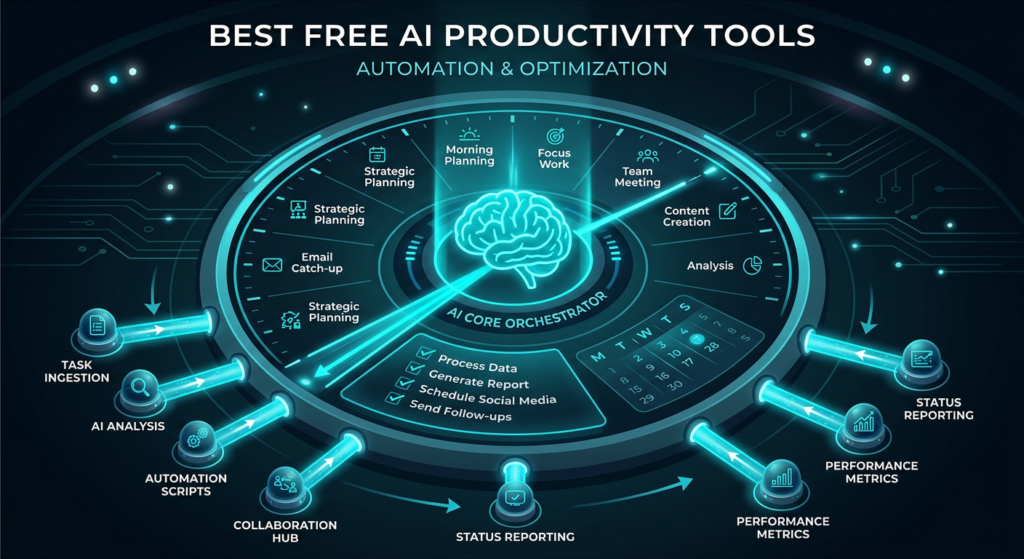
Best Free AI Productivity Tools
AI productivity tools help you work smarter, not harder. These free options can save hours of work every week.
34. Notion AI (Free Features)
Best for: Note-taking, project management, knowledge bases
Free Tier Rating: 🟡 Moderate
Notion has embedded AI throughout its workspace platform, and several AI features are available to free users.
What You Get for Free:
- Notion workspace (unlimited pages)
- Basic AI features (limited uses)
- AI writing assistance
- AI-powered search (Q&A)
- Templates with AI components
- Collaboration (up to 10 guests)
- Web, desktop, and mobile apps
What Requires Payment:
- Unlimited AI ($10/month per member with AI add-on)
- Advanced AI features
- Unlimited file uploads
- 30-day page history
- Bulk export
Our Verdict: Notion’s free tier gives you one of the best productivity platforms available, with a taste of AI functionality. For personal use, the free plan is remarkably capable.
35. Otter.ai (Free Tier)
Best for: Meeting transcription, audio notes, interview recording
Free Tier Rating: 🟡 Moderate
Otter.ai uses AI to transcribe meetings and conversations in real-time, making it invaluable for professionals.
What You Get for Free:
- 300 monthly transcription minutes
- 30 minutes per conversation
- AI-generated summaries
- Real-time transcription
- Speaker identification
- Search across transcripts
- Zoom, Google Meet, Teams integration (basic)
- Web, iOS, and Android apps
What Requires Payment:
- 1,200 minutes/month ($16.99/month Pro)
- 90 minutes per conversation
- Advanced summaries and action items
- Custom vocabulary
- Bulk import
- Priority support
Our Verdict: Otter.ai’s free tier of 300 minutes monthly is enough for 2-3 meetings per week. For freelancers, students recording lectures, and professionals who attend occasional meetings, it’s genuinely useful.
36. Reclaim AI (Free Plan)
Best for: Smart calendar management, time blocking, scheduling optimization
Free Tier Rating: 🟢 Generous
Reclaim AI uses artificial intelligence to automatically optimize your calendar, block time for tasks, and protect your productivity.
What You Get for Free:
- Smart time blocking
- Task management with AI scheduling
- Habit tracking and scheduling
- Meeting scheduling links
- Calendar sync (up to 2 calendars)
- Buffer time between meetings
- Google Calendar integration
What Requires Payment:
- Team features ($10/month Starter)
- Slack integration
- Advanced analytics
- Multiple calendar sync
- Priority support
Our Verdict: Reclaim AI’s free plan is one of the most underrated productivity tools. The AI-powered scheduling alone can save several hours per week by intelligently finding the best times for your tasks and habits.
37. Todoist AI (Free Features)
Best for: Task management, to-do lists, project organization
Free Tier Rating: 🟡 Moderate
Todoist has integrated AI assistant features into its popular task management app.
What You Get for Free:
- Up to 5 active projects
- AI task suggestions (limited)
- Natural language task creation
- Priority levels
- Due dates and reminders
- Cross-platform sync
- Collaborator access (5 per project)
What Requires Payment:
- Unlimited projects ($5/month Pro)
- Full AI assistant
- Reminders and notifications
- Filters and labels
- Calendar integration
- Task duration
Our Verdict: Todoist’s free tier is functional for basic task management, and the AI features add a layer of intelligence to an already excellent app. Power users will want the Pro plan, but the free version handles personal task management well.
38. Mem AI (Free Tier)
Best for: AI-powered note-taking, automatic organization, knowledge retrieval
Free Tier Rating: 🟡 Moderate
Mem AI is a self-organizing note-taking app that uses AI to automatically connect, tag, and surface relevant notes.
What You Get for Free:
- AI-powered search and chat
- Automatic note organization
- Smart connections between notes
- Meeting note templates
- Basic integrations
- Web and desktop apps
What Requires Payment:
- Unlimited AI queries ($14.99/month)
- Advanced AI writing
- Team collaboration
- Custom integrations
- Priority support
Our Verdict: Mem AI’s approach to automatic organization is refreshing. Instead of manually creating folders and tags, the AI handles organization for you. The free tier is enough to test whether this approach fits your workflow.
39. Zapier AI (Free Tier)
Best for: Workflow automation, app integration, no-code automation
Free Tier Rating: 🟡 Moderate
Zapier now incorporates AI throughout its automation platform, and the free tier lets you create basic automated workflows.
What You Get for Free:
- 100 tasks per month
- 5 single-step Zaps (automations)
- AI-powered Zap builder (natural language)
- Access to 7,000+ app integrations
- Basic filters and formatting
- Chatbots (limited)
- Tables (limited)
What Requires Payment:
- 750+ tasks/month ($29.99/month Starter)
- Multi-step Zaps
- Premium apps
- Custom logic (paths)
- Advanced AI features
Our Verdict: Zapier’s free tier demonstrates the power of AI automation even with its limitations. Being able to describe an automation in plain English and have AI build it for you is game-changing for non-technical users.
Best Free AI Marketing Tools
Marketing professionals can leverage these free AI tools to create campaigns, generate content, and analyze performance without spending a dime.
40. HubSpot AI (Free CRM)
Best for: CRM, email marketing, lead management, sales pipelines
Free Tier Rating: 🟢 Generous
HubSpot’s free CRM now includes AI-powered features that help small businesses compete with larger organizations.
What You Get for Free:
- Contact management (up to 1,000,000 contacts)
- AI email writer
- AI chatbot builder
- Email marketing (2,000 sends/month)
- Landing pages
- Forms and pop-ups
- Live chat
- Basic reporting
- Mobile app
What Requires Payment:
- Advanced AI features ($20/month Starter)
- Marketing automation
- A/B testing
- Custom reporting
- Ad management
- Remove HubSpot branding
Our Verdict: HubSpot’s free CRM is absurdly generous. The addition of AI features to the free tier makes it the best free marketing platform for small businesses and startups. One million free contacts? It’s hard to argue with that.
41. Canva Magic Studio (Free)
Best for: Social media graphics, marketing materials, presentations
Free Tier Rating: 🟡 Moderate
Canva’s Magic Studio brings AI-powered design capabilities to the masses. The free tier includes several AI features alongside Canva’s massive template library.
What You Get for Free:
- Magic Write (50 uses/month)
- Magic Design (AI template suggestions)
- Text-to-image (limited)
- Background remover (limited)
- 250,000+ free templates
- 5GB cloud storage
- Real-time collaboration
- Social media scheduling (limited)
What Requires Payment:
- Unlimited AI features ($13/month Pro)
- 100+ million premium stock photos/videos
- Brand kit
- Premium templates
- 1TB cloud storage
- Magic Resize
Our Verdict: For marketers on a budget, Canva’s free tier provides enough design capability to create professional-looking content. The AI features are a bonus on top of an already excellent free design platform.