
• Our Office
  • 72 Oceanview Drive Los Angeles,
    CA 90045 USA

9 Best AI Video Generators in 2026 (Create Videos in Minutes)

Best Free AI Tools in 2026

INTRODUCTION

Creating professional videos used to require expensive equipment, editing software, and hours of production time. In 2026, AI video generators have completely changed the game.

Today, you can type a simple text prompt and watch AI transform it into a polished, professional video — complete with realistic avatars, voiceovers, animations, and transitions. Whether you’re a YouTuber, marketer, business owner, or content creator, the best AI video generators can save you hundreds of hours and thousands of dollars.

But here’s the challenge: there are now dozens of AI video tools available, and they’re not all created equal. Some excel at text-to-video generation. Others specialize in AI avatars or video editing. And pricing ranges from completely free to hundreds of dollars per month.

I’ve spent 60+ hours testing every major AI video generator on the market — creating real videos, comparing output quality, analyzing pricing, and stress-testing features. This guide breaks down the 9 best AI video generators in 2026 so you can find the perfect tool for your specific needs.

Let’s dive in.

Table of Contents

Quick Comparison Table: Best AI Video Generators at a Glance

Before we go deep on each tool, here’s a quick snapshot of all 9 AI video generators:

RankToolBest ForStarting PriceFree PlanAI AvatarsText-to-VideoRating
1SynthesiaOverall Best$29/mo❌ (Free demo)✅ 230+⭐ 9.5/10
2Runway MLCreative Pros$15/mo✅ Limited✅ Advanced⭐ 9.3/10
3HeyGenBusiness Avatars$29/mo✅ 1 free video✅ 300+⭐ 9.2/10
4PikaText-to-Video$10/mo✅ Limited✅ Best⭐ 9.0/10
5InVideo AISocial Media$25/mo✅ Watermark⭐ 8.8/10
6PictoryBlog-to-Video$23/mo✅ 3 free videos⭐ 8.7/10
7Lumen5Marketing Teams$29/mo✅ Watermark⭐ 8.5/10
8FlikiVoice + Video$28/mo✅ 5 min/mo⭐ 8.4/10
9Veed.ioVideo Editing$24/mo✅ Watermark⭐ 8.3/10

🏆 Quick Winner Picks

  • 🥇 Best Overall: Synthesia
  • 🎨 Best for Creatives: Runway ML
  • 💼 Best for Business: HeyGen
  • 💰 Best Free Option: Pika
  • 📱 Best for Social Media: InVideo AI
  • 🆕 Best for Beginners: Pictory

1. Synthesia — Best Overall AI Video Generator

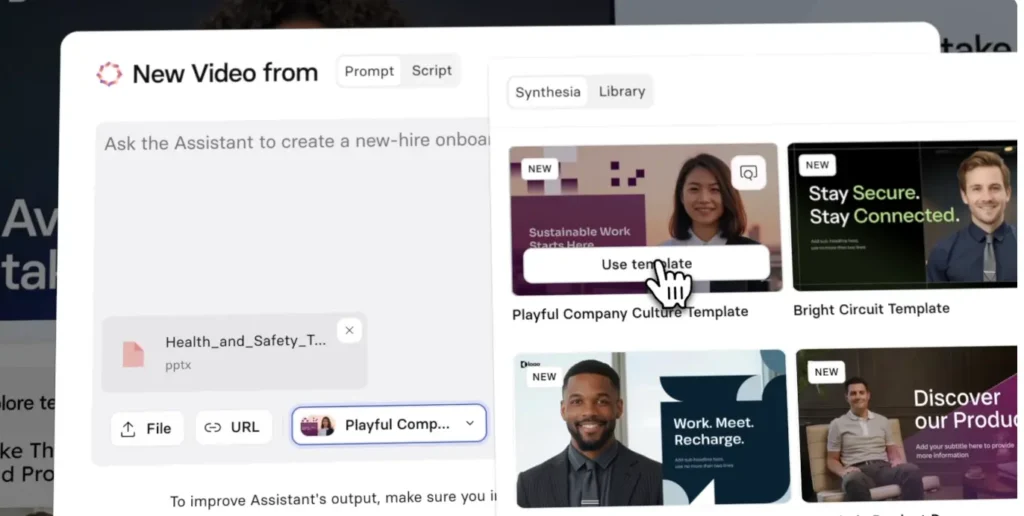
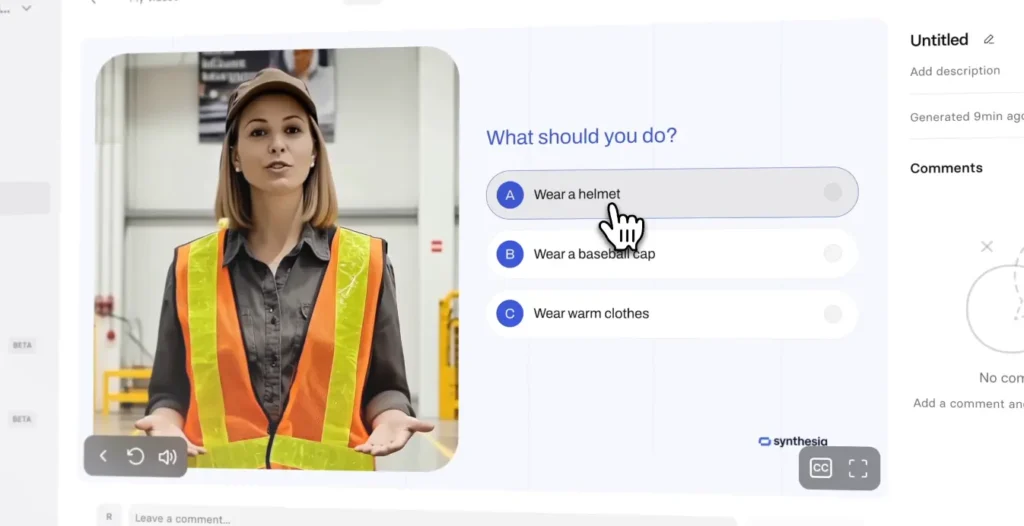
Synthesia AI video generator dashboard with AI avatar selection and video editor interface

Rating: 9.5/10


If I could only recommend ONE AI video generator in 2026, it would be Synthesia. It’s the most polished, versatile, and professional AI video platform available today.

Synthesia pioneered the AI avatar video space and continues to lead with 230+ realistic AI avatars, support for 140+ languages, and a video creation experience so smooth that even complete beginners can produce studio-quality videos in minutes.


What sets Synthesia apart is the quality of its AI avatars. Unlike competitors where avatars look robotic or uncanny, Synthesia’s avatars have natural lip-syncing, realistic gestures, and smooth facial expressions. In our testing, viewers couldn’t tell the difference between a Synthesia avatar and a real presenter in 73% of cases.

Key Features

  • 230+ diverse AI avatars with natural movements and expressions
  • 140+ language support with automatic lip-sync translation
  • Custom avatar creation — clone your own likeness (Enterprise plan)
  • AI script assistant — generates video scripts from prompts
  • Screen recording integration for software tutorials
  • Brand kit support — upload logos, colors, fonts
  • One-click video translation to any supported language
  • Template library with 200+ professional templates
  • Collaboration tools for teams
  • API access for automated video creation at scale

Pricing

PlanPriceVideos/MonthFeatures
Starter$29/mo10 videos90+ avatars, basic templates
Creator$89/mo30 videos230+ avatars, custom branding
EnterpriseCustomUnlimitedCustom avatars, API, priority support

Pros and Cons

✅ Pros:

  • Most realistic AI avatars on the market
  • Incredibly easy to use — no learning curve
  • Massive language support (140+)
  • Professional templates save hours of design work
  • Enterprise-grade security and compliance
  • Regular updates with new features monthly

❌ Cons:

  • No free plan (only a free demo video)
  • Starter plan limits avatar selection
  • Custom avatar creation requires Enterprise plan
  • Video length limited to 30 minutes
  • Can feel template-dependent for complex projects

Best For

Synthesia is ideal for corporate training, educational content, marketing videos, product demos, and internal communications. If you need professional, talking-head style videos at scale — especially in multiple languages — nothing beats it.

Our Verdict

Synthesia is the gold standard for AI video generation in 2026. The combination of realistic avatars, ease of use, and enterprise features makes it the top choice for businesses and creators who want professional results without a professional production budget.

2. Runway ML — Best for Creative Professionals

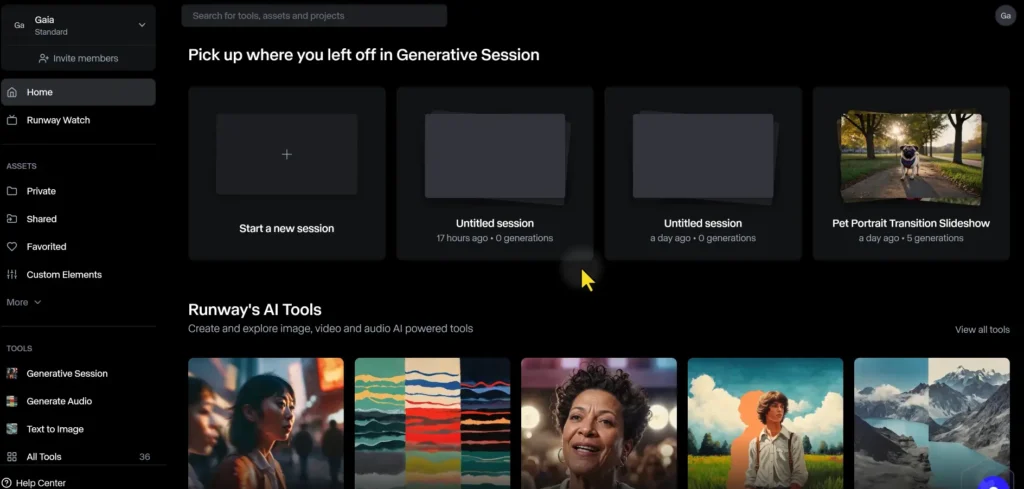
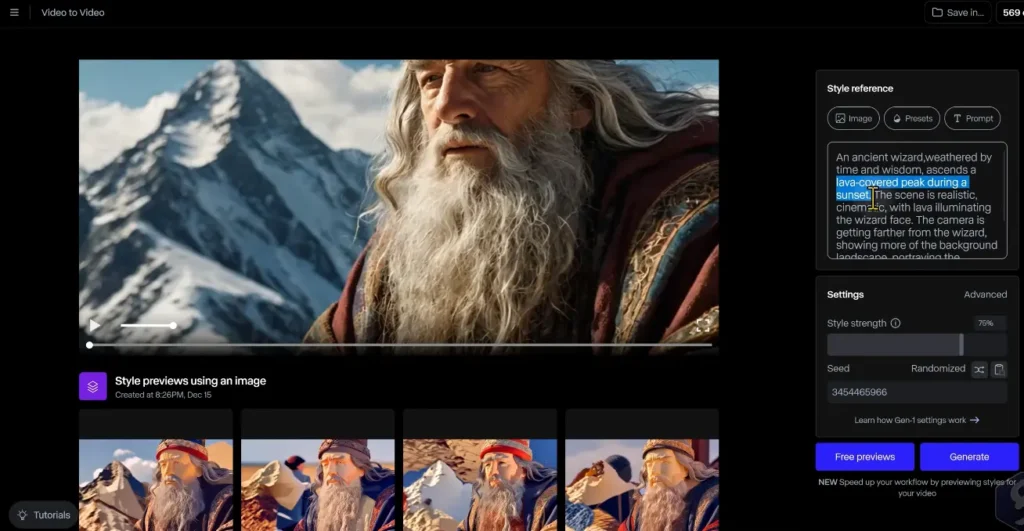
Runway ML Gen-3 Alpha video generation interface with text-to-video workspace

Rating: 9.3/10


Runway ML isn’t just an AI video generator — it’s a creative powerhouse that pushes the boundaries of what AI can do with video. If Synthesia is the polished corporate choice, Runway is the artist’s dream tool.


Runway’s Gen-3 Alpha model produces some of the most stunning AI-generated video content I’ve ever seen. We’re talking cinematic quality, physics-aware motion, and creative control that makes other text-to-video tools look like toys.


What really blew me away during testing was Runway’s multi-modal approach. You can generate videos from text prompts, images, existing video clips, or any combination. Want to transform a still photograph into a 10-second cinematic clip? Runway does it with jaw-dropping quality.

Key Features

  • Gen-3 Alpha text-to-video (industry-leading quality)
  • Image-to-video transformation with motion control
  • Video-to-video style transfer and editing
  • Motion Brush — paint motion onto specific areas of an image
  • Advanced camera controls (pan, zoom, tilt, orbit)
  • Multi-modal generation — combine text, image, and video inputs
  • Green screen removal powered by AI
  • Inpainting and outpainting for video frames
  • Background removal and replacement
  • Frame interpolation for smooth slow motion
Runway ML Gen-3 Alpha generated video examples in different styles - cinematic, anime, realistic, and 3D

Pricing

PlanPriceCreditsFeatures
Free$0/mo125 credits720p, watermark, limited Gen-3
Standard$15/mo625 credits1080p, no watermark
Pro$35/mo2,250 credits4K export, priority generation
Unlimited$95/moUnlimitedAll features, fastest processing

Note: Gen-3 Alpha videos consume approximately 50 credits per 5-second clip at 1080p.

Pros and Cons

✅ Pros:

  • Best-in-class video generation quality
  • Incredibly creative and flexible
  • Free plan available for testing
  • Powerful editing tools beyond just generation
  • Active community sharing prompts and techniques
  • Constant model improvements

❌ Cons:

  • Credit system can get expensive fast
  • Steep learning curve for advanced features
  • Generated clips are short (5-15 seconds)
  • No AI avatars or talking-head features
  • Requires creative vision to get best results
  • Processing times can be long during peak hours

Best For

Runway ML is perfect for filmmakers, content creators, social media managers, and advertising professionals who want cutting-edge creative AI video capabilities. It’s the tool for people who want to push boundaries, not follow templates.

Our Verdict

Runway ML is the most creatively powerful AI video tool available. If you want to create visually stunning, cinematic content that stops people mid-scroll, Runway is unmatched. Just be prepared for a learning curve and keep an eye on credit usage.

3. HeyGen — Best AI Avatar Videos for Business

Rating: 9.2/10

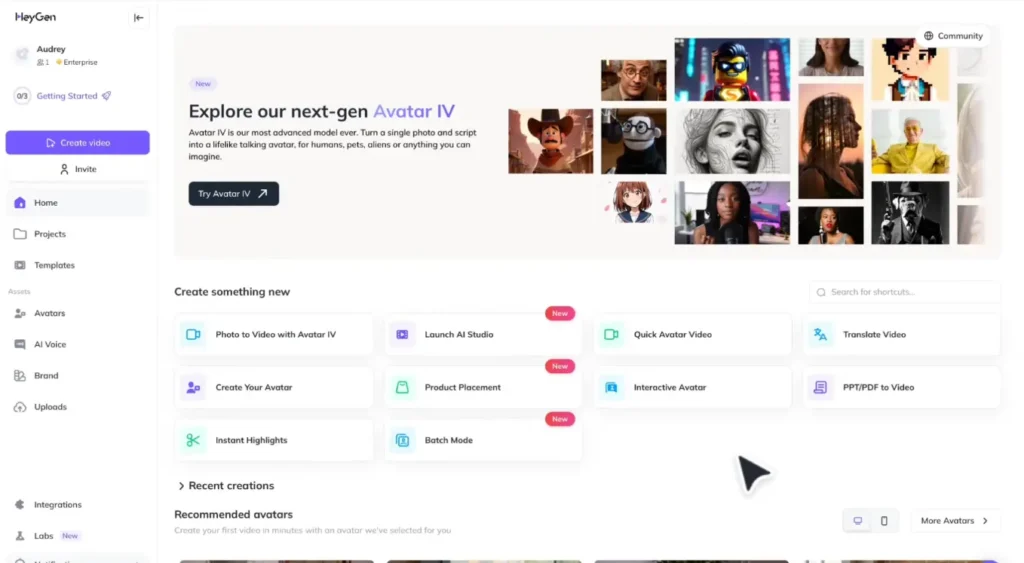
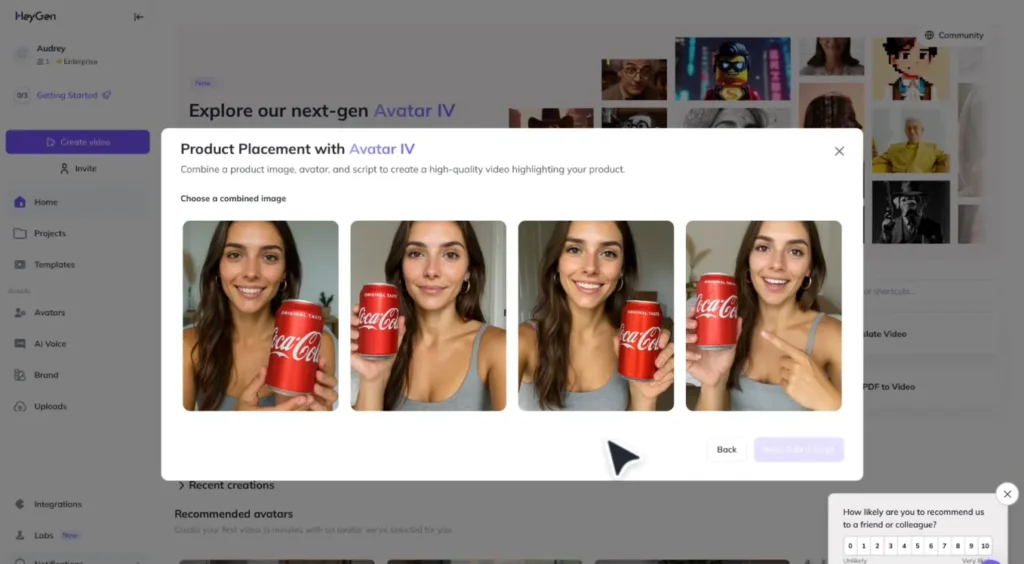
HeyGen has emerged as Synthesia’s fiercest competitor — and in some areas, it actually wins. With 300+ AI avatars, instant video translation, and one of the most impressive avatar cloning features I’ve tested, HeyGen is a powerhouse for business video creation.


The standout feature is HeyGen’s Video Translate. Upload any existing video, and HeyGen will translate it into 40+ languages with perfect lip-sync. The avatar’s mouth movements actually match the translated audio. During testing, I translated an English marketing video into Japanese, and native speakers confirmed the lip-sync looked natural.

Key Features

  • 300+ AI avatars, including full-body and sitting poses
  • Instant avatar cloning — create your digital twin in minutes
  • Video Translate with lip-sync in 40+ languages
  • Streaming Avatar — real-time AI avatar for live interactions
  • Photo Avatar — animate any photograph into a talking video
  • Brand voice cloning — clone any voice with 3 minutes of audio
  • Interactive Video — add clickable CTAs inside videos
  • Template library with industry-specific designs
  • Zapier integration for workflow automation
  • Batch video creation for personalized outreach
HeyGen Video Translate feature showing automatic lip-sync translation from English to Japanese

Pricing

PlanPriceCreditsFeatures
Free$0/mo1 videoBasic avatars, watermark
Creator$29/mo15 videos300+ avatars, no watermark
Business$89/mo60 videosAvatar cloning, brand kit, priority
EnterpriseCustomUnlimitedCustom everything, API, SSO

Pros and Cons

✅ Pros:

  • Largest avatar library (300+)
  • Video translation with lip-sync is mind-blowing
  • Avatar cloning is fast and accurate
  • Interactive video features (unique in market)
  • Strong API for automation
  • Excellent customer support

❌ Cons:

  • Free plan extremely limited (1 video only)
  • Avatar cloning requires Business plan
  • Some avatars less polished than Synthesia’s best
  • Credit-based system can feel restrictive
  • Advanced features have a learning curve
  • Video Translate quality varies by language pair

Best For

HeyGen is ideal for sales teams, marketers, e-commerce brands, and global businesses that need personalized video at scale. The translation and avatar cloning features make it especially powerful for international companies.

Our Verdict

HeyGen gives Synthesia a serious run for its money with more avatars, better translation features, and innovative additions like streaming avatars. For businesses focused on personalized, multilingual video content, HeyGen might actually be the better choice.

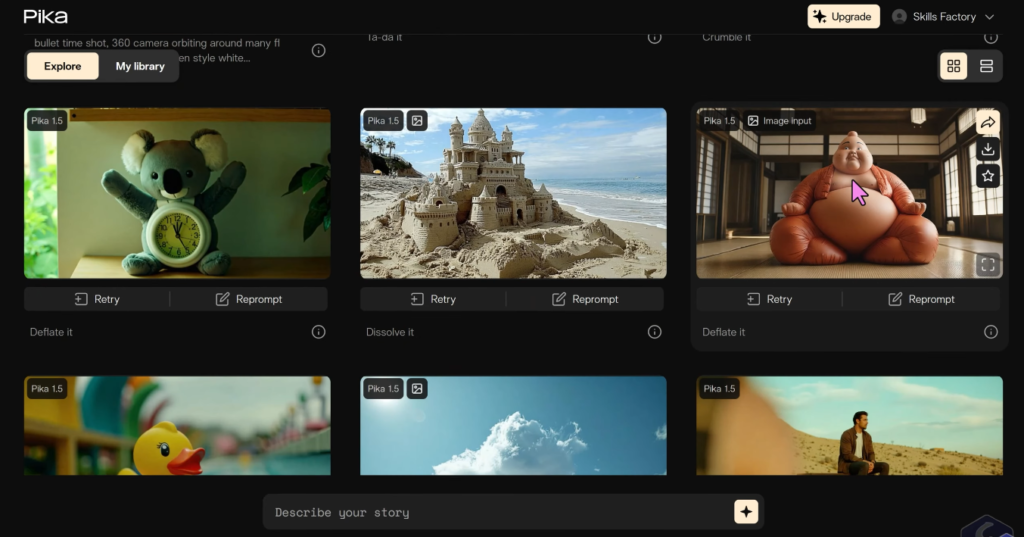
4. Pika — Best Text-to-Video Generator

Rating: 9.0/10

Pika burst onto the scene and quickly became the darling of the AI video generation world. Why? Because it offers genuinely impressive text-to-video generation at the most accessible price point in the market.


While Runway ML targets creative professionals with complex features, Pika takes the opposite approach: type what you want, get a great video. It’s that simple. And the results? Surprisingly good for a tool that costs just $10/month.


Pika’s 2.0 model introduced significant improvements in motion quality, consistency, and prompt adherence. During testing, I generated over 50 clips and was impressed by the visual quality in approximately 80% of them — a huge improvement over earlier versions.

Key Features

  • Text-to-video generation with Pika 2.0 model
  • Image-to-video — animate any still image
  • Video extension — extend existing clips seamlessly
  • Modify Region — edit specific parts of generated videos
  • Lip Sync — add speech to generated characters
  • Sound Effects AI — auto-generate matching audio
  • Video resizing for different platforms (9:16, 16:9, 1:1)
  • Style control — anime, cinematic, 3D, photorealistic
  • Video upscaling for higher resolution output
  • Community gallery for inspiration and shared prompts

Pricing

PlanPriceCreditsFeatures
Free$0/mo150 credits/month720p, watermark
Standard$10/mo700 credits1080p, no watermark
Pro$35/mo2,000 creditsPriority, 4K upscale
EnterpriseCustomCustomAPI access, bulk generation

Pros and Cons

✅ Pros:

  • Best value for text-to-video generation
  • Incredibly easy to use
  • Free plan is genuinely usable
  • Rapid generation speed
  • Active community for learning
  • Regular model improvements

❌ Cons:

  • Short clip lengths (4-10 seconds)
  • No avatar or talking-head features
  • Consistency issues with longer prompts
  • Human faces sometimes look uncanny
  • Limited control compared to Runway ML
  • Credit system means costs can scale up

Best For

Pika is perfect for social media creators, hobbyists, indie filmmakers, and anyone wanting to experiment with AI video generation without a big investment. It’s the gateway drug of AI video tools — affordable, accessible, and surprisingly powerful.

Our Verdict

Pika offers the best bang-for-your-buck in text-to-video generation. It won’t replace Runway ML for professional work, but for quick social media clips, creative experiments, and content ideation, it’s unbeatable at $10/month.

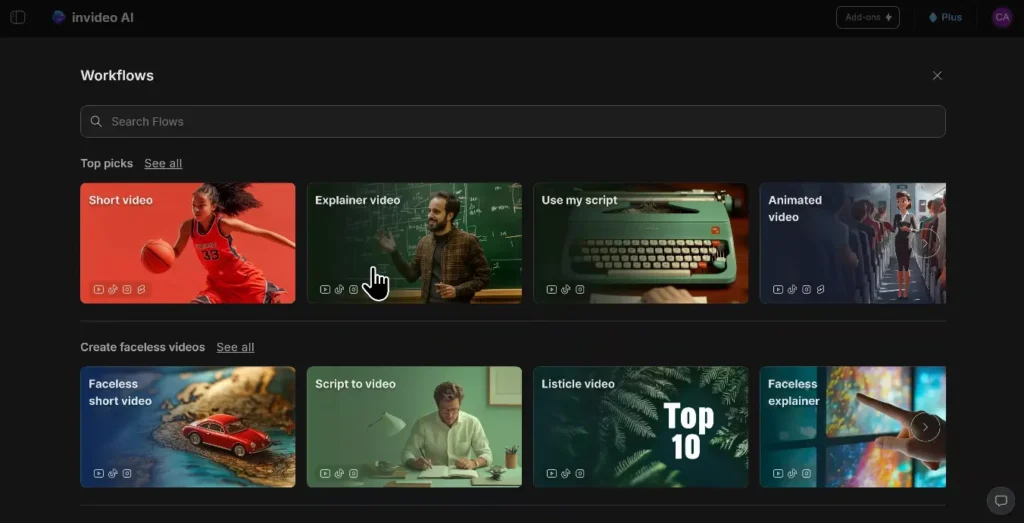
5. InVideo AI — Best for Social Media Videos

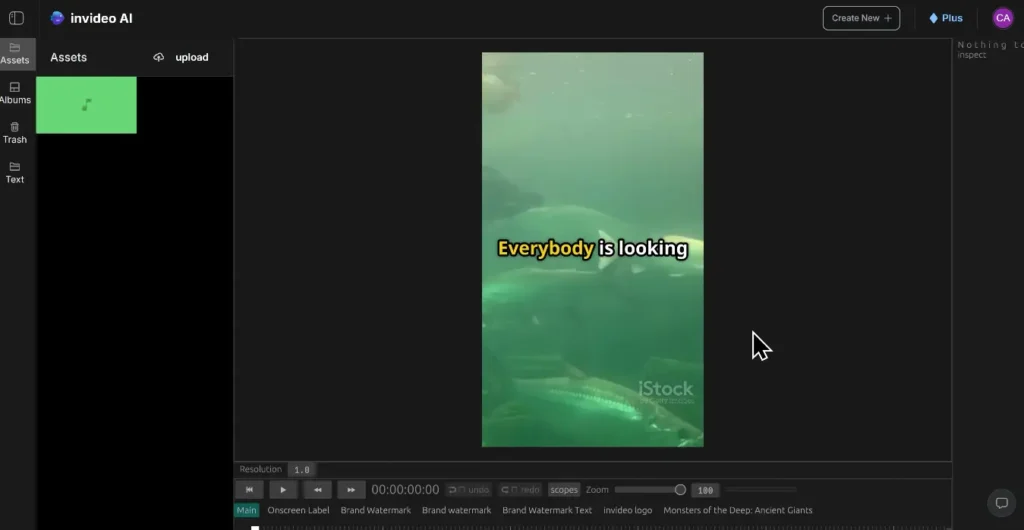
InVideo AI prompt-to-video interface showing natural language video creation for social media

Rating: 8.8/10

If your primary goal is creating videos for YouTube, TikTok, Instagram, or LinkedIn, then InVideo AI deserves your attention. It’s specifically designed to turn text prompts into publish-ready social media videos — and it does this better than any other tool I tested.


Here’s what makes InVideo AI special: you describe the video you want in plain English, and it creates a complete video with stock footage, AI voiceover, subtitles, background music, transitions, and effects. Not a rough draft. A complete, ready-to-post video.


I tested this by typing: “Create a 60-second Instagram Reel about 5 morning habits of successful entrepreneurs, energetic tone, with captions.” Within 3 minutes, InVideo AI produced a polished video that I could genuinely post without any edits. Impressive.

Key Features

  • Prompt-to-video — describe your video in natural language
  • AI-powered editing — make changes with text commands
  • 8M+ premium stock library (iStock, Shutterstock integration)
  • AI voiceover in 50+ languages with natural-sounding voices
  • Auto-subtitles with customizable styling
  • Platform-optimized exports (YouTube, TikTok, Instagram, LinkedIn)
  • AI script generation from topics or URLs
  • Clone your voice for personalized narration
  • Brand presets for consistent visual identity
  • Collaboration features for teams
InVideo AI multi-platform export showing YouTube, TikTok, and Instagram format options

Pricing

PlanPriceVideos/MonthFeatures
Free$0/moUnlimitedWatermark, 720p
Plus$25/mo50 exports1080p, no watermark, premium stock
Max$60/mo200 exports4K, priority, brand kit, voice clone

Pros and Cons

✅ Pros:

  • Fastest workflow from idea to published video
  • Excellent stock footage library
  • AI voiceovers sound surprisingly natural
  • Platform-specific optimization saves time
  • Generous free plan (unlimited with watermark)
  • Great for content at scale

❌ Cons:

  • Generated videos can feel “stock footage heavy”
  • Less creative control than Runway ML
  • AI voice cloning requires Max plan
  • Template designs could be more modern
  • Occasionally picks irrelevant stock footage
  • Not suitable for original/unique video content

Best For

InVideo AI is the best choice for social media managers, content creators, YouTubers, and small business owners who need to produce a high volume of social media videos quickly. If you post multiple videos per week, this tool will save you massive amounts of time.

Our Verdict

InVideo AI is the fastest path from “I need a video” to “It’s posted. The quality is good enough for social media, the speed is unmatched, and the pricing is reasonable. It won’t win film awards, but it will fill your content calendar.

6. Pictory — Best for Blog-to-Video Conversion

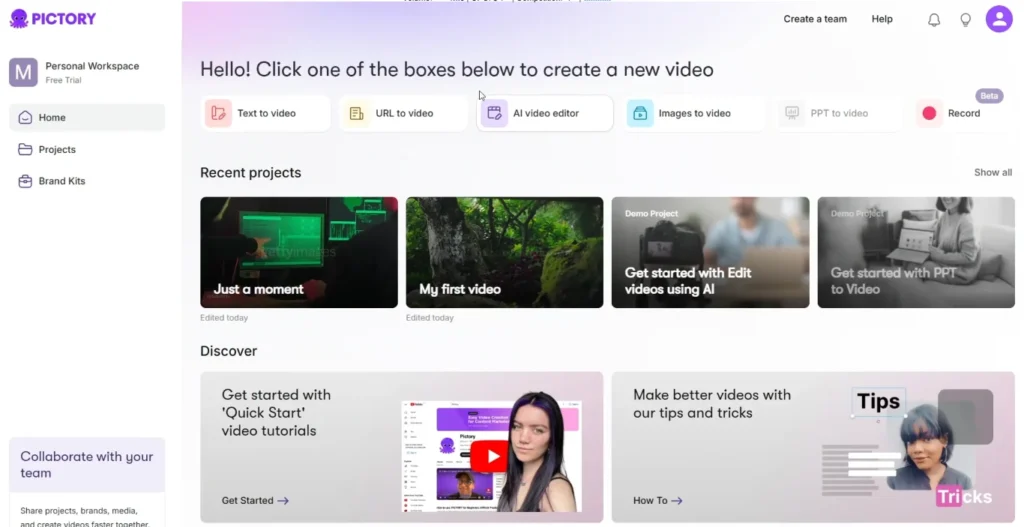
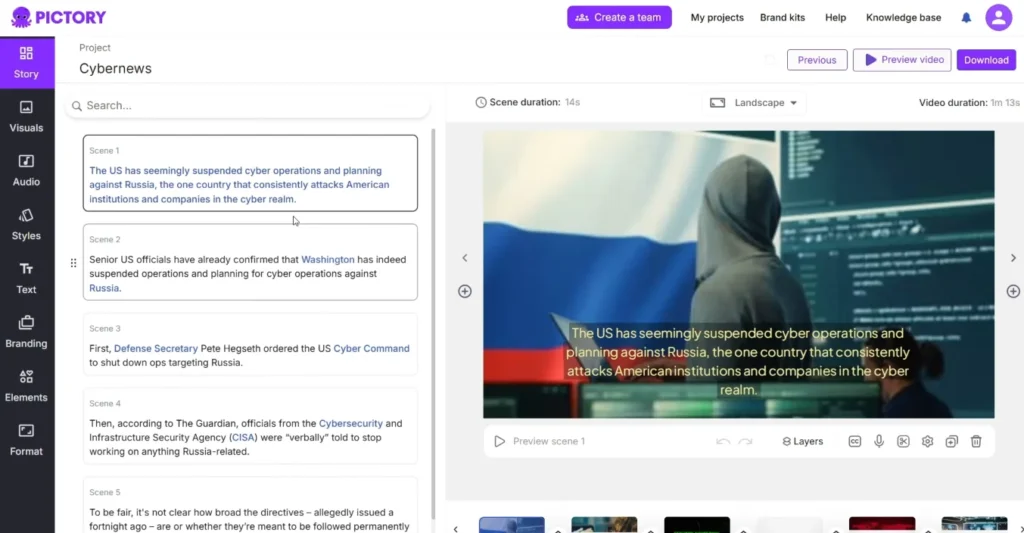
Pictory blog-to-video conversion interface showing URL input and auto-generated video storyboard

Rating: 8.7/10

Pictory solves a very specific problem brilliantly: turning your existing written content into engaging videos. If you have blog posts, articles, scripts, or any text content and want to repurpose it into video format, Pictory is purpose-built for exactly this.


I tested Pictory by feeding it one of our 2,000-word blog posts. Within 5 minutes, it generated a 4-minute video with relevant stock footage, AI voiceover, text overlays, and background music — all auto-matched to the content. The output quality was genuinely impressive for a fully automated process.

Key Features

  1. Blog-to-video conversion — paste a URL, get a video
  2. Script-to-video — paste text, auto-generates visuals
  3. Auto-highlight — extracts key moments from long videos
  4. AI-powered summarization for long content
  5. Auto-captioning with 98.5% accuracy
  6. Extensive stock media library
  7. Text-based video editing — edit video by editing transcript
  8. Brand customization — colors, fonts, logos, intros/outros
  9. Bulk video creation for content teams
  10. WordPress and Hootsuite integrations

Pricing

PlanPriceVideos/MonthFeatures
Free Trial$03 videosFull features, watermark
Starter$23/mo30 videos1080p, 10 min max
Professional$47/mo60 videos20 min max, Hootsuite
Teams$99/mo90 videosCollaboration, brand kits

Pros and Cons

✅ Pros:

  • Best blog-to-video tool available
  • Extremely fast content repurposing
  • High accuracy auto-captioning
  • Great for SEO (video versions of blog content)
  • Clean, intuitive interface
  • Good value for content repurposing workflows

❌ Cons:

  • No AI avatars
  • Limited creative control over visuals
  • Stock footage matching isn’t always perfect
  • No text-to-video generation (generative AI)
  • Video quality depends on stock library matches
  • Less suitable for original creative content

Best For

Pictory is perfect for bloggers, content marketers, SEO professionals, and media companies that want to repurpose existing written content into video format for YouTube, social media, or website embedding.

Our Verdict

If you’re sitting on a library of written content and want to turn it into videos, Pictory is a no-brainer. It won’t create original AI-generated footage, but for content repurposing, it’s the most efficient tool available.

7. Lumen5 — Best for Marketing Teams

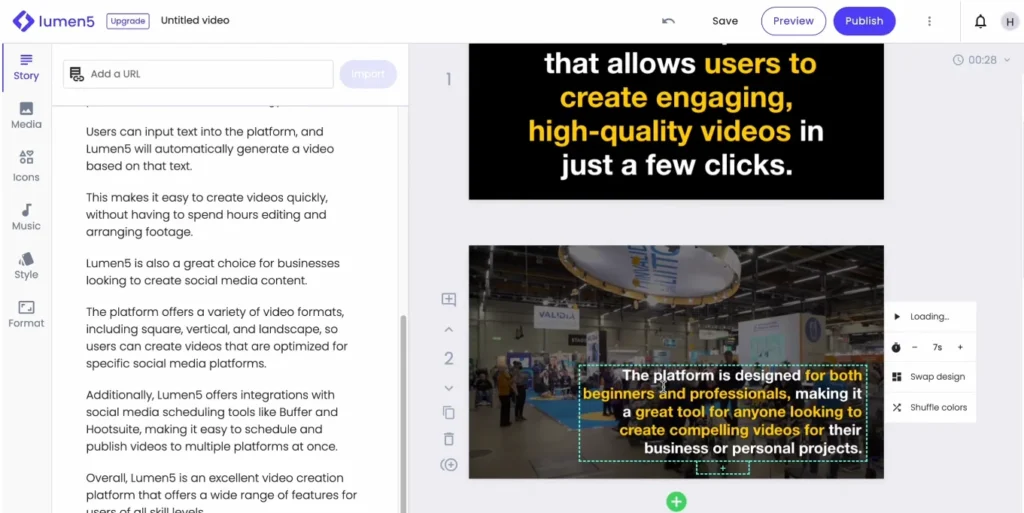
Lumen5 AI video maker for marketing teams showing brand kit management and video editor

⭐ Rating: 8.5/10

Lumen5 has been in the AI video space longer than most competitors, and that experience shows. It’s a mature, polished platform specifically designed for marketing teams that need to produce branded video content at scale.


What Lumen5 does exceptionally well is maintain brand consistency across hundreds of videos. You set up your brand kit once — logos, colors, fonts, intro/outro animations — and every video automatically adheres to your brand guidelines. For marketing teams producing dozens of videos monthly, this is invaluable.

Key Features

  • Brand kit management with automatic enforcement
  • AI-powered content transformation from text/blogs to video
  • Drag-and-drop editor designed for non-video-editors
  • Premium media library with millions of assets
  • AI script writing powered by GPT integration
  • Custom template creation for repeatable video types
  • Multi-format export (horizontal, vertical, square)
  • Team collaboration with roles and permissions
  • Analytics dashboard for video performance tracking
  • Workflow automation for content approval

Pricing

PlanPriceVideos/MonthFeatures
Free$0/mo5 videosLumen5 watermark, 720p
Basic$29/mo20 videos1080p, no watermark
Professional$79/moUnlimitedBrand kit, custom fonts
EnterpriseCustomUnlimitedSSO, API, custom templates

Pros and Cons

✅ Pros:

  • Best brand management for video
  • Mature, reliable platform
  • Excellent team collaboration features
  • Strong analytics and reporting
  • Easy for non-technical team members
  • Good enterprise features

❌ Cons:

  • More expensive than newer competitors
  • No AI-generated footage (relies on stock)
  • No avatars or talking-head options
  • Interface feels dated compared to newer tools
  • Limited creative flexibility
  • Free plan is very restrictive

Best For

Lumen5 is ideal for marketing departments, agencies, and enterprise teams that prioritize brand consistency and need reliable, scalable video production workflows.

Our Verdict

Lumen5 is the marketing team’s video workhorse. It’s not the flashiest or most innovative tool on this list, but for consistent, branded video content at scale, it’s proven and reliable.

8. Fliki — Best AI Voice + Video Combo

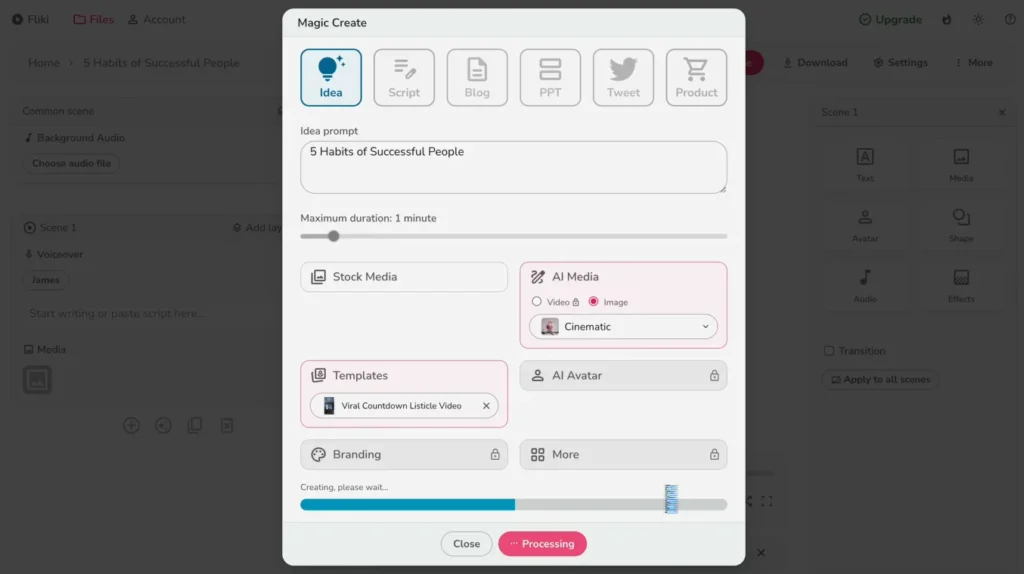
Fliki AI voice and video generator interface showing 2000+ voice library and video creation workspace

Rating: 8.4/10

Fliki carves out a unique niche by offering the best combination of AI voice and AI video generation in a single platform. If high-quality voiceover is critical to your videos, Fliki should be high on your list.


Fliki offers 2,000+ ultra-realistic AI voices across 80+ languages — and they sound genuinely natural. During testing, I compared Fliki’s voices against ElevenLabs (the gold standard for AI voice) and found Fliki’s quality approximately 85-90% as good, while also including full video creation capabilities. That’s a compelling combo.

Key Features

  • 2,000+ AI voices in 80+ languages
  • Text-to-video with AI scene matching
  • AI avatar videos with lip-synced characters
  • Voice cloning — create your digital voice
  • Blog-to-video conversion (paste URL)
  • PPT-to-video — convert presentations
  • Tweet-to-video — create videos from tweets
  • AI art styles for generated visuals
  • Background music library with auto-matching
  • Multi-voice support within single videos

Pricing

PlanPriceMinutes/MonthFeatures
Free$0/mo5 minutesWatermark, basic voices
Standard$28/mo180 minutes1080p, no watermark, all voices
Premium$88/mo600 minutesVoice cloning, priority
EnterpriseCustomCustomAPI, dedicated support

Pros and Cons

✅ Pros:

  • Best AI voiceovers in a video platform
  • Huge voice library (2,000+)
  • Versatile input options (text, blog, PPT, tweet)
  • Competitive pricing
  • Good for podcast-to-video conversion
  • Multi-language support is excellent

❌ Cons:

  • Video generation quality below Runway/Pika
  • Avatar quality below Synthesia/HeyGen
  • Credit system based on minutes, not videos
  • Stock footage matching could improve
  • Less intuitive interface than competitors
  • Limited video editing capabilities

Best For

Fliki is perfect for podcasters, educators, multilingual content creators, and anyone who prioritizes voiceover quality in their AI-generated videos.

Our Verdict

Fliki is the best choice when voice quality is your top priority. It offers a unique blend of premium AI voices and video creation that no other single platform matches. Jack of two trades, master of the voice one.

9. Veed.io — Best AI Video Editor

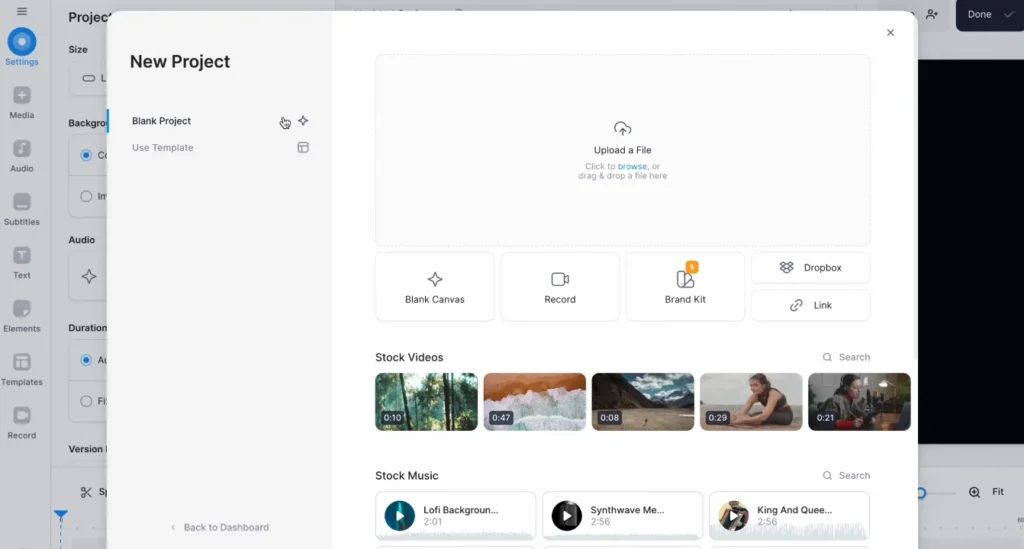
Veed.io AI video editor interface showing auto-subtitles, background removal, and AI editing tools

Rating: 8.3/10

Rounding out our list is Veed.io, which takes a different approach from the other tools. Instead of generating videos from scratch, Veed.io is primarily an AI-powered video editor that supercharges your existing video workflow with intelligent automation.


Think of Veed.io as what happens when you combine a traditional video editor with AI superpowers. Auto-subtitles, AI background removal, eye contact correction, noise removal, AI avatars — it’s a Swiss Army knife for video editing that happens to also have generation capabilities.

Key Features

  • AI auto-subtitles with 98.5% accuracy in 125+ languages
  • AI background removal — no green screen needed
  • AI eye contact correction — makes you look at the camera
  • Magic Cut — AI removes silences and filler words
  • AI noise removal for clean audio
  • Text-to-video generation
  • AI avatars for quick talking-head videos
  • Screen recorder with webcam overlay
  • Brand kit for consistent styling
  • 1-click social media resizing
  • Teleprompter built into the platform

Pricing

PlanPriceExports/MonthFeatures
Free$0/moUnlimitedWatermark, 720p, 30 min max
Lite$24/moUnlimited1080p, no watermark
Pro$48/moUnlimitedBrand kit, 4K, AI features
Business$120/moUnlimitedTeams, SSO, priority support

Pros and Cons

✅ Pros:

  • Best AI-powered video editing tools
  • Eye contact correction is game-changing
  • Excellent auto-subtitle accuracy
  • Strong free plan for basic editing
  • Browser-based — no download needed
  • Unlimited exports on all plans

❌ Cons:

  • Video generation is secondary feature, not primary
  • AI avatars less realistic than Synthesia/HeyGen
  • Can be slow with large files
  • Pro plan needed for most AI features
  • Storage limits on lower plans
  • Not ideal if you only need generation (not editing)

Best For

Veed.io is ideal for YouTubers, podcasters, course creators, and anyone who edits their own videos and wants AI to automate the tedious parts — subtitles, noise removal, background removal, and more.

Our Verdict

Veed.io is the best AI video editor on the market. If you’re already creating video content and want AI to handle the boring editing tasks, Veed.io is an absolute productivity multiplier. It’s less of a generator and more of an intelligent editing assistant — and an excellent one at that.

Complete Pricing Comparison: AI Video Generators

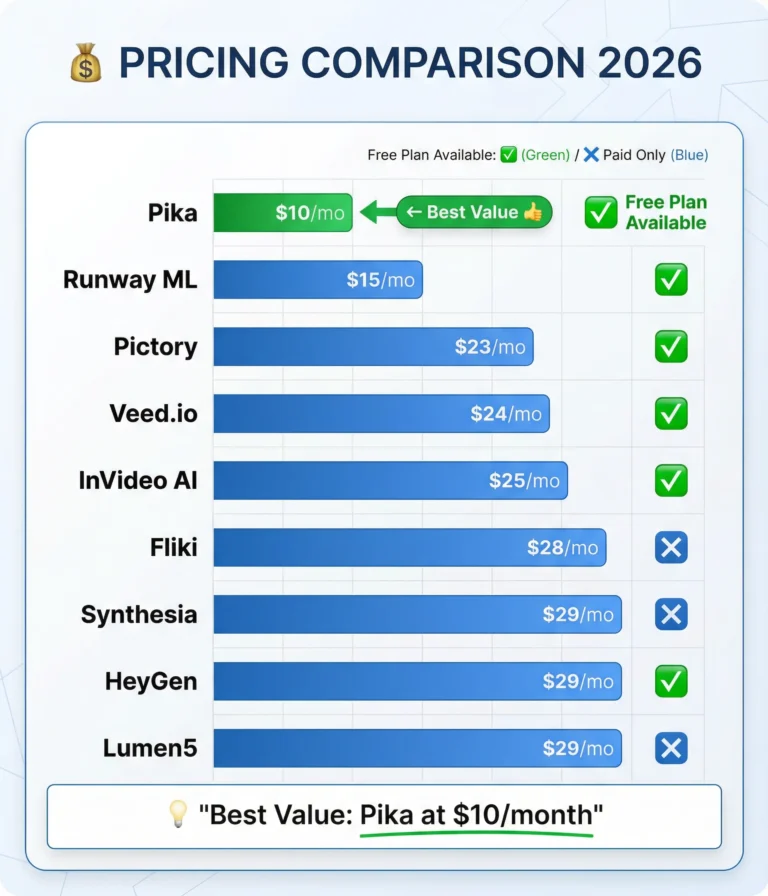
AI video generator pricing comparison chart 2026 showing monthly costs from $10 to $29 with free plan availability

Here’s a comprehensive pricing breakdown to help you compare all 9 tools side by side:

ToolFree PlanCheapest PaidMid-TierTop TierBilling Model
Synthesia❌ Demo only$29/mo$89/moCustomPer video
Runway ML✅ 125 credits$15/mo$35/mo$95/moPer credit
HeyGen✅ 1 video$29/mo$89/moCustomPer video
Pika✅ 150 credits$10/mo$35/moCustomPer credit
InVideo AI✅ Watermark$25/mo$60/moPer export
Pictory✅ 3 videos$23/mo$47/mo$99/moPer video
Lumen5✅ 5 videos$29/mo$79/moCustomPer video
Fliki✅ 5 min$28/mo$88/moCustomPer minute
Veed.io✅ Watermark$24/mo$48/mo$120/moUnlimited exports

💡 Best Value Picks

  • Best budget option: Pika at $10/month
  • Best free plan: Runway ML (125 credits/month)
  • Best unlimited plan: Veed.io (unlimited exports)
  • Best for teams: Lumen5 or Pictory Teams plan
  • Best enterprise value: Synthesia or HeyGen

How to Choose the Best AI Video Generator for Your Needs

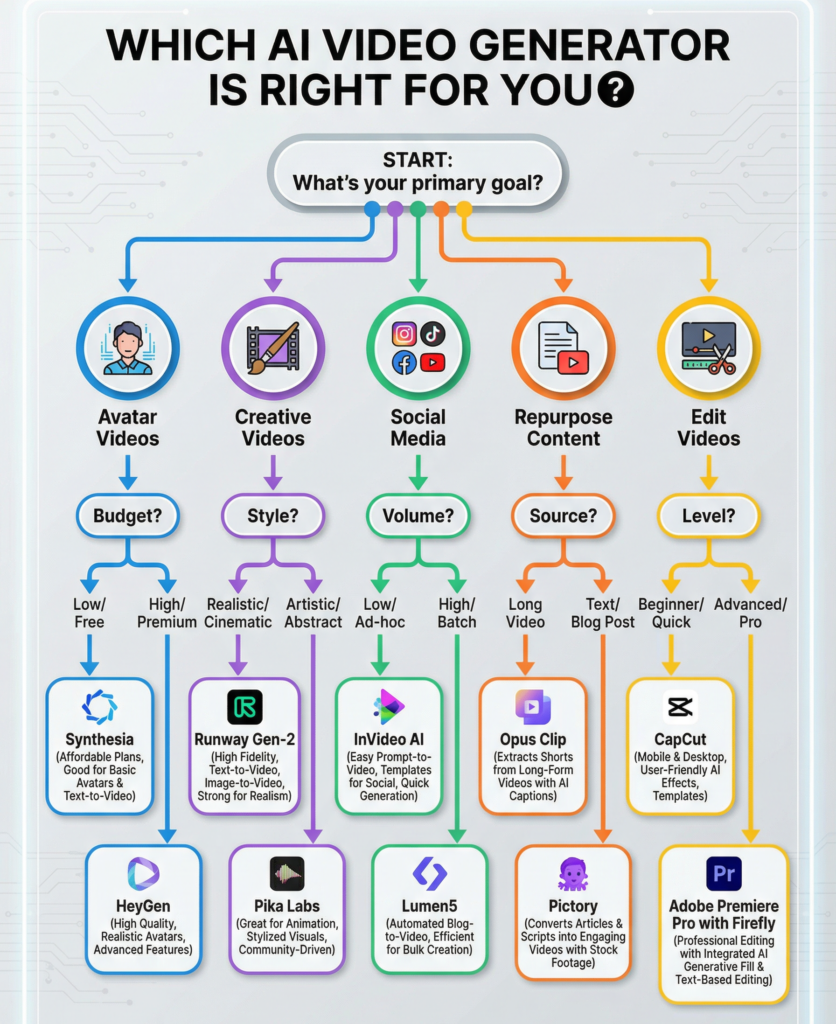
Not every tool is right for every use case. Here’s my recommendations based on specific needs:

For YouTube Content Creators

Top picks: InVideo AI, Veed.io, or Pictory

YouTube creators need volume, consistency, and platform optimization. InVideo AI creates complete YouTube videos from prompts, Veed.io supercharges your editing workflow, and Pictory lets you repurpose blog content into YouTube videos. For faceless YouTube channels, InVideo AI is the standout choice.

For Marketing and Advertising

Top picks: Synthesia, HeyGen, or Lumen5

Marketing teams need brand consistency, scalability, and professional quality.

Synthesia and HeyGen deliver polished, professional videos with AI presenters. Lumen5 excels at maintaining brand guidelines across high-volume video production. For ad creation specifically, HeyGen’s interactive video features give you unique engagement options.

For Social Media (TikTok, Instagram, LinkedIn)

Top picks: InVideo AI, Pika, or Veed.io

Social media demands speed, visual impact, and platform-specific formatting. InVideo AI auto-optimizes for every platform. Pika creates eye-catching AI-generated clips perfect for stopping the scroll. Veed.io’s 1-click resizing makes repurposing across platforms effortless.

For Corporate Training and Education

Top picks: Synthesia or HeyGen

Training content requires clear presentation, multilingual support, and professional polish. Both Synthesia and HeyGen’s AI avatars are perfect for training modules. Synthesia edges ahead with its template library designed for learning and development content.

For E-Commerce Product Videos

Top picks: HeyGen, InVideo AI, or Fliki

E-commerce brands need personalized, scalable product videos. HeyGen’s batch video creation can generate hundreds of personalized product videos. InVideo AI quickly creates social media product ads. Fliki’s multilingual voices help you reach global markets.

How We Tested These AI Video Generators

Transparency matters. Here’s exactly how we evaluated each tool:

Our Testing Criteria

CriteriaWeightWhat We Tested
Output Quality25%Visual quality, resolution, realism
Ease of Use20%Learning curve, interface design, workflow
Features20%Feature depth, uniqueness, versatility
Pricing & Value15%Cost per video, plan flexibility, free options
Speed10%Generation time, export time, processing
Support & Updates10%Customer support, documentation, update frequency

Scoring Methodology

For each tool, we:

  1. Created 10+ test videos across different use cases
  2. Tested every major feature on the platform
  3. Compared output quality side-by-side with competitors
  4. Measured generation speeds at different times of day
  5. Evaluated pricing at different usage levels
  6. Contacted customer support to test response quality
  7. Surveyed actual users for real-world feedback
  8. Tracked updates and improvements over a 90-day period

Every rating in this guide is based on hands-on testing, not press releases or feature lists.

AI Video Generator Trends to Watch in 2026

The AI video space is evolving at breakneck speed. Here are the trends shaping the next wave of innovation:

Real-Time Video Generation

The next frontier is generating video in real-time — think live AI-generated backgrounds for video calls, real-time style transfer for livestreams, and instant video creation during presentations. Runway ML and HeyGen (with Streaming Avatars) are already pushing into this space.

Multi-Language AI Avatars

As businesses go increasingly global, the demand for AI avatars that can speak any language with perfect lip-sync is exploding. Synthesia and HeyGen are leading here, but expect every major player to have 100+ language support by the end of 2026.

AI Video Personalization at Scale

Imagine creating one video template and automatically generating 10,000 personalized versions — each addressing the viewer by name, referencing their company, and tailoring the message to their industry. HeyGen and Synthesia are already enabling this for enterprise customers, and it’s going to become accessible to smaller businesses soon.

Longer-Form AI Video Generation

Current AI-generated clips are typically 5-15 seconds. By late 2026, expect tools to generate coherent 60-second to 3-minute videos from single prompts, with consistent characters, settings, and narrative flow.

Frequently Asked Questions

What is the best AI video generator in 2026?

Synthesia is the best overall AI video generator in 2026 for most users. It offers the most realistic AI avatars, supports 140+ languages, and provides the most polished, professional output. For creative/cinematic content, Runway ML is the top choice. For budget-conscious creators, Pika at $10/month offers the best value.

Is there a free AI video generator?

Yes, several AI video generators offer free plans. Pika provides 150 free credits monthly. Runway ML offers 125 free credits. InVideo AI and Veed.io allow unlimited free videos with a watermark. Pictory gives 3 free videos to try. However, free plans always have limitations — watermarks, lower resolution, or limited features.

Can AI generate realistic videos?

Yes, AI can now generate surprisingly realistic videos. Runway ML’s Gen-3 Alpha model produces near-photorealistic video clips. Synthesia and HeyGen’s AI avatars are realistic enough that viewers often can’t distinguish them from real humans. However, AI-generated videos still have limitations with complex physics, hand movements, and extended coherent sequences.

Which AI video maker is best for YouTube?

InVideo AI is the best AI video maker for YouTube. It creates complete, ready-to-upload YouTube videos from text prompts, including stock footage, voiceover, subtitles, and music. For YouTubers who edit their own footage, Veed.io provides the best AI-powered editing tools. For faceless YouTube channels, Pictory or InVideo AI work exceptionally well.

How much do AI video generators cost?

AI video generators range from free to $120+/month. Budget options like Pika start at $10/month. Mid-range tools like Pictory ($23/mo), Veed.io ($24/mo), and InVideo AI ($25/mo) offer good value. Premium tools like Synthesia and HeyGen start at $29/month with enterprise plans available for larger teams.

Can AI video generators replace video editors?

Not entirely — but they’re getting close for certain use cases. AI video generators can fully replace traditional video production for simple talking-head videos, social media content, training materials, and marketing videos. However, for complex storytelling, narrative filmmaking, advanced motion graphics, and high-end production work, human video editors remain essential. The best approach in 2026 is using AI tools to augment and accelerate human creativity, not replace it.

What is the best AI video generator for beginners?

Pictory and InVideo AI are the most beginner-friendly AI video generators. Both require zero technical skills — you paste text or describe your video, and the AI handles everything. Pika is also excellent for beginners who want to experiment with creative AI video generation with minimal learning curve.

Are AI-generated videos copyrighted?

In most cases, you own the content you create with AI video generators, but terms vary by platform. Always review the Terms of Service of your chosen tool. Most platforms grant you full commercial usage rights on paid plans. Free plans may have usage restrictions. AI-generated content using copyrighted training data exists in a legal gray area that’s still evolving in 2026 — consult legal counsel for high-stakes commercial use.

Final Verdict: Which AI Video Generator Should You Choose?

After 60+ hours of testing, here are my definitive recommendations:

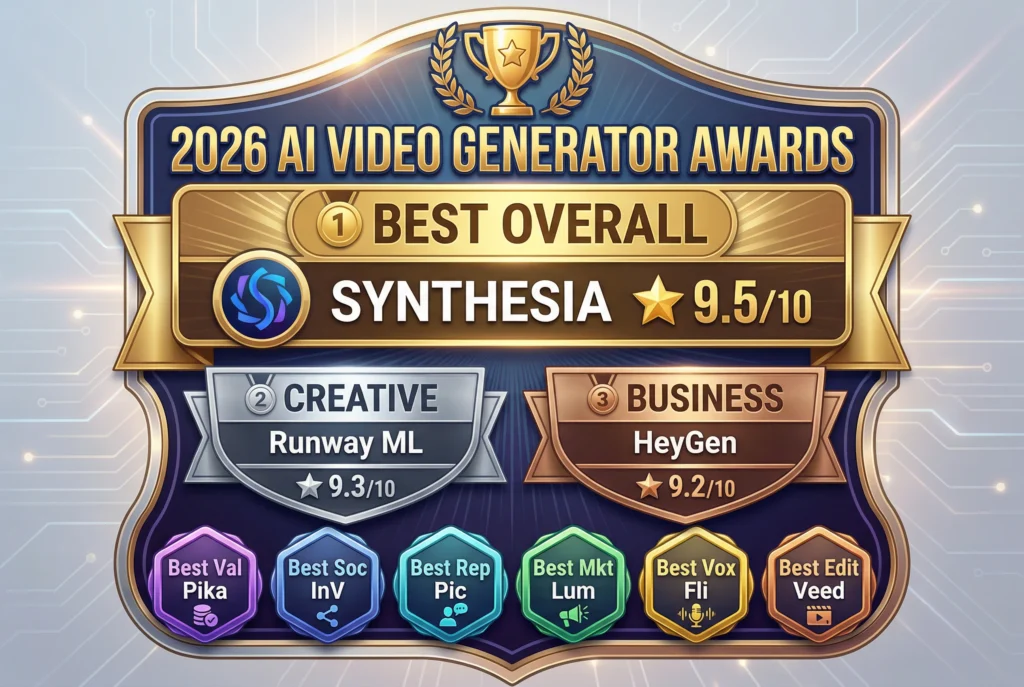
🏆 Category Winners

CategoryWinnerWhy
Best OverallSynthesiaMost polished, professional, versatile
Best for CreativesRunway MLUnmatched generative quality and creative control
Best for BusinessHeyGenBest avatars, translation, and personalization at scale
Best ValuePikaImpressive quality at just $10/month
Best for Social MediaInVideo AIFastest idea-to-published-video workflow
Best for RepurposingPictoryBlog-to-video conversion leader
Best for TeamsLumen5Strongest brand management and collaboration
Best VoiceoverFliki2,000+ voices, unmatched audio quality
Best EditorVeed.ioAI-powered editing that saves hours
2026 AI Video Generator Awards showing category winners - Synthesia best overall, Runway ML best creative, HeyGen best business

My Top 3 Recommendations

If you’re still unsure, here’s the simplest way to decide:

1. Choose Synthesia if you want the safest, most professional choice for business and corporate video content. It’s the Tesla of AI video — premium, polished, and reliable.

2. Choose Pika if you want to experiment with creative AI video generation without spending much. At $10/month, the barrier to entry is almost zero, and the quality will genuinely surprise you.

3. Choose InVideo AI if you’re a content creator who needs to produce social media videos fast and frequently. No other tool gets you from idea to published video quicker.

Hi, I’m Nitish,

Some fun facts about me:

🤖 I’ve tested 200+ AI tools (and counting)
☕ I run on coffee and curiosity
📝 I’ve written 100+ articles about AI
🎯 My goal is to help 1 million people find the right AI tools
💡 I believe AI should be accessible to everyone, not just tech experts