• Our Office
  • 72 Oceanview Drive Los Angeles,
    CA 90045 USA

Best Free AI Tools in 2026: 50+ Tools You Can Use for FREE

Best Free AI Tools in 2026

INTRODUCTION

You don’t need to spend hundreds of dollars every month to harness the power of artificial intelligence.


That might sound hard to believe when AI premium subscriptions keep climbing in price. ChatGPT Pro costs $200/month. Midjourney’s top plan runs $120/month. Enterprise AI solutions? Don’t even ask.


But here’s the truth most “AI gurus” won’t tell you:

Some of the most powerful AI tools on the planet are completely free.


We’re not talking about crippled trial versions or bait-and-switch “free tiers” that barely let you do anything. We’re talking about genuinely useful, production-ready AI tools that cost you exactly $0.


Our team at AI Spartan spent over 200 hours testing more than 150 AI tools across every major category. We signed up for every free plan. We pushed every limit. We documented every restriction.


The result? This definitive list of 50+ best free AI tools in 2026 — organized by category, with honest breakdowns of what’s truly free and what’s not.

Whether you’re a writer, designer, developer, marketer, student, or entrepreneur, there’s something here for you.

Let’s dive in.

Table of Contents

How We Selected These Free AI Tools

Not all “free” tools are created equal. Before we reveal the list, here’s exactly how we evaluated each tool:

Our Selection Criteria

1. Genuinely Free Access
Every tool on this list offers meaningful free functionality. We excluded tools where the free tier is essentially useless or expires after 3 days.

2. Quality of Output
Free doesn’t mean low quality. Each tool had to produce results that are genuinely useful for real-world projects.

3. Ease of Use
You shouldn’t need a PhD in machine learning to use these tools. We prioritized intuitive, beginner-friendly interfaces.

4. Reliability & Uptime
Tools that crash constantly or have waitlists stretching for months didn’t make the cut.

5. Privacy & Safety
We checked privacy policies, data handling practices, and security measures for every tool listed.

Our Free Tier Rating System

Throughout this guide, we rate each tool’s free tier generosity:

  • 🟢 Generous — Free tier covers most users’ needs
  • 🟡Moderate — Free tier is useful but has noticeable limits
  • 🔴 Limited — Free tier exists but you’ll hit walls quickly

Quick Comparison Table — Top 10 Free AI Tools at a Glance

Before we break down all 50+ tools, here are our absolute top 10 picks across all categories:

RankToolCategoryBest ForFree Tier RatingOur Score
1ChatGPT FreeWriting/GeneralAll-purpose AI assistant🟢 Generous9.5/10
2Microsoft CopilotWriting/SearchWeb-connected AI chat🟢 Generous9.2/10
3Leonardo AIImage GenerationAI art & images🟡 Moderate9.0/10
4CapCut AIVideo CreationVideo editing with AI🟢 Generous9.0/10
5GitHub Copilot FreeCodingCode assistance🟡 Moderate8.8/10
6Perplexity AIResearchAI-powered search🟢 Generous9.1/10
7Google GeminiWriting/GeneralGoogle ecosystem users🟢 Generous9.0/10
8Suno AIMusicAI music generation🟡 Moderate8.7/10
9Canva AIDesign/MarketingSocial media content🟢 Generous8.9/10
10Notion AIProductivityNotes & project management🟡 Moderate8.6/10

Now, let’s explore every category in detail.

Best Free AI Writing Tools

Best free AI writing tools in 2026 featuring ChatGPT, Google Gemini, Claude, Microsoft Copilot, Rytr, QuillBot, and Writesonic

Writing was the first category where AI truly went mainstream, and the free options in 2026 are remarkably powerful. Whether you need help drafting blog posts, emails, social media captions, or full-length articles, these tools deliver.

1. ChatGPT (Free Tier)

Best for: All-purpose writing, brainstorming, editing, and conversation

Free Tier Rating: 🟢 Generous   

ChatGPT remains the gold standard for free AI writing tools in 2026. OpenAI’s free tier now includes access to GPT-4o mini and limited GPT-4o access, making it one of the most powerful free AI tools available.

What You Get for Free:

  • Unlimited messages with GPT-4o mini
  • Limited GPT-4o messages per day
  • Web browsing capability
  • File upload and analysis
  • Basic image generation with DALL-E
  • Access on web, iOS, and Android
  • Custom GPTs access (limited)

What Requires Payment:

  • Unlimited GPT-4o access ($20/month Plus plan)
  • Advanced voice mode
  • Priority access during peak times
  • Higher usage limits for DALL-E
  • GPT-4o with extended thinking

Our Verdict: ChatGPT’s free tier is genuinely generous. For most casual users and even many professionals, the free plan provides more than enough functionality for daily writing tasks. The quality gap between free and paid has narrowed significantly in 2026.

Rating: 9.5/10

2. Google Gemini

Best for: Writing with real-time web access and Google ecosystem integration

Free Tier Rating: 🟢 Generous

Google Gemini has evolved into a writing powerhouse. The free version runs on Gemini 1.5 Flash and offers impressive capabilities that rival many paid tools.

What You Get for Free:

  • Unlimited conversations with Gemini 1.5 Flash
  • Real-time web access and citations
  • Image understanding and analysis
  • Integration with Google Workspace
  • Google Lens integration
  • Extensions for YouTube, Maps, Flights, Hotels
  • Multi-modal input (text, image, voice)

What Requires Payment:

  • Gemini 1.5 Pro / Gemini Ultra access ($20/month)
  • 1 million token context window
  • Advanced coding capabilities
  • Priority access
  • Gemini in Google Workspace apps

Our Verdict: If you live in the Google ecosystem, Gemini’s free tier is arguably the best deal in AI. The real-time web access alone makes it invaluable for research-heavy writing tasks.

Rating: 9.0/10

3. Claude (Free Tier)

Best for: Long-form writing, analysis, nuanced creative content

Free Tier Rating: 🟡 Moderate

Anthropic’s Claude has earned a reputation for producing some of the most natural, thoughtful writing of any AI model. The free tier gives you a taste of this quality.

What You Get for Free:

  • Access to Claude 3.5 Sonnet
  • Generous context window
  • File upload and analysis (PDFs, docs, images)
  • Conversational AI with strong reasoning
  • Artifact creation (code, documents, visualizations)

What Requires Payment:

  • Higher usage limits ($20/month Pro plan)
  • Claude 3.5 Opus access
  • Priority access during high traffic
  • Projects feature for organized workflows
  • Extended thinking mode

Our Verdict: Claude’s free tier is more limited in daily message count compared to ChatGPT, but the quality of its writing output — especially for long-form, nuanced content — is exceptional. Writers who prioritize quality over quantity will love it.

Rating: 8.7/10

4. Microsoft Copilot

Best for: Web-connected writing, research integration, Microsoft 365 users

Free Tier Rating: 🟢 Generous

Microsoft Copilot (formerly Bing Chat) offers free access to GPT-4 powered AI with real-time web connectivity. It’s one of the most underrated free AI writing tools available.

What You Get for Free:

  • GPT-4 powered responses
  • Real-time web search integration
  • Image generation with DALL-E 3
  • Document and image analysis
  • Voice interaction
  • Access across Edge, Windows, mobile apps
  • Copilot notebook for longer content

What Requires Payment:

  • Copilot Pro ($20/month) for Microsoft 365 integration
  • Priority access to newest models
  • AI features in Word, Excel, PowerPoint
  • Higher image generation limits

Our Verdict: Microsoft Copilot is arguably the most feature-rich completely free AI tool. The combination of GPT-4, web access, and DALL-E 3 image generation — all free — is genuinely unmatched.

Rating: 9.2/10

5. Rytr (Free Plan)

Best for: Short-form content, social media copy, email drafts

Free Tier Rating: 🟡 Moderate

Rytr is a dedicated AI writing tool that excels at generating short-form content quickly. The free plan gives you enough to handle basic writing needs.

What You Get for Free:

  • 10,000 characters per month
  • 40+ use cases and templates
  • 30+ languages
  • Tone selection
  • Built-in plagiarism checker (limited)
  • Browser extension

What Requires Payment:

  • Unlimited characters ($9/month Saver plan)
  • Premium use cases
  • Custom use case creation
  • Priority support
  • Full plagiarism checker access

Our Verdict: Rytr’s free tier is best for users who need occasional help with short-form content. The 10,000-character monthly limit will feel restrictive for heavy users, but it’s perfect for crafting social media posts, emails, and product descriptions.

Rating: 7.8/10

6. QuillBot (Free Tier)

Best for: Paraphrasing, grammar checking, summarizing

Free Tier Rating: 🟡 Moderate

QuillBot isn’t a content generator — it’s a content enhancer. Its AI-powered paraphrasing and grammar tools are among the best available for free.

What You Get for Free:

  • Paraphraser (125-word limit)
  • Grammar checker
  • Summarizer (1,200-word limit)
  • 2 paraphrasing modes (Standard & Fluency)
  • Browser extension
  • Microsoft Word extension

What Requires Payment:

  • Unlimited word limits ($9.95/month)
  • All 7 paraphrasing modes
  • Tone detection
  • Plagiarism checker
  • Full access to all writing tools

Our Verdict: QuillBot’s free tier is perfect as a complementary tool. Use ChatGPT or Gemini to generate content, then use QuillBot to refine and polish it. The word limits on the free plan are the main restriction.

Rating: 7.5/10

7. Writesonic (Free Plan)

Best for: Blog posts, SEO content, marketing copy

Free Tier Rating: 🟡 Moderate

Writesonic positions itself as an AI writing tool specifically designed for marketers and content creators. The free plan offers enough to evaluate its capabilities.

What You Get for Free:

  1. 25 credits per month (approximately 25 short generations)
  2. Access to ChatSonic (conversational AI)
  3. Blog post generator
  4. Article rewriter
  5. Landing page copy generator
  6. 25+ languages

What Requires Payment:

  1. Unlimited credits ($16/month and up)
  2. GPT-4 powered generations
  3. API access
  4. Brand voice customization
  5. Bulk generation
  6. Factual writing with citations

Our Verdict: Writesonic’s free plan is more of a trial than a sustainable free option. However, it’s worth using those 25 free credits to test whether its specialized marketing templates add value beyond general-purpose tools like ChatGPT.

Rating: 7.2/10

Best Free AI Image Generation Tools

AI image generation has exploded in 2026. What required expensive subscriptions two years ago is now available for free — often with stunning quality.

8. Microsoft Designer (DALL-E Powered)

  1. Best for: Quick image creation, social media graphics, design templates

    Free Tier Rating: 🟢 Generous

    Microsoft Designer combines DALL-E 3’s image generation with a full design studio. The free tier is surprisingly complete.

What You Get for Free:

  • 15 image generations per day with DALL-E 3
  • Full design template library
  • Background remover
  • Image editing tools
  • Social media templates
  • Brand kit (basic)

What Requires Payment:

  • Microsoft 365 subscription for higher limits
  • Premium templates
  • Advanced brand kit features

Our Verdict: For most users, Microsoft Designer’s free tier is more than enough. Fifteen daily DALL-E 3 generations is generous, and the built-in design tools eliminate the need for separate editing software.

Rating: 8.8/10

9. Leonardo AI (Free Tier)

Best for: High-quality AI art, game assets, concept art, creative imagery

Free Tier Rating: 🟡 Moderate

Leonardo AI has established itself as one of the premier AI image generation platforms, and its free tier remains one of the most generous in the industry.

What You Get for Free:

  • 150 tokens per day (roughly 30-50 images depending on settings)
  • Access to multiple AI models (Leonardo Diffusion, DreamShaper, etc.)
  • Image-to-image generation
  • AI Canvas (basic)
  • Prompt enhancement
  • Community gallery access
  • Negative prompts and advanced settings

What Requires Payment:

  • More daily tokens ($12/month Apprentice plan)
  • Priority generation queue
  • Private generations
  • API access
  • Leonardo Alchemy (enhanced quality)
  • Motion generation

Our Verdict: Leonardo AI strikes the best balance between free access and quality in the image generation space. The daily token refresh means you get consistent access every day, and the model variety ensures versatility.

Rating: 9.0/10

10. Adobe Firefly (Free Credits)

Best for: Commercial-safe images, professional design integration

Free Tier Rating: 🟡 Moderate

Adobe Firefly stands out for one critical reason: its images are trained on licensed content and are safe for commercial use. The free tier provides monthly generative credits.

What You Get for Free:

  • 25 generative credits per month
  • Text-to-image generation
  • Generative fill
  • Text effects
  • Commercial usage rights
  • Web-based access (no Creative Cloud needed)

What Requires Payment:

  • More credits ($4.99/month for 100 credits)
  • Firefly in Photoshop, Illustrator, etc.
  • Premium features and resolution
  • Adobe Stock integration

Our Verdict: If you need AI-generated images for commercial projects (marketing, products, client work), Adobe Firefly’s free tier is essential. The commercial safety guarantee is unique among free tools.

Rating: 8.3/10

11. Ideogram

Best for: Text rendering in images, logos, typography-heavy designs

Free Tier Rating: 🟢 Generous

Ideogram made waves by solving one of AI image generation’s biggest challenges: rendering readable text within images. In 2026, it remains the best free option for text-heavy visual content.

What You Get for Free:

  • 25 prompts per day (4 images per prompt = 100 images/day)
  • Superior text rendering in images
  • Multiple style presets
  • Community gallery
  • Image remix and editing
  • Public generations

What Requires Payment:

  • Private generations ($8/month Basic plan)
  • Higher resolution
  • Priority generation
  • Commercial license guarantee

Our Verdict: Ideogram’s free tier is remarkably generous — 100 images per day is hard to beat. If you need AI images with text (social media quotes, posters, logos, memes), Ideogram is the best free option by far.

Rating: 8.9/10

12. Playground AI

Best for: Creative image editing, mixed media, experimental art

Free Tier Rating: 🟢 Generous

Playground AI offers a unique canvas-based approach to AI image generation, combining text-to-image with powerful editing tools.

What You Get for Free:

  • 500 images per day
  • Multiple AI models
  • Canvas editing tools
  • Image-to-image generation
  • Inpainting and outpainting
  • Community features
  • Commercial usage rights

What Requires Payment:

  • DALL-E integration ($15/month Pro plan)
  • Priority processing
  • Private mode
  • Advanced upscaling

Our Verdict: Playground AI is perhaps the most generous free image generation tool in terms of sheer volume — 500 images per day is extraordinary. The quality is solid, and the editing tools add real value.

Rating: 8.5/10

13. Stable Diffusion (Open Source)

Best for: Advanced users, unlimited generation, full customization, privacy

Free Tier Rating: 🟢 Generous (Free forever — open source)

Stable Diffusion isn’t just free — it’s open source. You can run it on your own computer with zero usage limits and complete privacy. The SDXL and SD 3.0 models produce stunning results.

What You Get for Free:

  • Unlimited image generation (runs locally)
  • Complete model customization
  • Thousands of community models and LoRAs
  • ComfyUI and Automatic1111 interfaces
  • No content filtering (full creative freedom)
  • Total data privacy
  • Commercial usage rights

What It Requires:

  • A capable GPU (8GB+ VRAM recommended)
  • Technical setup (though it’s gotten much easier)
  • Storage space for models (2-7GB each)

Our Verdict: If you have a decent graphics card, Stable Diffusion is the ultimate free AI image tool. Unlimited generations, no subscriptions, complete privacy, and an enormous community. The initial setup is the only barrier.

Rating: 9.2/10 (if you have the hardware)

14. Canva AI (Free Tier)

Best for: Social media graphics, presentations, marketing materials

Free Tier Rating: 🟡 Moderate

Canva has integrated AI throughout its design platform, and many AI features are available on the free plan.

What You Get for Free:

  • 50 Magic Write uses per month
  • Text-to-image generation (limited)
  • Magic Eraser (limited uses)
  • AI-powered design suggestions
  • Thousands of free templates
  • Basic background remover

What Requires Payment:

  • Unlimited AI features ($13/month Pro plan)
  • Premium templates and elements
  • Brand kit
  • Magic Resize
  • Background Remover (unlimited)

Our Verdict: Canva AI on the free plan is perfect for users who need designed visuals rather than raw AI images. The template-driven approach means even AI-generated images look polished and professional.

Rating: 8.4/10

Best Free AI Video Creation Tools

AI video tools have seen the most dramatic improvement in 2026. Creating professional-looking videos no longer requires expensive software or editing skills.

15. CapCut AI

Best for: Social media video editing, TikTok/Reels/Shorts creation

Free Tier Rating: 🟢 Generous

CapCut (by ByteDance) has become the go-to free video editor, and its AI features in 2026 are genuinely impressive.

What You Get for Free:

  • AI-powered auto captions
  • Background removal
  • AI video effects and filters
  • Text-to-speech (multiple voices)
  • Auto-beat sync for music
  • AI upscaler
  • Green screen without green screen
  • Export up to 4K resolution
  • No watermark on most exports
  • Desktop, mobile, and web versions

What Requires Payment:

  • CapCut Pro ($9.99/month) for premium effects
  • Cloud storage (expanded)
  • Premium fonts and music
  • Commercial music library

Our Verdict: CapCut’s free tier is exceptional — it’s arguably the most feature-complete free video editor available. The AI auto-caption feature alone saves hours of editing time. The fact that it exports in 4K without watermarks is remarkable for a free tool.

Rating: 9.0/10

16. Pika (Free Tier)

Best for: Text-to-video, image-to-video, creative video generation

Free Tier Rating: 🟡 Moderate

Pika represents the cutting edge of AI video generation, turning text prompts and images into short video clips.

What You Get for Free:

  • 250 credits per month
  • Text-to-video generation
  • Image-to-video animation
  • Video-to-video style transfer
  • Basic editing tools
  • 720p resolution
  • 3-second clips

What Requires Payment:

  • More credits and longer videos ($8/month Standard plan)
  • 1080p resolution
  • Watermark removal
  • Commercial usage
  • Priority generation

Our Verdict: Pika’s free tier is great for experimentation and social media content. The 3-second clip limit keeps it in the “creative tool” category rather than a full production solution, but the quality of the generated videos is impressive.

Rating: 8.2/10

17. Clipchamp AI (Microsoft)

Best for: Business video editing, presentations, screen recordings

Free Tier Rating: 🟢 Generous

Clipchamp, now owned by Microsoft and built into Windows 11, offers robust free video editing with AI-powered features.

What You Get for Free:

  • Full video editor
  • AI-powered text-to-speech
  • Auto-captions
  • Screen recording
  • Webcam recording
  • Stock video library (limited)
  • Export up to 1080p
  • No watermark
  • Green screen (chroma key)

What Requires Payment:

  • Premium stock content ($11.99/month Essentials)
  • Brand kit
  • Premium filters and effects
  • Cloud backup

Our Verdict: Clipchamp is the best free option for business and professional video editing. Being built into Windows gives it seamless integration, and the 1080p export without watermark makes it a legitimate production tool.

Rating: 8.6/10

18. InVideo AI (Free Plan)

Best for: Automated video creation from text prompts

Free Tier Rating: 🟡 Moderate

InVideo AI takes a unique approach — you describe what you want in plain text, and it generates a complete video with footage, music, voiceover, and captions.

What You Get for Free:

  • 10 AI-generated videos per week
  • 720p export
  • InVideo watermark
  • AI script generation
  • Stock footage integration
  • Text-to-video workflow
  • Basic customization
What Requires Payment:
  • Watermark removal ($25/month Business plan)
  • 1080p export
  • More weekly generations
  • Premium stock media
  • iStock media access

Our Verdict: InVideo AI’s free plan is ideal for content creators who want to test automated video creation. The watermark is the main drawback, but for drafting concepts and internal use, it’s very effective.

Rating: 7.8/10

19. Synthesia (Free Demo)

Best for: AI avatar presentations, training videos, corporate content

Free Tier Rating: 🔴 Limited

Synthesia creates videos with realistic AI avatars — digital humans that present your content. The free tier is limited but demonstrates the technology.

What You Get for Free:

  • 3 free video minutes (one-time)
  • AI avatar selection
  • Text-to-video with avatar
  • Multiple languages
  • Basic templates

What Requires Payment:

  • 10 minutes/month ($29/month Starter)
  • Custom avatars
  • Branded templates
  • Full language support
  • API access

Our Verdict: Synthesia’s free offering is more of a demo than a sustained free tool. However, it’s worth trying to see if AI avatar videos fit your workflow before committing to a subscription.

Rating: 6.5/10

20. HeyGen (Free Credits)

Best for: AI spokesperson videos, multilingual content, video translation

Free Tier Rating: 🔴 Limited

HeyGen specializes in creating professional videos with AI avatars and offers powerful video translation capabilities.

What You Get for Free:

  • 3 free credits (approximately 3 one-minute videos)
  • 100+ AI avatars
  • 40+ languages
  • Video translation feature (limited)
  • Template library
  • Text-to-speech integration

What Requires Payment:

  • 15 credits/month ($29/month Creator plan)
  • Custom avatar creation
  • Premium voices
  • API access
  • Longer videos
  • Priority rendering

Our Verdict: Like Synthesia, HeyGen’s free tier is more of a trial. But the video translation feature — which can dub your existing videos into other languages with lip-sync — is genuinely revolutionary and worth testing.

Rating: 6.8/10

Best Free AI Audio & Music Tools

Best free AI audio and music generation tools in 2026 including Suno AI, Udio, ElevenLabs, Murf AI, AIVA, and Speechify reviewed

AI audio tools have matured dramatically in 2026, from music composition to voice cloning to podcast production.

21. Suno AI (Free Tier)

Best for: Full song generation with vocals, lyrics, and instrumentation

Free Tier Rating: 🟡 Moderate

Suno AI creates complete songs — with vocals, lyrics, instrumental backing, and production — from simple text prompts. It’s like having a recording studio in your browser.

What You Get for Free:

  • 50 credits per day (approximately 10 songs)
  • Full song generation (up to 2 minutes)
  • Custom lyrics support
  • Multiple genres and styles
  • Community sharing
  • Non-commercial use

What Requires Payment:

  • 2,500 credits/month ($10/month Pro plan)
  • Commercial usage rights
  • Longer songs
  • Priority generation
  • Private generations

Our Verdict: Suno AI’s free tier is genuinely impressive. Ten songs per day is enough for most creative exploration, and the quality of the generated music ranges from good to genuinely stunning. The non-commercial limitation is the main restriction.

Rating: 8.7/10

22. Udio (Free Plan)

Best for: High-fidelity music generation, genre exploration

Free Tier Rating: 🟡 Moderate

Udio emerged as Suno’s primary competitor and excels at generating highly realistic, genre-accurate music.

What You Get for Free:
  • 25 generations per month
  • Up to 2-minute tracks
  • Multiple genres
  • Custom lyrics
  • Community features
  • Remix capabilities
What Requires Payment:
  • 1,200 generations/month ($10/month Standard)
  • Extended track length
  • Commercial licensing
  • Priority generation
  • Audio downloads (high quality)

Our Verdict: Udio’s free tier is more limited than Suno’s in terms of daily volume, but some users prefer Udio’s audio quality and genre accuracy. If music generation is important to you, try both.

Rating: 8.0/10

23. ElevenLabs (Free Tier)

Best for: Realistic text-to-speech, voice cloning, audiobook narration

Free Tier Rating: 🟡 Moderate

ElevenLabs produces the most realistic AI voices available, and its free tier gives you enough to experience the technology.

What You Get for Free:
  • 10,000 characters per month (~10 minutes of audio)
  • 29 pre-made voices
  • Instant voice cloning (limited)
  • Speech-to-speech conversion
  • Multiple languages
  • API access (limited)
  • Projects feature (limited)
What Requires Payment:
  • 100,000+ characters/month ($5/month Starter)
  • Professional voice cloning
  • More voice customization
  • Commercial usage
  • Higher quality audio
  • Priority processing

Our Verdict: ElevenLabs’ free tier is perfect for testing and small projects. The voice quality is noticeably superior to most competitors. Content creators who need occasional narration will find the free tier sufficient.

Rating: 8.5/10

24. Murf AI (Free Plan)

Best for: Professional voiceovers, marketing videos, presentations

Free Tier Rating: 🔴 Limited

Murf AI specializes in creating studio-quality voiceovers for professional content.

What You Get for Free:
  • 10 minutes of generation time
  • 120+ voices
  • 20+ languages
  • Basic transcription
  • Workspace features
What Requires Payment:
  • 24+ hours/year ($29/month Creator plan)
  • Commercial usage rights
  • Premium voices
  • Background music library
  • Voice cloning
  • Priority rendering

Our Verdict: Murf AI’s free tier is restrictive but allows you to evaluate whether its voice quality meets your standards before subscribing. The professional focus makes it ideal for business use cases.

Rating: 7.0/10

25. AIVA (Free Tier)

Best for: Classical and cinematic music composition, soundtrack creation

Free Tier Rating: 🟡 Moderate

AIVA (Artificial Intelligence Virtual Artist) specializes in composing emotional, cinematic music and has been doing it longer than most AI music tools.

What You Get for Free:

  • 3 downloads per month
  • Unlimited compositions
  • 250+ styles and presets
  • MIDI and MP3 export
  • Non-commercial usage
What Requires Payment:
  • 15+ downloads/month ($15/month Standard)
  • Commercial licensing
  • Full copyright ownership
  • Lossless audio export
  • Influence feature (train on reference tracks)

Our Verdict: AIVA excels at orchestral and cinematic music. The free tier’s unlimited composition capability means you can experiment endlessly — you just can’t download more than 3 tracks per month. For YouTube creators and filmmakers on a budget, it’s a valuable tool.

Rating: 7.8/10

26. Speechify (Free Version)

Best for: Text-to-speech reading, audiobook creation, accessibility

Free Tier Rating: 🟡 Moderate

Speechify converts any text into natural-sounding speech, making it invaluable for accessibility, learning, and content consumption.

What You Get for Free:

  • Unlimited listening (ads supported)
  • HD voices (limited selection)
  • Speed control (up to 4.5x)
  • Chrome extension
  • iOS and Android apps
  • Snap-to-read (photograph text)
  • PDF and document reading

What Requires Payment:

  • Premium voices ($139/year Premium)
  • 50+ natural voices
  • OCR scanning
  • AI summaries
  • Offline listening
  • No ads

Our Verdict: Speechify’s free version is excellent for students, researchers, and anyone who prefers audio content. The ability to turn any article, PDF, or document into listenable content is genuinely productivity-enhancing.

Rating: 7.6/10

Best Free AI Coding Tools

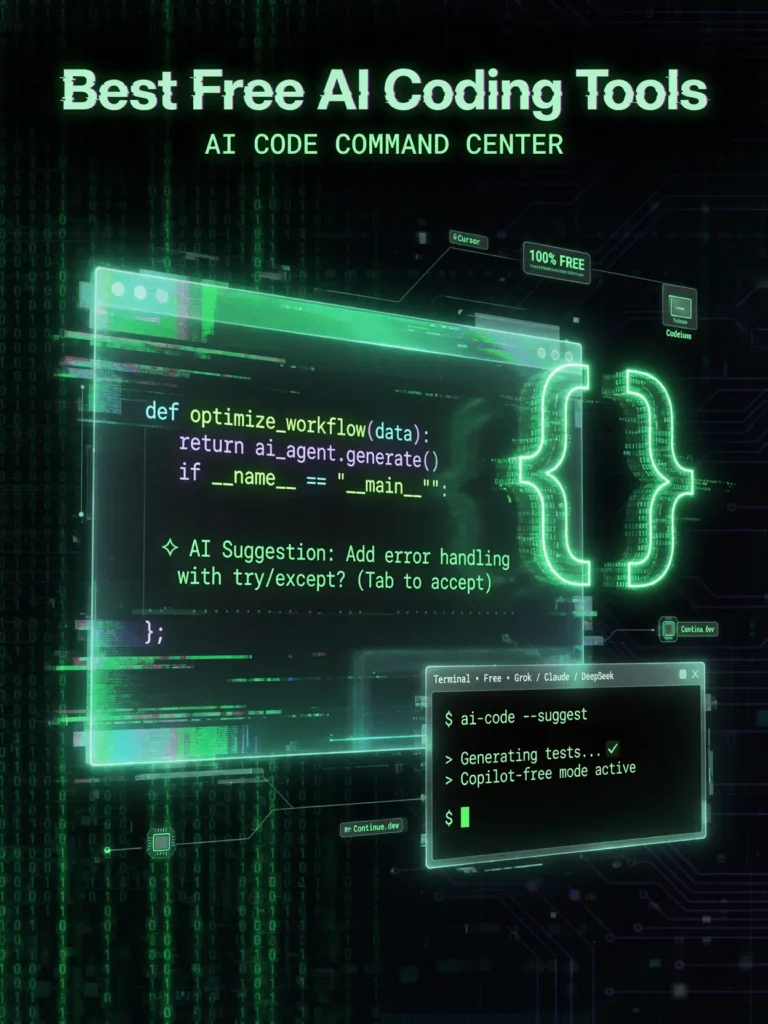
AI coding assistants have revolutionized software development, and several powerful options are available for free.

27. GitHub Copilot (Free Tier)

Best for: Code completion, code generation, multi-language support

Free Tier Rating: 🟡 Moderate

GitHub Copilot — the tool that kickstarted the AI coding revolution — now offers a free tier that makes it accessible to all developers.

What You Get for Free:

  • 2,000 code completions per month
  • 50 chat messages per month
  • VS Code and JetBrains integration
  • Multi-language support
  • Context-aware suggestions
  • Code explanation

What Requires Payment:

  • Unlimited completions ($10/month Individual plan)
  • Unlimited chat
  • CLI integration
  • Advanced model selection
  • Workspace indexing

Our Verdict: GitHub Copilot’s free tier is meaningful for hobbyists and students. Professional developers will likely need the paid plan, but the free version is perfect for learning and side projects.

Rating: 8.8/10

28. Cursor (Free Plan)

Best for: AI-native code editor, full-project AI assistance

Free Tier Rating: 🟡 Moderate

Cursor is an AI-first code editor built on VS Code that integrates AI into every aspect of the coding workflow.

What You Get for Free:

  • 2,000 completions per month
  • 50 premium model requests (GPT-4, Claude)
  • 200 cursor-small requests
  • Chat and edit with AI
  • Multi-file editing
  • Codebase-aware suggestions
  • VS Code extension compatibility

What Requires Payment:

  • Unlimited completions ($20/month Pro)
  • 500 premium requests
  • Unlimited cursor-small
  • Priority support

Our Verdict: Cursor’s free tier is compelling for developers who want to experience AI-native coding. The multi-file editing and codebase awareness set it apart from simple code completion tools.

Rating: 8.5/10

29. Codeium / Windsurf

Best for: Free AI code completion, broad language support

Free Tier Rating: 🟢 Generous

Codeium (now branded as Windsurf for its IDE) offers one of the most generous free tiers for AI coding assistance.

What You Get for Free:

  • Unlimited basic code completions
  • Chat with AI (limited premium model access)
  • 70+ language support
  • VS Code, JetBrains, Neovim, and more
  • In-editor search
  • Context-aware suggestions
  • No telemetry on free plan

What Requires Payment:

  • Premium model access ($10/month Pro)
  • Advanced code search
  • Team features
  • Custom model fine-tuning
  • Admin controls

Our Verdict: Codeium/Windsurf’s unlimited free code completions make it the most generous free AI coding tool. Developers who want a reliable, always-available autocomplete assistant should start here.

Rating: 8.6/10

30. Replit AI (Free Tier)

Best for: Online coding, rapid prototyping, learning to code

Free Tier Rating: 🟡 Moderate

Replit combines an online IDE with AI assistance, making it perfect for beginners and rapid prototyping.

What You Get for Free:

  • AI code completion (basic)
  • AI chat assistant
  • Online IDE (multiple languages)
  • Free hosting for projects
  • Multiplayer coding
  • Template library
  • Mobile coding app
  • Community features

What Requires Payment:

  • Advanced AI features ($7/month Hacker plan)
  • More compute resources
  • Private repos
  • Always-on hosting
  • Ghostwriter (advanced AI)

Our Verdict: Replit is the best free option for beginners learning to code. The browser-based IDE eliminates setup friction, and the AI assistance helps learners understand concepts and debug errors in real-time.

Rating: 8.0/10

31. Amazon CodeWhisperer (now Amazon Q Developer)

Best for: AWS development, cloud-native coding, security scanning

Free Tier Rating: 🟢 Generous

Amazon’s AI coding assistant offers a notably generous free tier, especially for developers working with AWS services.

What You Get for Free:

  • Unlimited code suggestions
  • Reference tracking for open-source code
  • Security vulnerability scanning
  • 15+ language support
  • IDE integration (VS Code, JetBrains, etc.)
  • AWS service integration
  • CLI integration

What Requires Payment:

  • Advanced features ($19/user/month Professional)
  • Organizational management
  • Policy controls
  • SSO integration

Our Verdict: Amazon Q Developer’s free tier is genuinely unlimited for individual developers. The security scanning feature is unique among free coding tools and adds real value beyond just code completion.

Rating: 8.4/10

32. Tabnine (Free Plan)

Best for: Privacy-focused AI coding, offline capability

Free Tier Rating: 🟡 Moderate

Tabnine differentiates itself with a strong focus on code privacy and the ability to run AI models locally.

What You Get for Free:

  • Basic code completions
  • Short completions (2-3 lines)
  • 15+ IDE integrations
  • Natural language to code
  • Privacy-first approach (code not used for training)
  • Full-line and full-function completions ($12/month Dev plan)
  • AI chat
  • Unit test generation
  • Code explanation
  • Custom model training
  • Local model execution

Our Verdict: Tabnine’s free tier is more limited than Codeium’s, but its privacy commitment makes it ideal for developers working with sensitive codebases. If data privacy is your top concern, Tabnine is worth considering.

Rating: 7.5/10

33. Google Project IDX

Best for: Full-stack development, multi-platform apps, Google Cloud integration

Free Tier Rating: 🟢 Generous

Google’s Project IDX is a cloud-based development environment with built-in Gemini AI assistance.

What You Get for Free:

  • Full cloud-based IDE
  • Gemini AI code assistance
  • Multi-platform templates (web, mobile, backend)
  • Integrated emulators
  • Firebase integration
  • GitHub integration
  • One-click deployment previews

What Requires Payment:

  • Currently free during beta
  • Premium tiers expected in the future

Our Verdict: Project IDX is still technically in its growth phase, but it’s fully functional and free. The Gemini integration provides intelligent code suggestions, and the cloud-based approach means you can code from any device.

Rating: 8.2/10

Best Free AI Productivity Tools

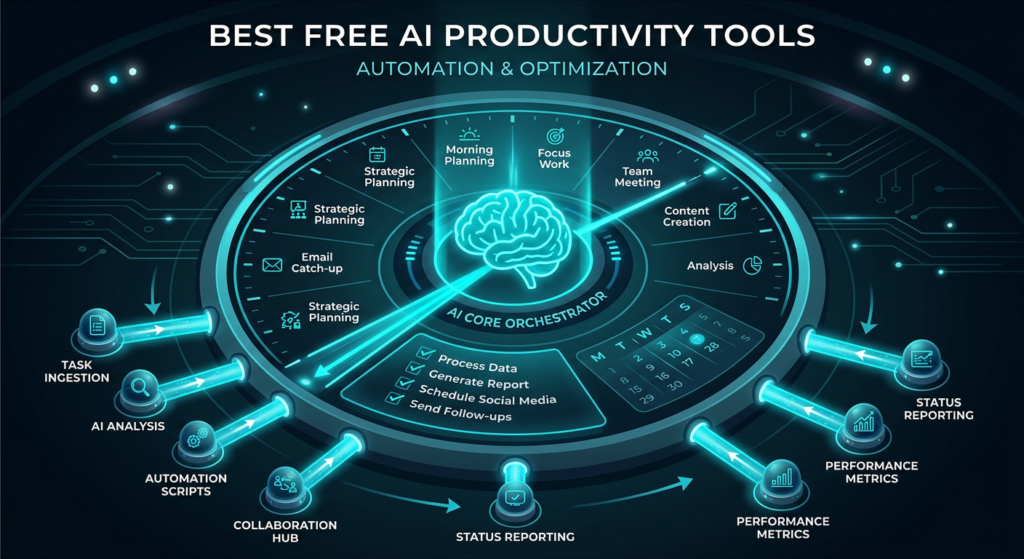
AI productivity tools help you work smarter, not harder. These free options can save hours of work every week.

34. Notion AI (Free Features)

Best for: Note-taking, project management, knowledge bases

Free Tier Rating: 🟡 Moderate

Notion has embedded AI throughout its workspace platform, and several AI features are available to free users.

What You Get for Free:

  • Notion workspace (unlimited pages)
  • Basic AI features (limited uses)
  • AI writing assistance
  • AI-powered search (Q&A)
  • Templates with AI components
  • Collaboration (up to 10 guests)
  • Web, desktop, and mobile apps

What Requires Payment:

  • Unlimited AI ($10/month per member with AI add-on)
  • Advanced AI features
  • Unlimited file uploads
  • 30-day page history
  • Bulk export

Our Verdict: Notion’s free tier gives you one of the best productivity platforms available, with a taste of AI functionality. For personal use, the free plan is remarkably capable.

Rating: 8.6/10

35. Otter.ai (Free Tier)

Best for: Meeting transcription, audio notes, interview recording

Free Tier Rating: 🟡 Moderate

Otter.ai uses AI to transcribe meetings and conversations in real-time, making it invaluable for professionals.

What You Get for Free:

  • 300 monthly transcription minutes
  • 30 minutes per conversation
  • AI-generated summaries
  • Real-time transcription
  • Speaker identification
  • Search across transcripts
  • Zoom, Google Meet, Teams integration (basic)
  • Web, iOS, and Android apps

What Requires Payment:

  • 1,200 minutes/month ($16.99/month Pro)
  • 90 minutes per conversation
  • Advanced summaries and action items
  • Custom vocabulary
  • Bulk import
  • Priority support

Our Verdict: Otter.ai’s free tier of 300 minutes monthly is enough for 2-3 meetings per week. For freelancers, students recording lectures, and professionals who attend occasional meetings, it’s genuinely useful.

Rating: 8.3/10

36. Reclaim AI (Free Plan)

Best for: Smart calendar management, time blocking, scheduling optimization

Free Tier Rating: 🟢 Generous

Reclaim AI uses artificial intelligence to automatically optimize your calendar, block time for tasks, and protect your productivity.

What You Get for Free:

  • Smart time blocking
  • Task management with AI scheduling
  • Habit tracking and scheduling
  • Meeting scheduling links
  • Calendar sync (up to 2 calendars)
  • Buffer time between meetings
  • Google Calendar integration

What Requires Payment:

  • Team features ($10/month Starter)
  • Slack integration
  • Advanced analytics
  • Multiple calendar sync
  • Priority support

Our Verdict: Reclaim AI’s free plan is one of the most underrated productivity tools. The AI-powered scheduling alone can save several hours per week by intelligently finding the best times for your tasks and habits.

Rating: 8.1/10

37. Todoist AI (Free Features)

Best for: Task management, to-do lists, project organization

Free Tier Rating: 🟡 Moderate

Todoist has integrated AI assistant features into its popular task management app.

What You Get for Free:

  • Up to 5 active projects
  • AI task suggestions (limited)
  • Natural language task creation
  • Priority levels
  • Due dates and reminders
  • Cross-platform sync
  • Collaborator access (5 per project)

What Requires Payment:

  • Unlimited projects ($5/month Pro)
  • Full AI assistant
  • Reminders and notifications
  • Filters and labels
  • Calendar integration
  • Task duration

Our Verdict: Todoist’s free tier is functional for basic task management, and the AI features add a layer of intelligence to an already excellent app. Power users will want the Pro plan, but the free version handles personal task management well.

Rating: 7.7/10

38. Mem AI (Free Tier)

Best for: AI-powered note-taking, automatic organization, knowledge retrieval

Free Tier Rating: 🟡 Moderate

Mem AI is a self-organizing note-taking app that uses AI to automatically connect, tag, and surface relevant notes.

What You Get for Free:

  • AI-powered search and chat
  • Automatic note organization
  • Smart connections between notes
  • Meeting note templates
  • Basic integrations
  • Web and desktop apps

What Requires Payment:

  • Unlimited AI queries ($14.99/month)
  • Advanced AI writing
  • Team collaboration
  • Custom integrations
  • Priority support

Our Verdict: Mem AI’s approach to automatic organization is refreshing. Instead of manually creating folders and tags, the AI handles organization for you. The free tier is enough to test whether this approach fits your workflow.

Rating: 7.5/10

39. Zapier AI (Free Tier)

Best for: Workflow automation, app integration, no-code automation

Free Tier Rating: 🟡 Moderate

Zapier now incorporates AI throughout its automation platform, and the free tier lets you create basic automated workflows.

What You Get for Free:

  • 100 tasks per month
  • 5 single-step Zaps (automations)
  • AI-powered Zap builder (natural language)
  • Access to 7,000+ app integrations
  • Basic filters and formatting
  • Chatbots (limited)
  • Tables (limited)

What Requires Payment:

  • 750+ tasks/month ($29.99/month Starter)
  • Multi-step Zaps
  • Premium apps
  • Custom logic (paths)
  • Advanced AI features

Our Verdict: Zapier’s free tier demonstrates the power of AI automation even with its limitations. Being able to describe an automation in plain English and have AI build it for you is game-changing for non-technical users.

Rating: 7.8/10

Best Free AI Marketing Tools

Marketing professionals can leverage these free AI tools to create campaigns, generate content, and analyze performance without spending a dime.

40. HubSpot AI (Free CRM)

Best for: CRM, email marketing, lead management, sales pipelines

Free Tier Rating: 🟢 Generous

HubSpot’s free CRM now includes AI-powered features that help small businesses compete with larger organizations.

What You Get for Free:

  • Contact management (up to 1,000,000 contacts)
  • AI email writer
  • AI chatbot builder
  • Email marketing (2,000 sends/month)
  • Landing pages
  • Forms and pop-ups
  • Live chat
  • Basic reporting
  • Mobile app

What Requires Payment:

  • Advanced AI features ($20/month Starter)
  • Marketing automation
  • A/B testing
  • Custom reporting
  • Ad management
  • Remove HubSpot branding

Our Verdict: HubSpot’s free CRM is absurdly generous. The addition of AI features to the free tier makes it the best free marketing platform for small businesses and startups. One million free contacts? It’s hard to argue with that.

Rating: 9.0/10

41. Canva Magic Studio (Free)

Best for: Social media graphics, marketing materials, presentations

Free Tier Rating: 🟡 Moderate

Canva’s Magic Studio brings AI-powered design capabilities to the masses. The free tier includes several AI features alongside Canva’s massive template library.

What You Get for Free:

  • Magic Write (50 uses/month)
  • Magic Design (AI template suggestions)
  • Text-to-image (limited)
  • Background remover (limited)
  • 250,000+ free templates
  • 5GB cloud storage
  • Real-time collaboration
  • Social media scheduling (limited)

What Requires Payment:

  • Unlimited AI features ($13/month Pro)
  • 100+ million premium stock photos/videos
  • Brand kit
  • Premium templates
  • 1TB cloud storage
  • Magic Resize

Our Verdict: For marketers on a budget, Canva’s free tier provides enough design capability to create professional-looking content. The AI features are a bonus on top of an already excellent free design platform.
Rating: 8.5/10

42. Copy.ai (Free Plan)

Best for: Marketing copy, ad copy, social media content, product descriptions

Free Tier Rating: 🟡 Moderate

Copy.ai is purpose-built for marketing content, with AI templates designed for specific marketing use cases.

What You Get for Free:

  • 2,000 words per month
  • Chat interface
  • 90+ marketing templates
  • Blog wizard
  • Social media tools
  • Product descriptions
  • Email subject lines
  • Multiple languages

What Requires Payment:

  • Unlimited words ($49/month Pro)
  • Brand voice training
  • Workflow automation
  • API access
  • Team features
  • Infobase (knowledge base)

Our Verdict: Copy.ai’s 2,000-word monthly limit is restrictive, but its marketing-specific templates produce better results for ad copy and product descriptions than general-purpose tools. Worth using alongside ChatGPT for specialized marketing content.

Rating: 7.5/10

43. Mailchimp AI (Free Tier)

Best for: Email marketing, audience management, campaign optimization

Free Tier Rating: 🟡 Moderate

Mailchimp’s free plan now includes AI-powered features for email marketing.

What You Get for Free:

  • Up to 500 contacts
  • 1,000 email sends per month
  • AI-generated email content generator
  • AI subject line helper
  • Basic email templates
  • Signup forms
  • Landing pages
  • Basic reporting
  • Social media posting

What Requires Payment:

  • More contacts and sends ($13/month Essentials)
  • Advanced AI insights
  • A/B testing
  • Custom branding
  • Email scheduling
  • 24/7 support

Our Verdict: Mailchimp’s free tier is ideal for businesses just starting with email marketing. The AI content generator helps overcome writer’s block, and the 500-contact limit is enough for very early-stage businesses.

Rating: 7.8/10

44. Predis.ai (Free Plan)

Best for: Social media content creation, carousel posts, video ads

Free Tier Rating: 🟡 Moderate

Predis.ai is an AI-powered social media content generator that creates complete posts — including visuals, captions, and hashtags.

What You Get for Free:

  • 15 AI-generated posts per month
  • Single social media brand
  • AI content calendar
  • Carousel post generator
  • Meme generator
  • Hashtag suggestions
  • Basic analytics
  • Publish to 1 channel

What Requires Payment:

  • 120+ posts/month ($32/month Lite)
  • Multiple brands
  • Multi-channel publishing
  • Premium templates
  • Team collaboration
  • Competition analysis

Our Verdict: Predis.ai’s free tier is limited in volume but showcases an impressive capability: generating complete social media posts with visuals and copy in seconds. Solopreneurs managing a single brand can make it work.

Rating: 7.3/10

45. AdCreative.ai (Free Trial)

Best for: Ad creative generation, banner ads, social media ads

Free Tier Rating: 🔴 Limited

AdCreative.ai uses AI to generate high-converting ad creatives based on your brand guidelines and campaign objectives.

What You Get for Free:

  • 7-day free trial
  • 10 ad creative downloads
  • AI scoring of ad performance potential
  • Multiple ad platform formats
  • Brand setup
  • Stock photo integration

What Requires Payment:

  • 10 downloads/month ($29/month Starter)
  • Unlimited generations
  • Performance insights
  • Competitor analysis
  • Video ad creatives
  • Team features

Our Verdict: AdCreative.ai’s free offering is really a trial rather than a permanent free tier. However, the AI-scored ad creatives are unique — the platform predicts which designs will perform best before you spend ad dollars.

Rating: 6.8/10

Best Free AI Research Tools

Research is one area where free AI tools genuinely outperform traditional methods. These tools can accelerate your research workflow dramatically.

46. Perplexity AI (Free Tier)

Best for: AI-powered search, research with citations, fact-checking

Free Tier Rating: 🟢 Generous

Perplexity AI has redefined what an AI search engine can do. The free tier provides access to a powerful research assistant that cites its sources.

What You Get for Free:

  • Unlimited Quick searches
  • 5 Pro searches per day (using GPT-4/Claude)
  • Real-time web search with citations
  • File upload and analysis
  • Image generation (limited)
  • Collections (organize research)
  • Mobile apps
  • Chrome extension
  • Focus modes (Academic, YouTube, Reddit, etc.)

What Requires Payment:

  • Unlimited Pro searches ($20/month Pro)
  • 300+ daily file uploads
  • Advanced AI model selection
  • API access
  • Higher limits for image generation

Our Verdict: Perplexity AI’s free tier is the best research tool available for zero cost. The citation-backed answers solve AI’s biggest trust problem, and the Focus modes let you target specific source types. We use it daily at AI Spartan.

Rating: 9.1/10

47. Consensus

Best for: Scientific research, evidence-based answers, academic papers

Free Tier Rating: 🟢 Generous

Consensus is an AI-powered academic search engine that finds and summarizes insights from peer-reviewed scientific papers.

What You Get for Free:

  • Unlimited searches
  • AI-synthesized answers from research papers
  • Consensus meter (shows scientific agreement)
  • Access to 200+ million papers
  • Study snapshots
  • Citation export
  • Copilot summaries (limited per month)

What Requires Payment:

  • Unlimited Copilot summaries ($8.99/month Premium)
  • Bookmarks and lists
  • Advanced filters
  • Bulk citation export

Our Verdict: Consensus is invaluable for anyone who needs evidence-based answers. Whether you’re a student writing a thesis, a health professional checking research, or a content creator who wants scientifically-backed claims, this tool is essential.

Rating: 8.5/10

48. Semantic Scholar

Best for: Academic paper discovery, citation analysis, literature review

Free Tier Rating: 🟢 Generous (Fully free)

Semantic Scholar, developed by the Allen Institute for AI, is a free AI-powered research tool that helps you find and understand academic papers.

What You Get for Free:

  • Unlimited paper searches
  • AI-generated paper summaries (TLDR)
  • Citation context analysis
  • Research feed (personalized)
  • Author profiles
  • Citation graphs
  • API access
  • Alerts for new papers
  • Full paper access (when available)

What Requires Payment:

  • Completely free (non-profit)

Our Verdict: Semantic Scholar is genuinely, completely free — it’s run by a non-profit. The AI-generated TLDRs (brief paper summaries) save enormous time when scanning literature. It’s essential for anyone doing serious academic research.

Rating: 8.8/10

49. Elicit (Free Plan)

Best for: Literature review automation, research question answering

Free Tier Rating: 🟡 Moderate

Elicit uses AI to automate parts of the research workflow, especially finding relevant papers and extracting key information.

What You Get for Free:

  • 5,000 paper credits
  • AI literature review
  • Paper extraction (titles, abstracts, key findings)
  • Research question answering
  • Basic data extraction
  • Column customization

What Requires Payment:

  • More credits ($12/month Plus)
  • Full-text analysis
  • High-accuracy extraction
  • Bulk analysis
  • Export to CSV
  • Priority processing

Our Verdict: Elicit’s approach to AI-assisted literature review is genuinely innovative. The free tier’s 5,000 paper credits provide a substantial allowance for most research projects.

Rating: 8.0/10

50. Connected Papers

Best for: Visualizing paper relationships, discovering related research

Free Tier Rating: 🟡 Moderate

Connected Papers creates visual graphs showing how academic papers are connected, making it easy to discover related research.

What You Get for Free:

  • 5 graphs per month
  • Visual paper relationship maps
  • Prior works view
  • Derivative works view
  • Paper details and abstracts
  • Export graph data

What Requires Payment:

  • Unlimited graphs ($6/month Academic plan)
  • Multi-origin graphs
  • Advanced filtering

Our Verdict: Connected Papers offers a unique visual approach to literature discovery that text-based search engines can’t match. Five free graphs per month is enough for occasional research projects.

Rating: 7.8/10

Best Free AI Education Tools

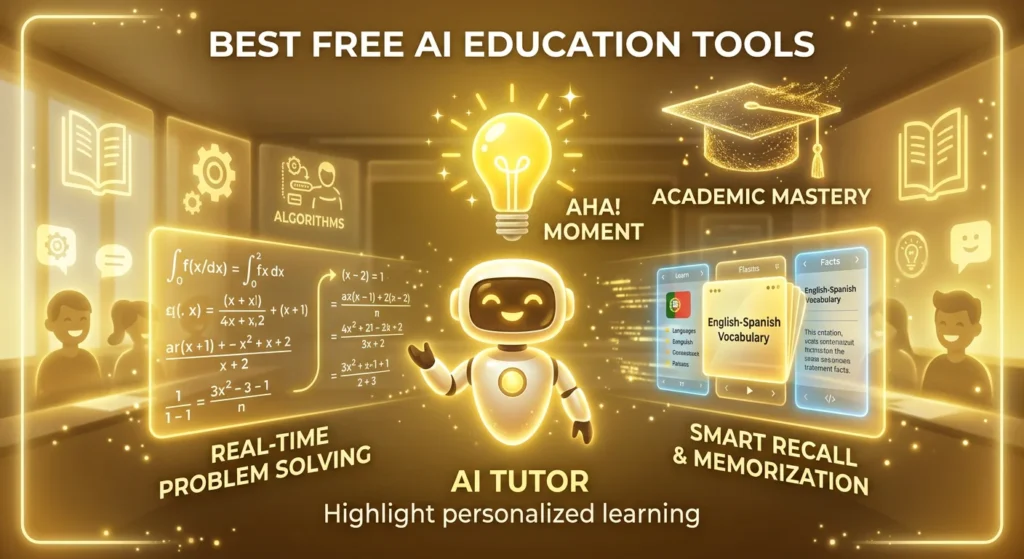
AI is revolutionizing education, and these free tools make personalized learning accessible to everyone.

51. Khan Academy Khanmigo (Free Access)

Best for: Personalized tutoring, K-12 education, test prep

Free Tier Rating: 🟢 Generous

Khan Academy’s AI tutor Khanmigo provides personalized, one-on-one tutoring across subjects — and it’s now free for all learners.

What You Get for Free:

  • AI tutor across all subjects
  • Socratic method (guides without giving answers)
  • Step-by-step problem solving
  • Writing coach
  • Debate practice
  • Career coaching
  • SAT prep assistance
  • Full Khan Academy course library

What Requires Payment:

  • Teacher tools (district licenses)
  • Classroom analytics
  • Assignment creation tools

Our Verdict: Khanmigo’s free availability is a landmark moment for education. An AI tutor that adapts to each student’s level and teaches through guided discovery rather than just giving answers — free for every student on earth. This is genuinely transformative.

Rating: 9.3/10

52. Duolingo (AI-Powered, Free)

Best for: Language learning, daily practice, gamified education

Free Tier Rating: 🟢 Generous

Duolingo has deeply integrated AI into its language learning platform, powering personalized lesson paths and the new conversational practice features.

What You Get for Free:

  • Full language courses (40+ languages)
  • AI-personalized lesson paths
  • Speech recognition
  • Daily practice reminders
  • Progress tracking
  • Stories and podcasts (select languages)
  • Community features
  • Leaderboards

What Requires Payment:

  • Unlimited hearts ($7.99/month Super)
  • No ads
  • Unlimited practice
  • Roleplay with AI (Super only for some features)
  • Progress quizzes
  • Offline learning

Our Verdict: Duolingo’s free tier provides a complete language learning experience. The AI personalization means lessons adapt to your strengths and weaknesses. Ads and heart limits are the main annoyances, but the educational value is undeniable.

Rating: 8.9/10

53. Quizlet AI (Free Tier)

Best for: Flashcards, study sets, exam preparation

Free Tier Rating: 🟡 Moderate

Quizlet has evolved from simple flashcards to an AI-powered study platform with personalized learning paths.

What You Get for Free:

  • Unlimited flashcard sets
  • AI-generated study sets
  • Learn mode (AI-adaptive studying)
  • Practice tests
  • Match game
  • Community study sets (800+ million)
  • Mobile apps
  • Diagram creation

What Requires Payment:

  • Q-Chat AI tutor ($7.99/month Plus)
  • Expert-verified explanations
  • Custom images
  • No ads
  • Offline access
  • Priority support

Our Verdict: Quizlet’s free tier covers the core study experience effectively. The AI-adaptive Learn mode optimizes which cards you see based on your performance, making study sessions more efficient than random review.

Rating: 8.0/10

54. Socratic by Google

Best for: Homework help, visual problem solving, step-by-step explanations

Free Tier Rating: 🟢 Generous (Completely free)

Socratic by Google lets students photograph homework problems and get AI-powered explanations and step-by-step solutions.

What You Get for Free:

  • Photo-based problem solving
  • Step-by-step explanations
  • Multiple subjects (math, science, history, English)
  • Video explanations from the web
  • AI-powered concept matching
  • Completely free (no premium tier)
  • iOS and Android apps

What Requires Payment:

  • Nothing — it’s completely free

Our Verdict: Socratic is a completely free, no-strings-attached AI education tool from Google. Students can photograph any homework problem and get instant, detailed explanations. It’s simple, effective, and entirely free.

Rating: 8.2/10

55. Gradescope (Free for Students)

Best for: Assignment submission, AI-assisted grading feedback, exam review

Free Tier Rating: 🟢 Generous (Free for students)

Gradescope uses AI to streamline grading and provide consistent, detailed feedback on assignments.

What You Get for Free (Students):

  • Assignment submission
  • Grade viewing
  • AI-graded feedback review
  • Regrade requests
  • Performance analytics
  • Mobile upload
  • Collaboration tools

What Requires Payment:

  • Instructor features (institutional licenses)
  • AI-assisted grading setup
  • Rubric creation
  • Analytics dashboard

Our Verdict: While students don’t control whether their institution uses Gradescope, the platform is free for all students. The AI-powered feedback is more consistent and faster than traditional grading, helping students understand mistakes quickly.

Rating: 7.5/10

Bonus — Best Free AI Tools That Require No Sign-Up

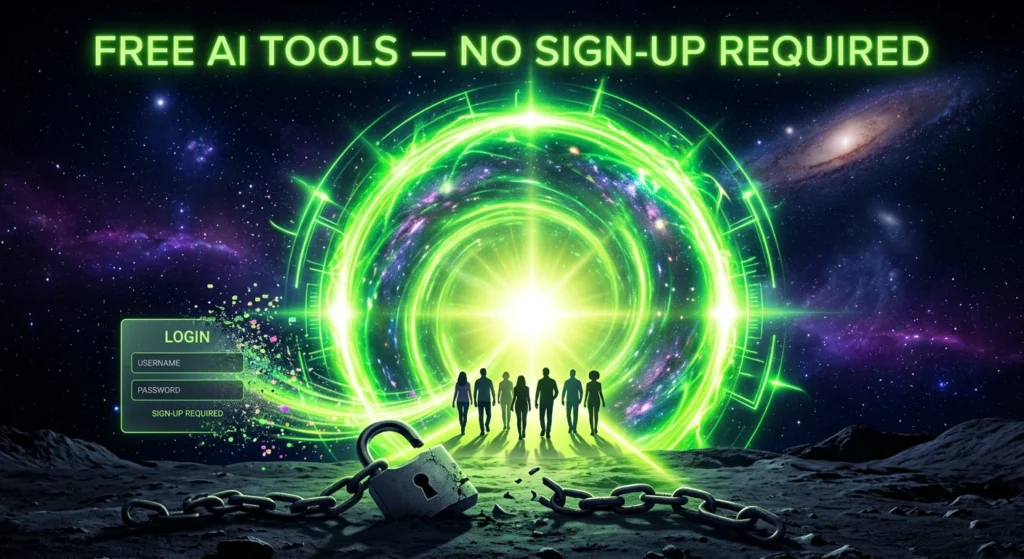
Want to use AI without creating yet another account? These tools work instantly with zero registration:

ToolWhat It DoesWebsite
Perplexity AIAI search with citationsperplexity.ai
DuckDuckGo AI ChatPrivate AI chat (multiple models)duckduckgo.com
Hugging Face SpacesThousands of free AI demoshuggingface.co/spaces
Remove.bgAI background removal (limited)remove.bg
TinyWow50+ free AI tools (PDF, image, writing)tinywow.com
ChatPDFChat with PDF documentschatpdf.com
DiagramAI-powered design generationdiagram.com

How to Choose the Right Free AI Tool for Your Needs

With 50+ tools on this list, how do you know which ones to actually use? Here’s our decision framework:

By Role

Content Creators & Writers:
Start with → ChatGPT Free + Canva AI + CapCut AI

Designers & Artists:
Start with → Leonardo AI + Ideogram + Stable Diffusion

Developers:
Start with → Codeium/Windsurf + Cursor + GitHub Copilot Free

Students:
Start with → ChatGPT Free + Khan Academy Khanmigo + Perplexity AI

Marketers:
Start with → HubSpot Free + Canva Magic Studio + Copy.ai

Researchers:
Start with → Perplexity AI + Semantic Scholar + Consensus

Entrepreneurs & Small Business:
Start with → Microsoft Copilot + HubSpot Free + Canva AI + CapCut AI

By Experience Level

Beginners:
Focus on tools with simple interfaces: ChatGPT, Canva, CapCut, Socratic

Intermediate:
Add specialized tools: Leonardo AI, Perplexity, GitHub Copilot, Notion AI

Advanced:
Leverage open-source and technical tools: Stable Diffusion, Cursor, Hugging Face, APIs

Frequently Asked Questions

What is the best free AI tool in 2026?

ChatGPT (Free Tier) remains the best overall free AI tool in 2026 for its versatility, quality, and generous free access. However, the “best” depends on your specific need. For research, Perplexity AI is superior. For images, Leonardo AI wins. For video, CapCut AI leads.

Are free AI tools safe to use?

Most free AI tools from established companies (Google, Microsoft, OpenAI, etc.) are safe. However, always review privacy policies, especially regarding how your data and content are used. Some free tools use your inputs to train their models. For sensitive content, consider privacy-focused tools like DuckDuckGo AI Chat or locally-run tools like Stable Diffusion.

Can I use free AI tools for commercial projects?

It depends on the tool. Some tools (Microsoft Copilot, Adobe Firefly, Playground AI) explicitly allow commercial use on free plans. Others (Suno AI, many image generators) restrict commercial use to paid plans. Always check the specific tool’s terms of service before using AI-generated content commercially.

What's the best free AI tool for students?

Khan Academy Khanmigo for tutoring, ChatGPT Free for writing assistance, Perplexity AI for research, Socratic by Google for homework help, and Quizlet AI for studying. Together, these create a powerful (and completely free) AI-powered study toolkit.

Do free AI tools have watermarks?

Some do, some don’t. CapCut AI and Clipchamp don’t watermark exports. InVideo AI does watermark free exports. Most AI image generators don’t add visible watermarks on free tiers, though some add metadata. Always check before using content publicly.

Which free AI tool is best for writing?

For general writing, ChatGPT Free offers the best combination of quality and versatility. For writing with real-time web access, Microsoft Copilot or Google Gemini. For long-form, nuanced writing, Claude Free produces excellent results despite lower usage limits.

Will these tools stay free?

Most tools on this list have maintained free tiers for over a year, and market competition incentivizes continued free access. However, free tier features and limits can change. We update this guide regularly to reflect any changes.

Q: How do I handle clients who ask if I use AI?

Be honest and confident. Here’s a script that works: “I use AI tools as part of my professional workflow, similar to how designers use Photoshop or accountants use Excel. These tools help me deliver higher quality work more efficiently. Every piece of work goes through my personal review and editing process to ensure it meets professional standards and your specific requirements.”

Final Verdict — Our Top Picks by Category

Here are our definitive top picks in each category:

CategoryTop PickRunner-UpWhy It Wins
WritingChatGPT FreeMicrosoft CopilotMost versatile, highest quality
Image GenerationLeonardo AIIdeogramBest quality-to-free ratio
Video CreationCapCut AIClipchampFeature-rich, no watermark
Audio/MusicSuno AIElevenLabsFull songs for free daily
CodingCodeium/WindsurfGitHub Copilot FreeUnlimited free completions
ProductivityNotion AIOtter.aiAll-in-one workspace
MarketingHubSpot FreeCanva Magic StudioAbsurdly generous CRM
ResearchPerplexity AISemantic ScholarCitations + real-time web
EducationKhanmigoDuolingoFree AI tutoring for all
OverallChatGPT FreeMicrosoft CopilotUnmatched versatility

Final Thoughts

The AI tools landscape in 2026 is extraordinary. What would have cost thousands of dollars in software subscriptions just a few years ago is now available for free.


The tools on this list aren’t watered-down demos — they’re genuinely powerful platforms that can help you write better, create stunning visuals, edit professional videos, compose music, code faster, and research more effectively.


Our advice? Don’t try to use all 55 tools at once. Pick 3-5 that match your most pressing needs, master them, and then expand your toolkit as needed.

The AI revolution isn’t just for people with deep pockets. With the right free tools, anyone can harness the power of artificial intelligence today.

Hi, I’m Nitish,

Some fun facts about me:

🤖 I’ve tested 200+ AI tools (and counting)
☕ I run on coffee and curiosity
📝 I’ve written 100+ articles about AI
🎯 My goal is to help 1 million people find the right AI tools
💡 I believe AI should be accessible to everyone, not just tech experts